Description
Render Typst snippets in the Joplin Markdown preview.
Additional Information
| Links: | |
|---|---|
| Maintainers: | aspyk |
| Version: | 0.1.0 |
| Minimum app version: | 3.7 |
| Downloads: This version: | 10 |
| Last updated: | 2026-10-01T14:23:11Z |
JoTypst
Render Typst snippets in the Markdown preview of Joplin desktop.
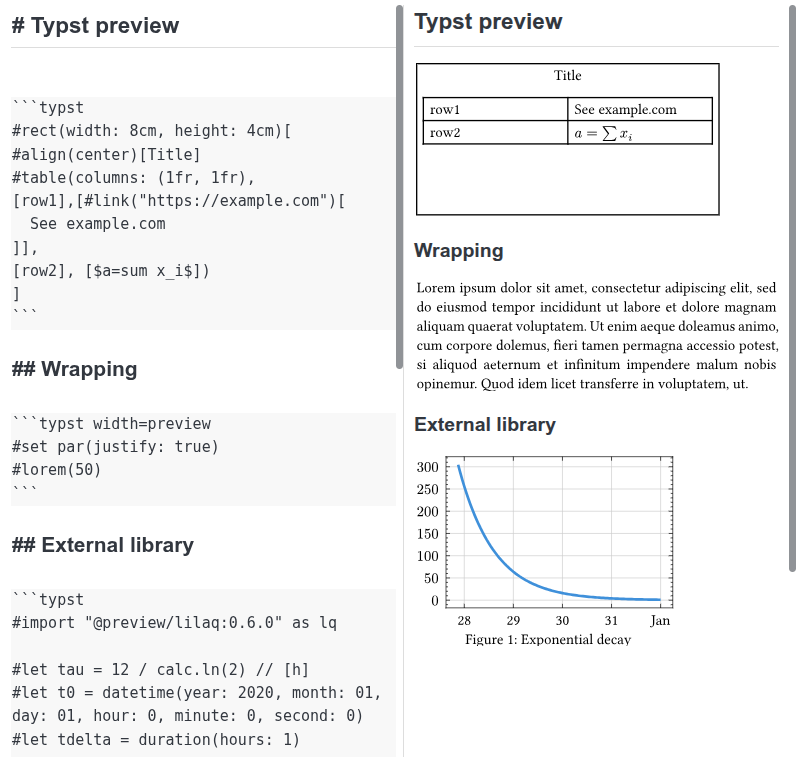
Install the Typst CLI and make sure the typst command is available to Joplin. Then write a fenced code block:
```typst
#align(center)[Hello from Typst!]
```
The fence header controls the page width:
typstortypst width=auto: size the page to its content.typst width=preview: wrap content to the preview pane width, recompiling when the pane changes size.typst width=400pt: use a fixed page width in Typst points (replace400with any positive number).
For example, use this fence to enable wrapping:
```typst width=preview
A long line of text that will wrap to the preview pane width.
```
The plugin compiles each snippet to an SVG locally with a 2 pt margin and transparent background. Errors appear in the preview. Each block is compiled independently, so imports, external files, and multi-page documents are outside this first version's scope. If Joplin does not find typst, launch Joplin from a shell with Typst on its PATH.
Build with npm run dist and install the resulting .jpl from publish/ in Joplin's plugin settings.
Requirements
- Joplin Desktop 3.7 or later
- Typst CLI available in Joplin's
PATH
License
MIT