Export and send Joplin notes to n8n webhooks
| Links: | |
|---|---|
| Maintainers: | bonik |
| Version: | 1.0.4 |
| Minimum app version: | 3.6 |
| Downloads: This version: | 12 |
| Last updated: | 2026-09-01T15:43:20Z |
A Joplin plugin that sends note content to a webhook on n8n (or a custom server), receives the response, and either updates the note or displays the result.
⚠️ The workflow inside n8n[^1] (or your custom server) must be configured by the user.
[^1]: n8n is a node-based workflow automation platform that lets you visually connect apps, services, and AI models using a drag-and-drop interface to automate tasks.
ℹ️ Due to local storage access restrictions in the Joplin mobile plugin, files cannot be inserted directly into notes on mobile.
graph TD
    J["Joplin"]
    PC["PC Plugin"]
    M["Mobile Plugin"]
    N8N["N8N"]

    J <-->|"Text & Binary"| PC
	J ~~~ PC
    J -->|"Text & Binary"| M
    M -.->|"Text Only<br>(❌Binary)"| J

    PC <-->|"Text & Binary"| N8N
    M <-->|"Text & Binary"| N8N

    classDef joplin fill:#1681e4,stroke:#0d5bb0,stroke-width:2px,color:#ffffff,rx:8,ry:8
    classDef pc fill:#8d5bc3,stroke:#4338ca,stroke-width:2px,color:#ffffff,rx:8,ry:8
    classDef mobile fill:#c74fbc,stroke:#92400e,stroke-width:2px,color:#ffffff,rx:8,ry:8
    classDef n8n fill:#e3496d,stroke:#a8283f,stroke-width:2px,color:#ffffff,rx:8,ry:8

    class J joplin
    class PC pc
    class M mobile
    class N8N n8n

    linkStyle 0 stroke:#6366f1,stroke-width:6px 5
    linkStyle 2 stroke:#d97706,stroke-width:6px 5
    linkStyle 3 stroke:#d32f2f,stroke-width:5px 5,stroke-dasharray:8 5
    linkStyle 4 stroke:#6366f1,stroke-width:6px 5
    linkStyle 5 stroke:#d97706,stroke-width:6px 5
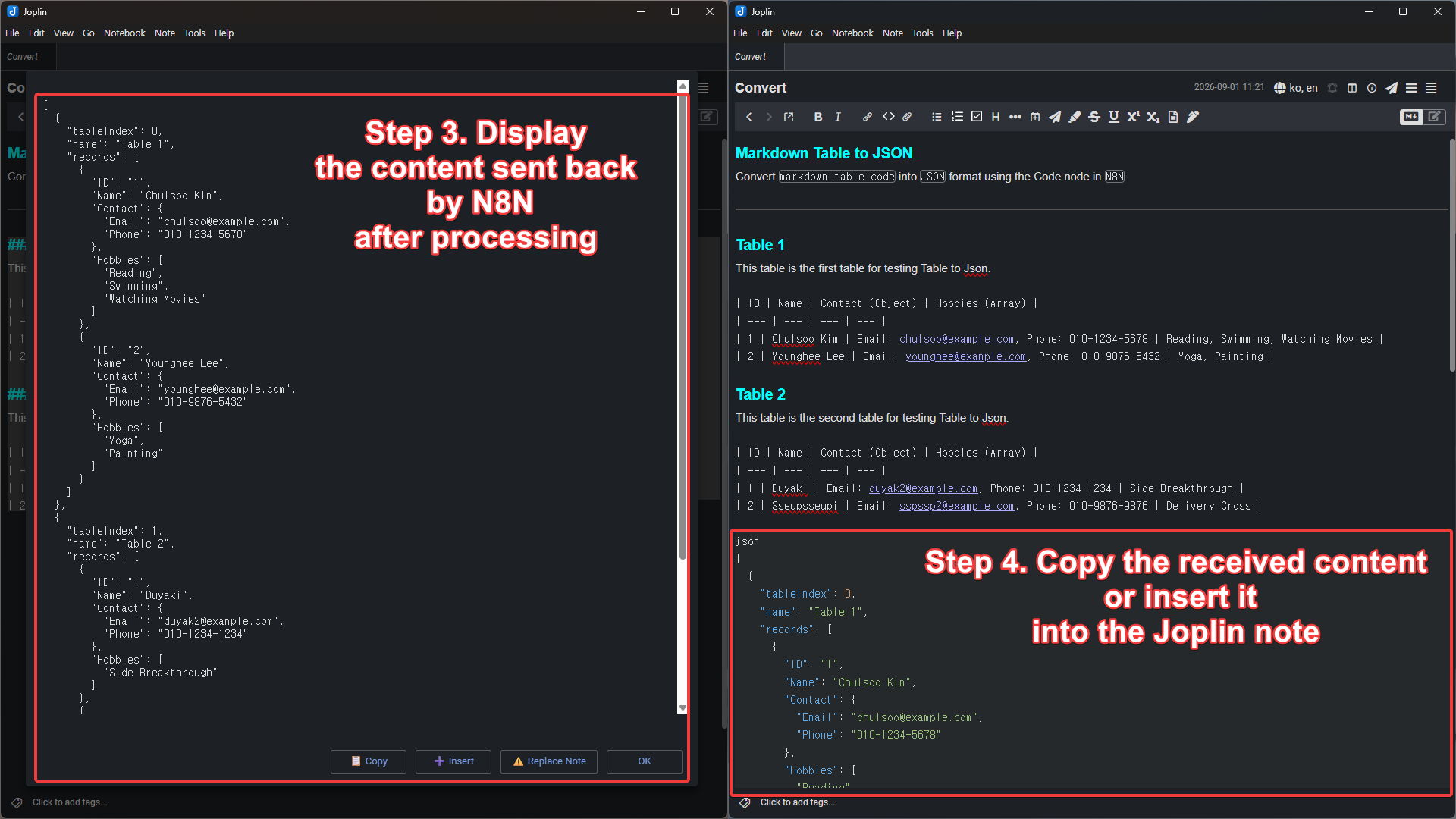 joplin2n8n execution flow
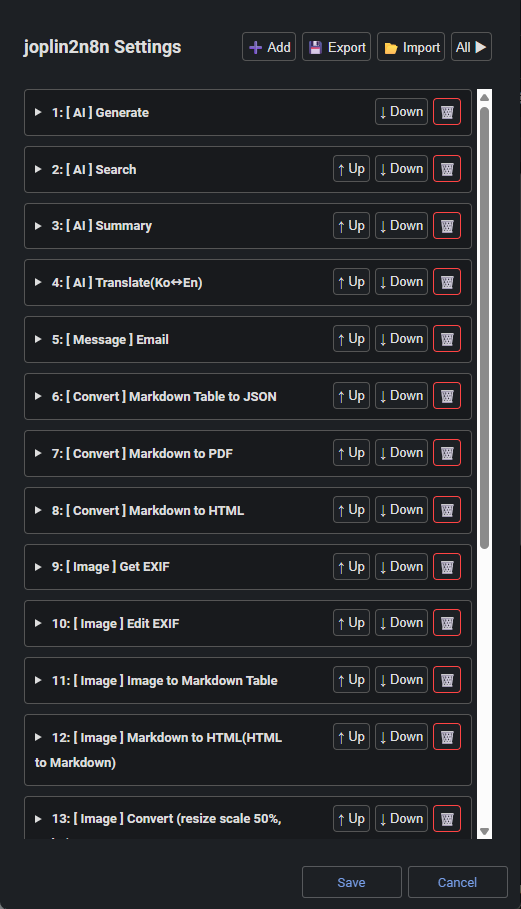 Webhook settings dialog
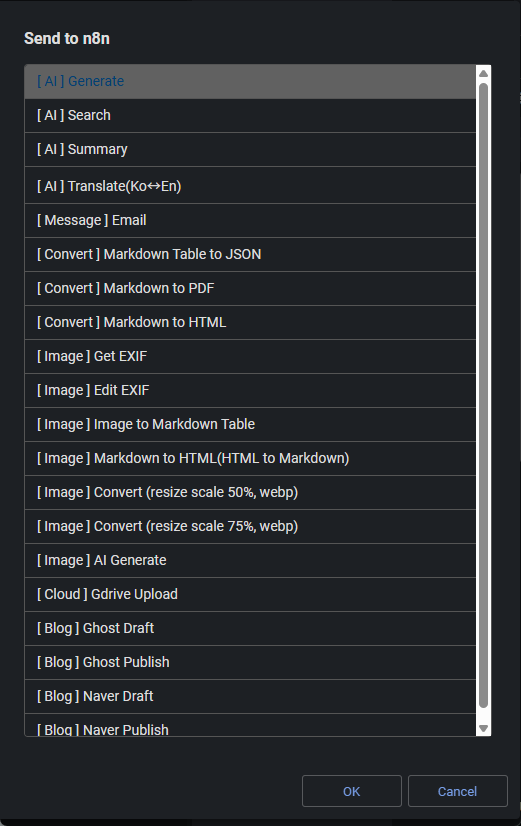
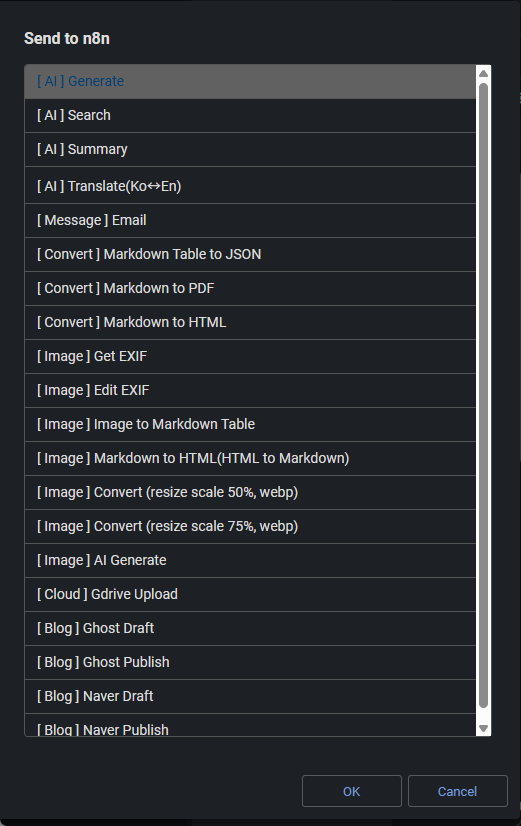 Webhook send dialog
Tools → Options → Plugins.joplin2n8n.com.bonik.joplin2n8n.jpl from the GitHub Releases page.Tools → Options → Plugins.⚙️ (gear) icon at the top of the plugin management screen and select Install from file..jpl file and restart Joplin.After installation, click Tools → Change joplin2n8n Settings to register your n8n webhook.
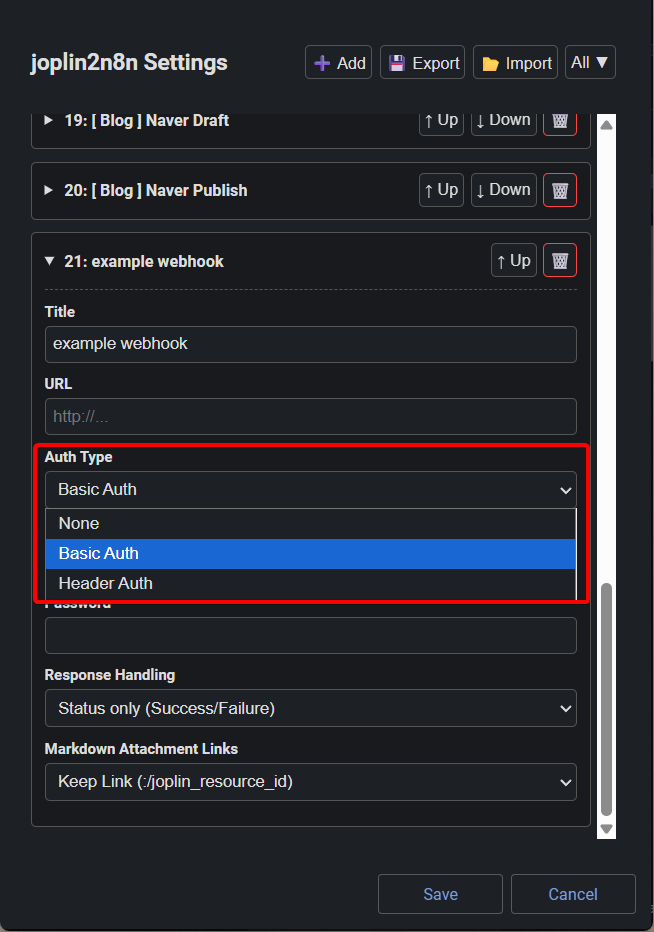
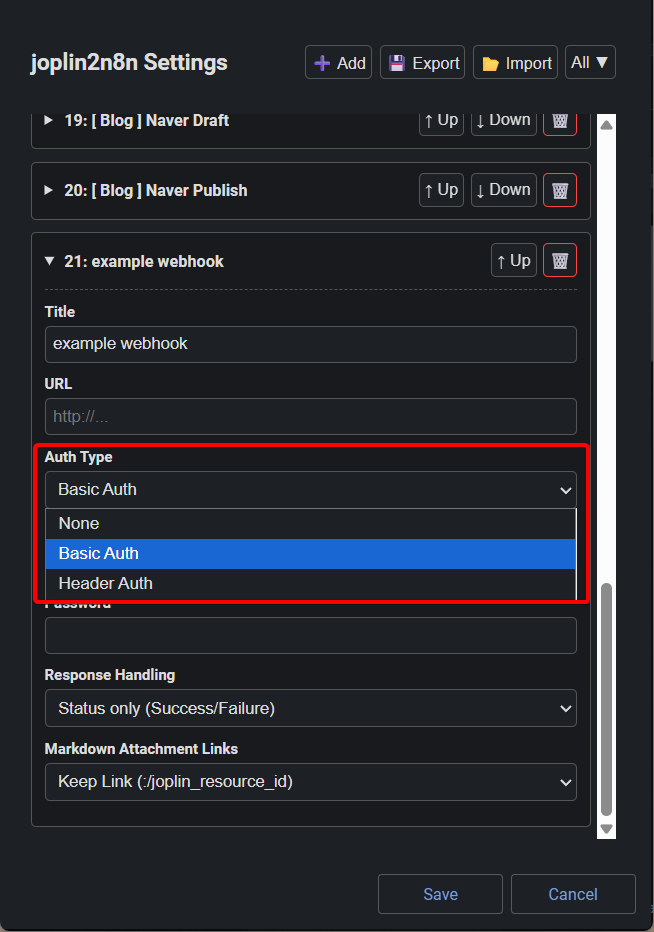
None, Basic Auth, or Header Auth depending on your server configuration.
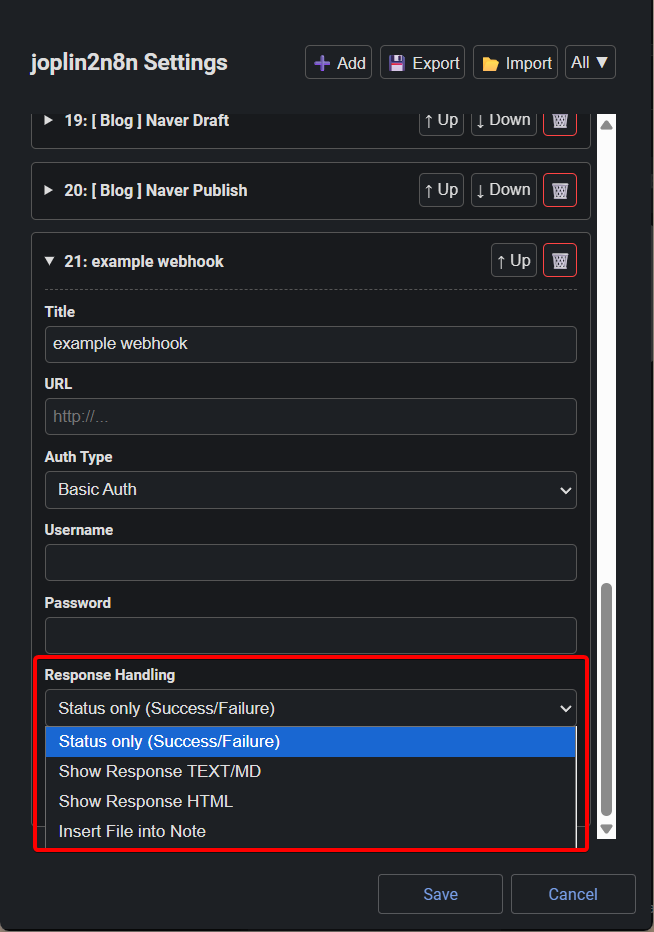
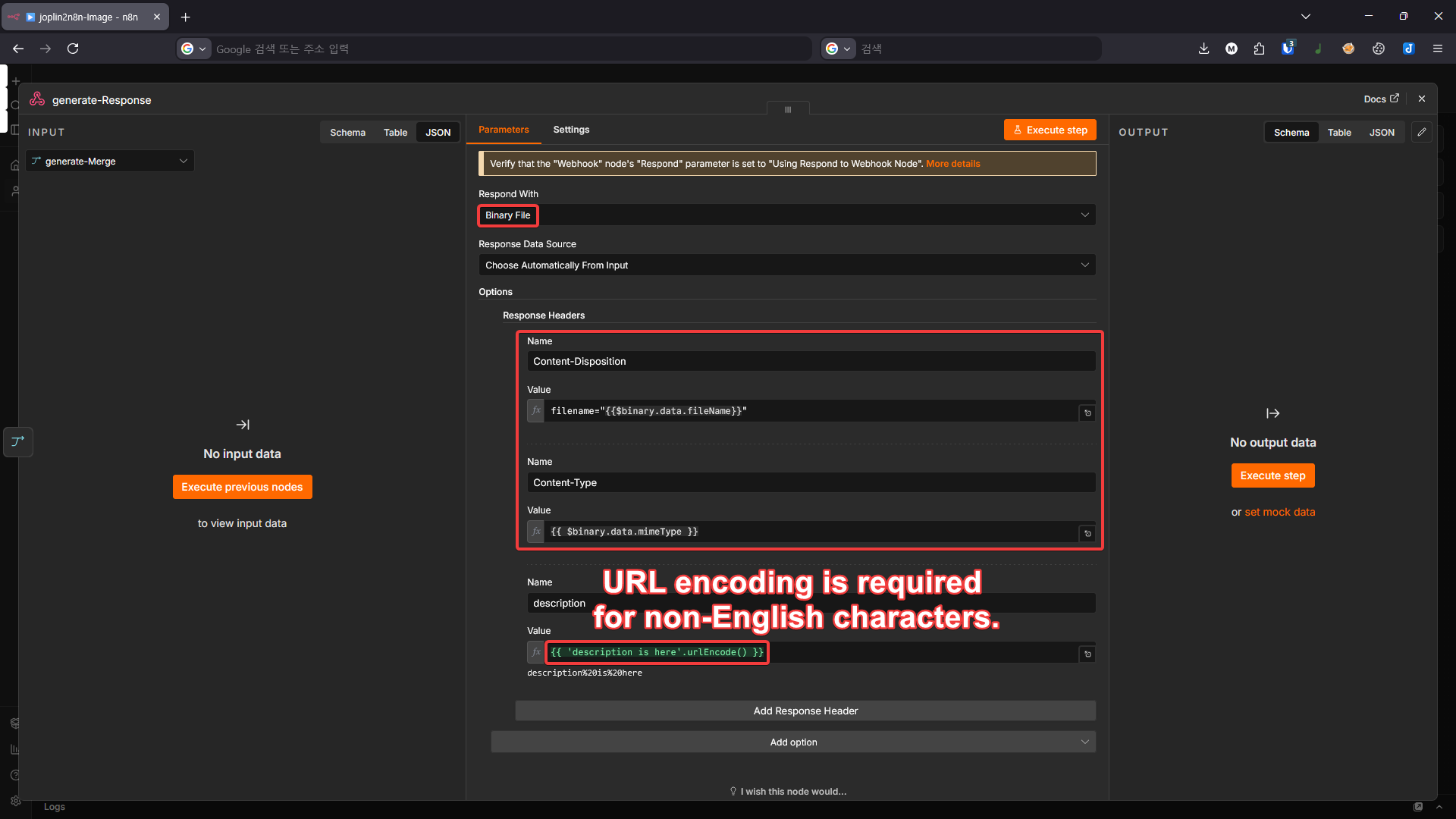
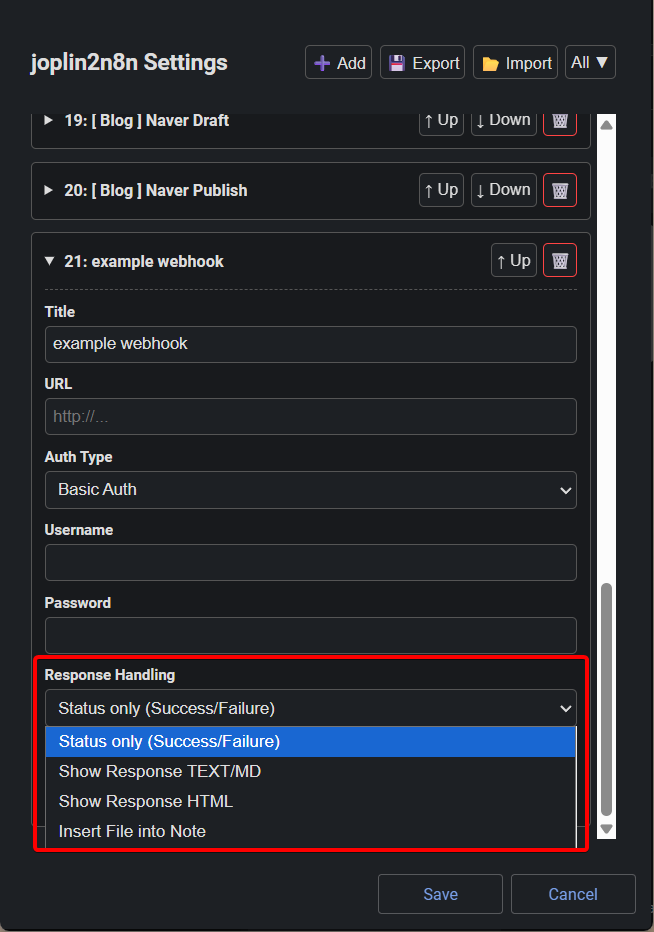
Show success/failure only: Displays a popup indicating whether the request succeeded or failed.Show response TEXT/MD: Displays the response text or Markdown, with an option to replace the current note content.Show response HTML: Renders the response HTML in a popup window.Insert file into note: Inserts the received file directly into the note. Not supported on mobile due to core restrictions — use the workaround of uploading to an external server and receiving a link instead.
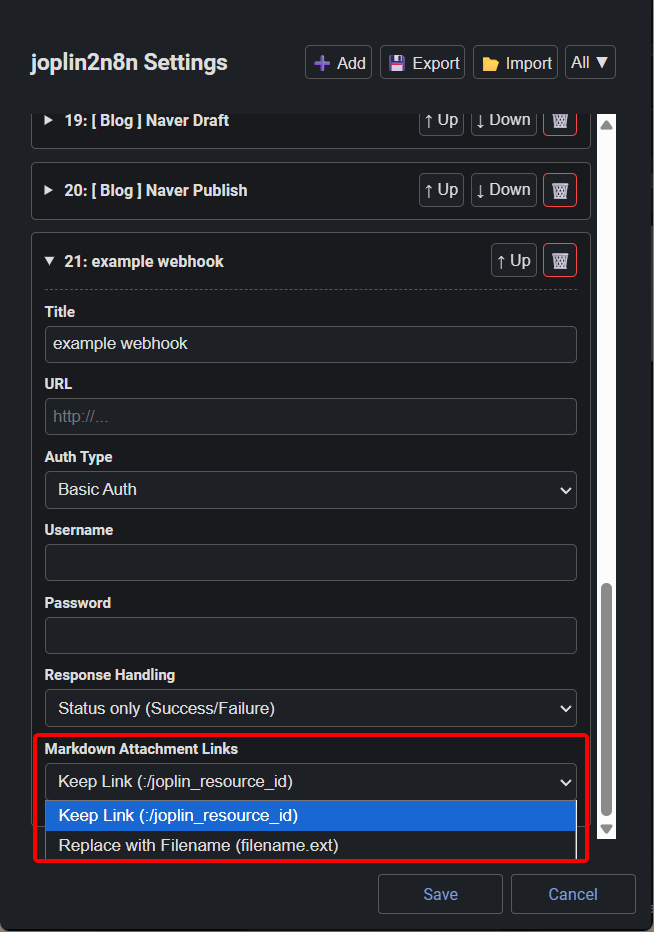
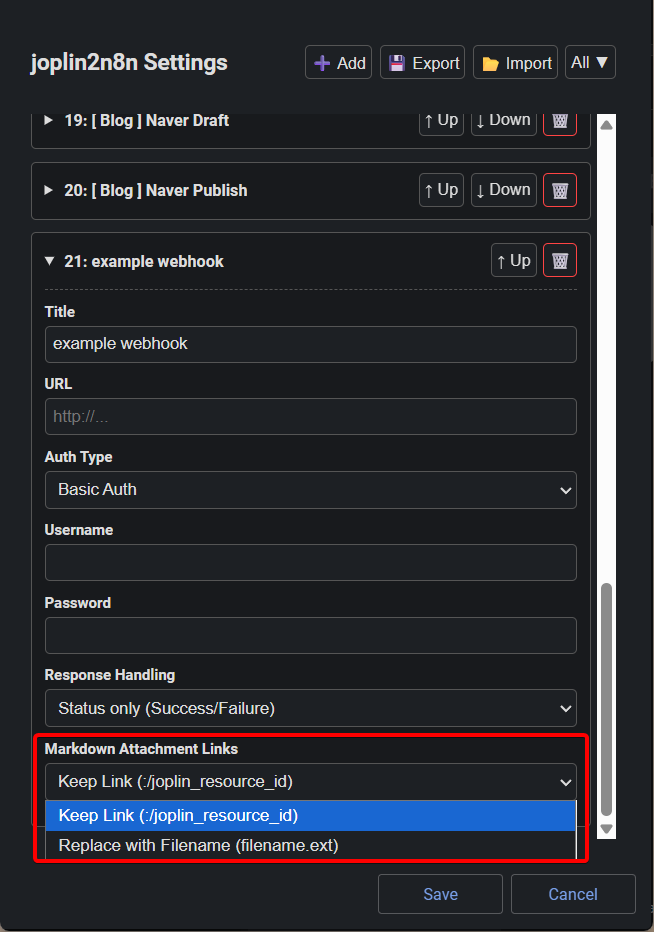
Keep links: Preserves the Joplin note's Markdown link structure. Replace with filename: Replaces Joplin Markdown links with the actual filename. 
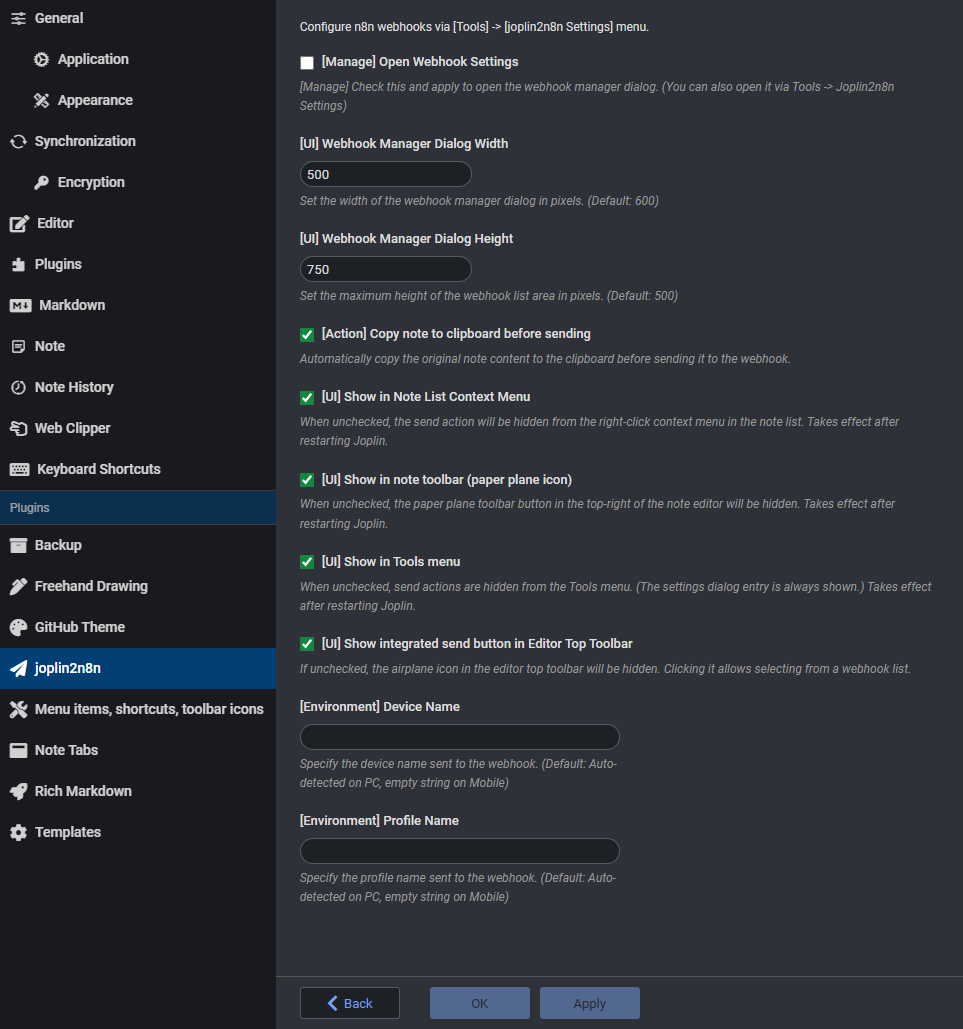
Fine-tune behavior from Joplin's settings panel (Tools → Options → joplin2n8n).
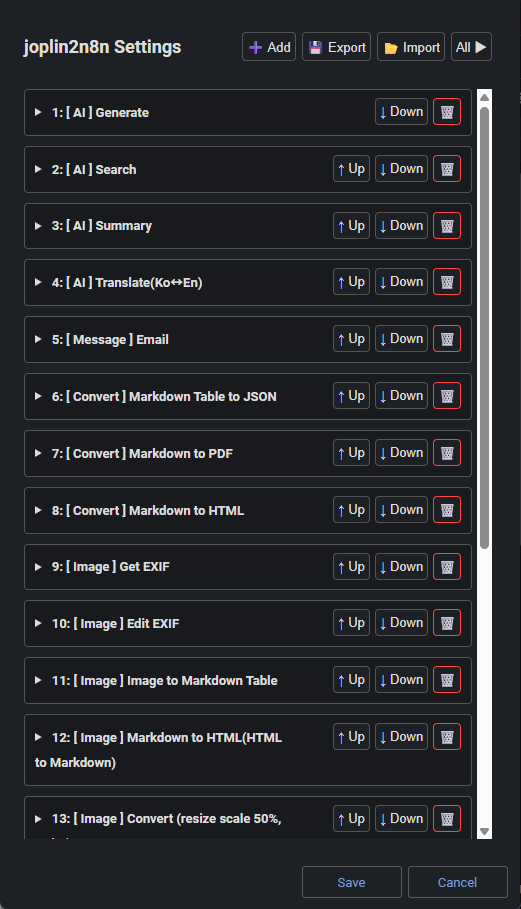
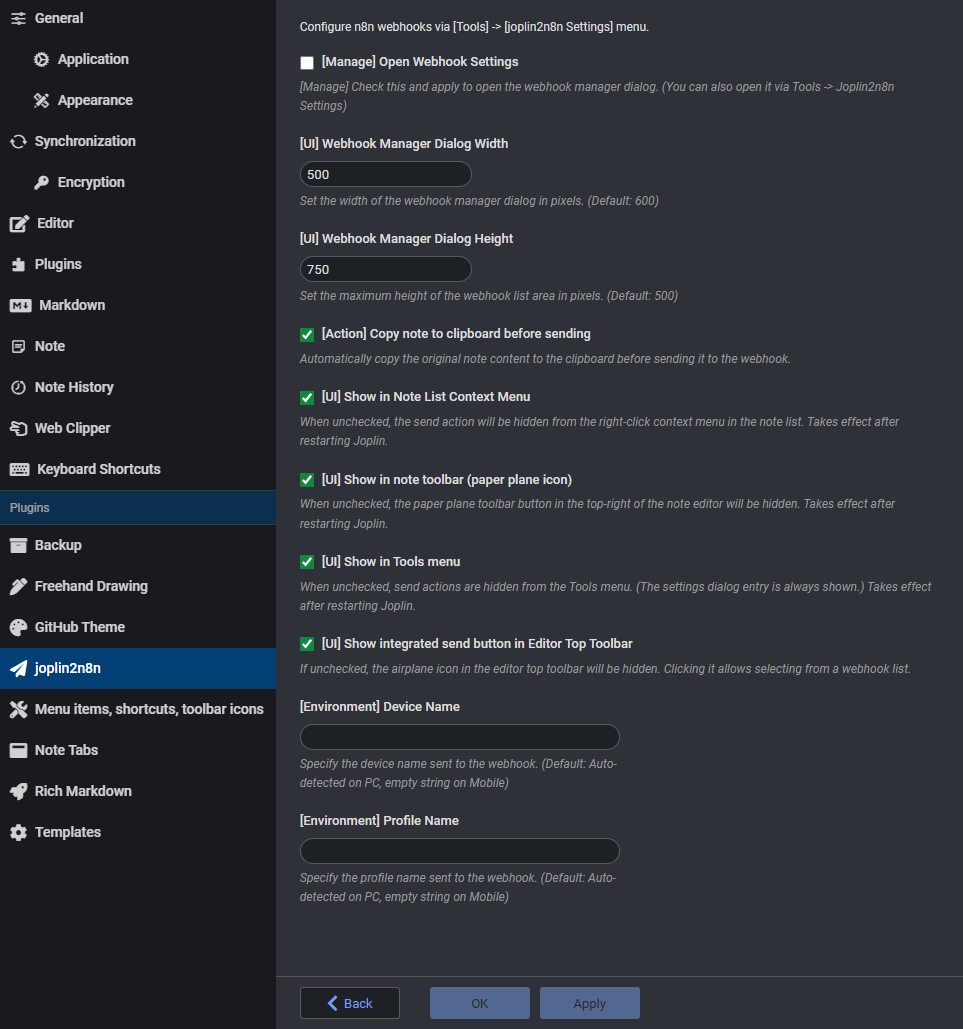 Configure the webhook settings dialog, UI preferences, behavior options, and the Joplin environment info (device name, profile name) included in the payload.
Assign a keyboard shortcut or click the send icon (➤) to trigger a request.
The n8n workflow must be configured according to your own needs and use case. (n8n is not required — a custom server built with Python FastAPI, Node.js Fastify, or similar will work just as well.)
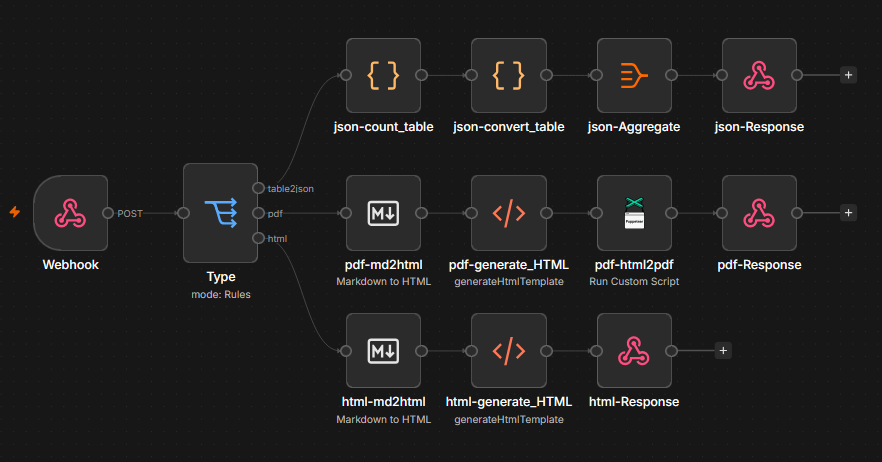
Basic workflow structure:
Webhook node ➔ Processing nodes (AI, API, etc.) ➔ Respond to Webhook node
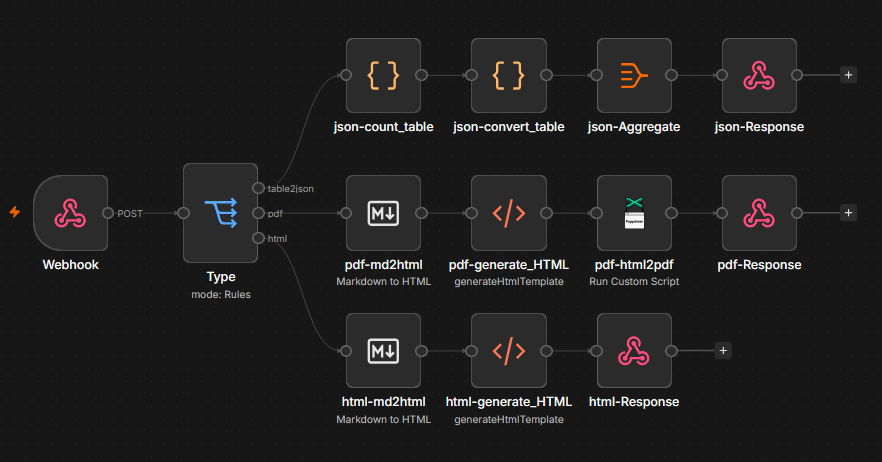
Build your own automation system with joplin2n8n!
.md to .pdf, html, json, xlsx, and get it back in the note.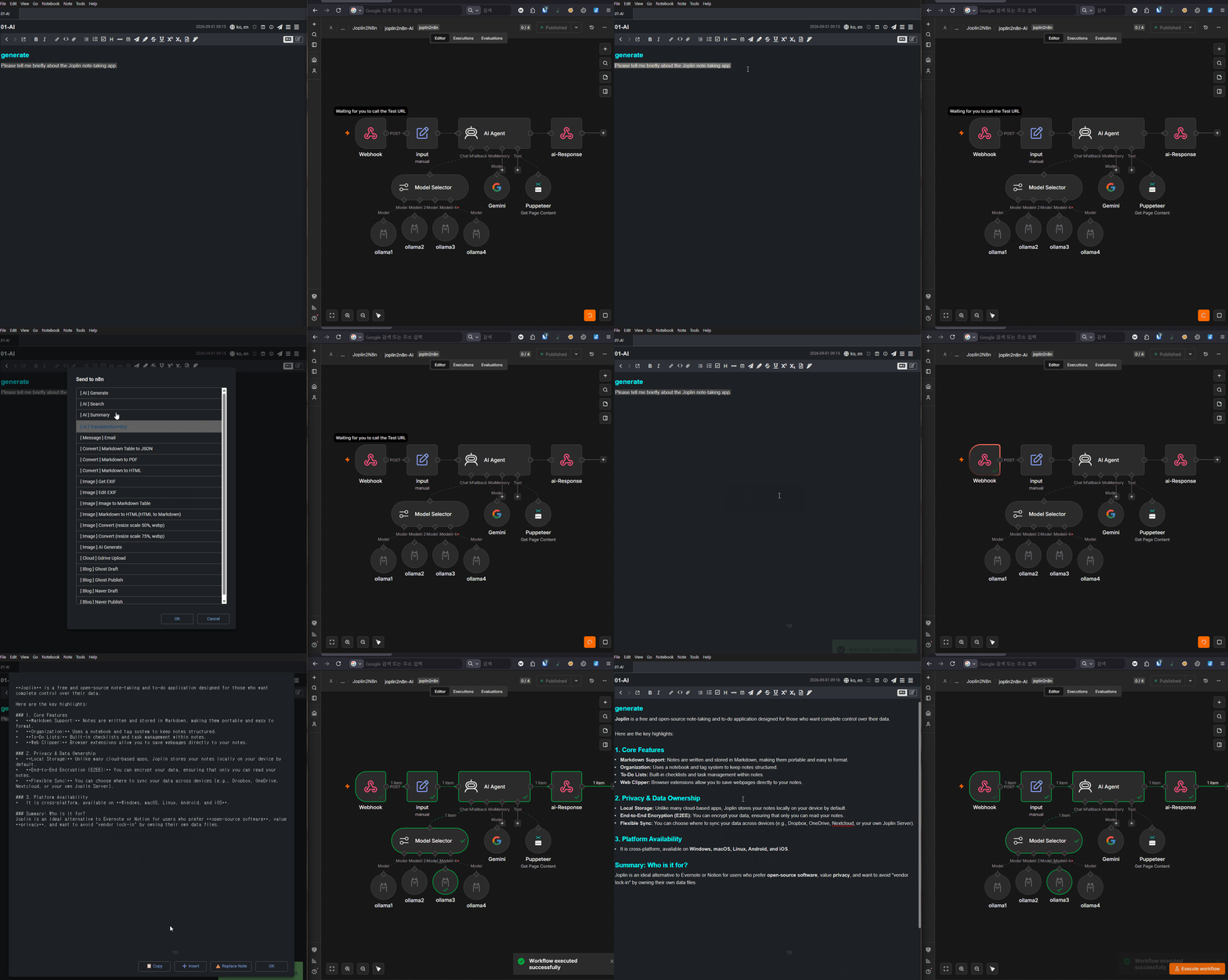 AI-powered text generation
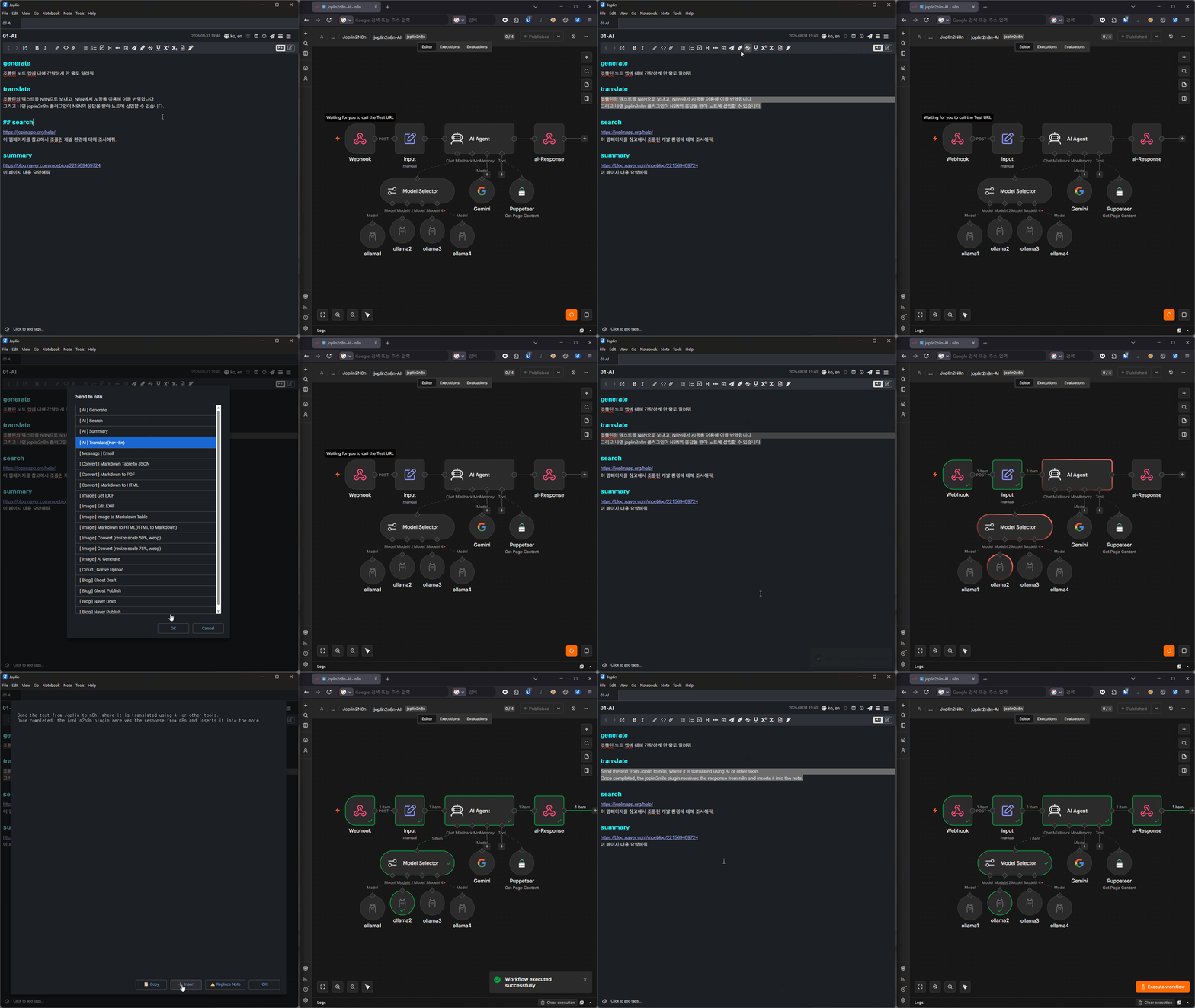 AI-powered translation
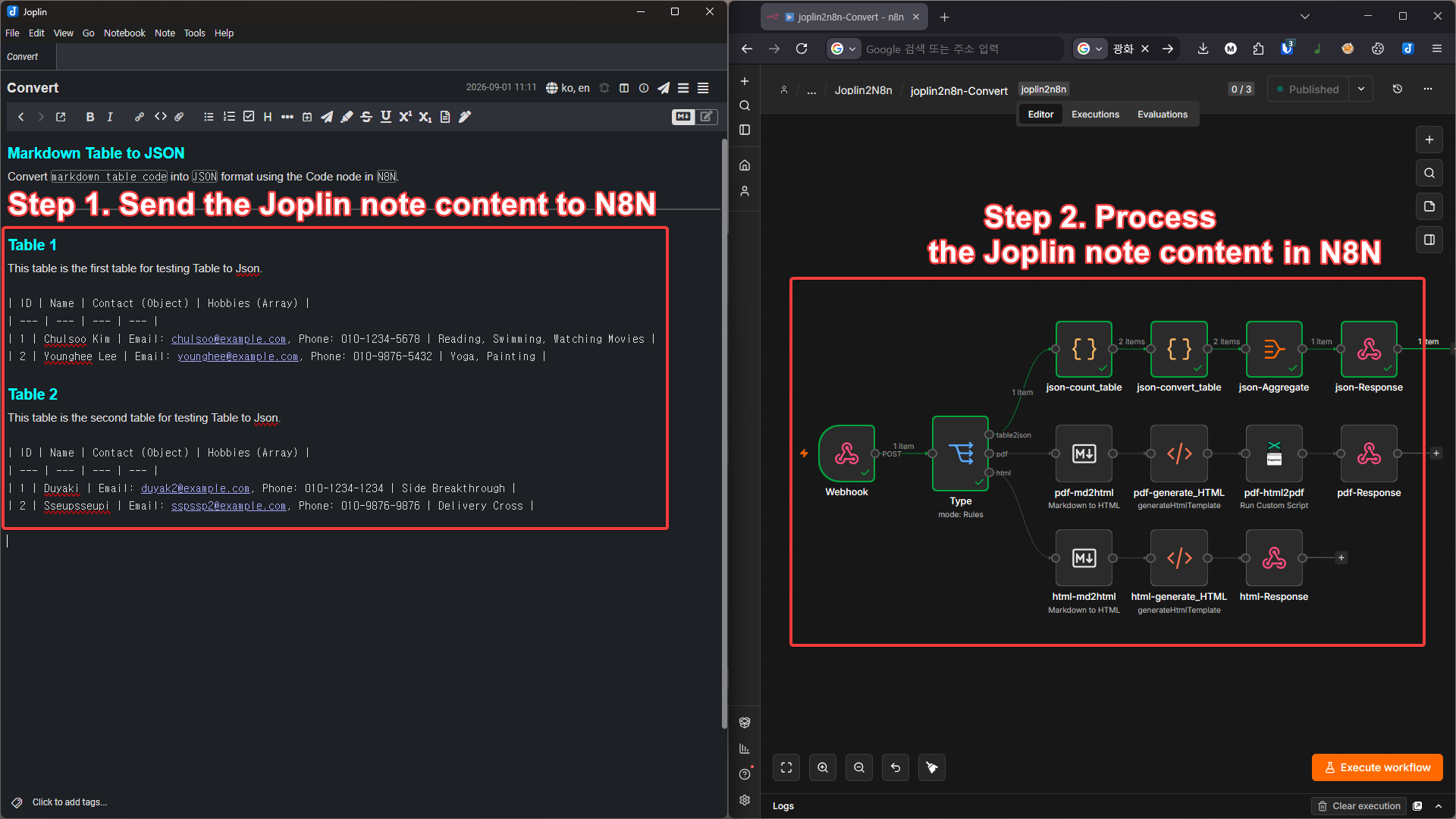
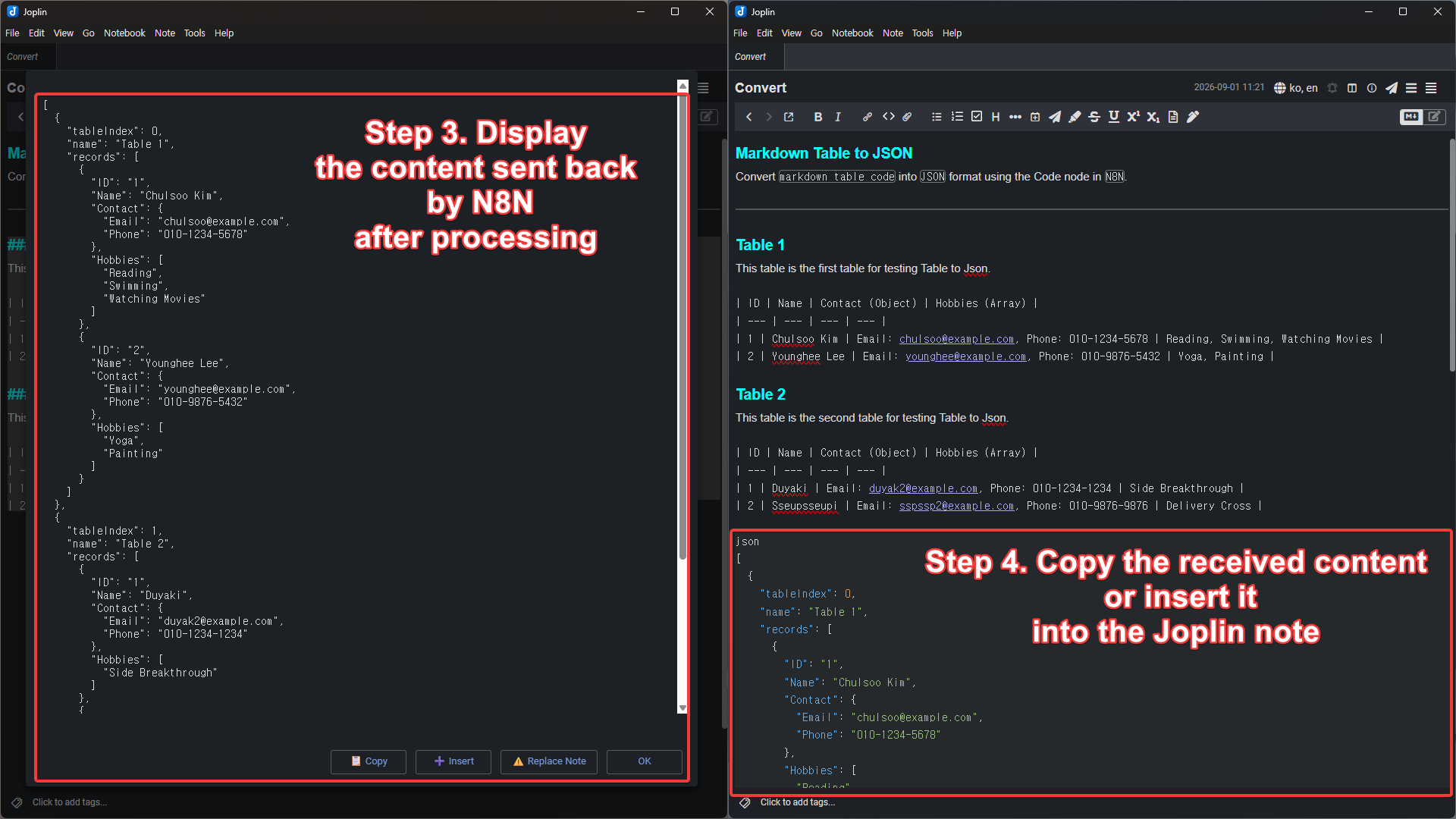
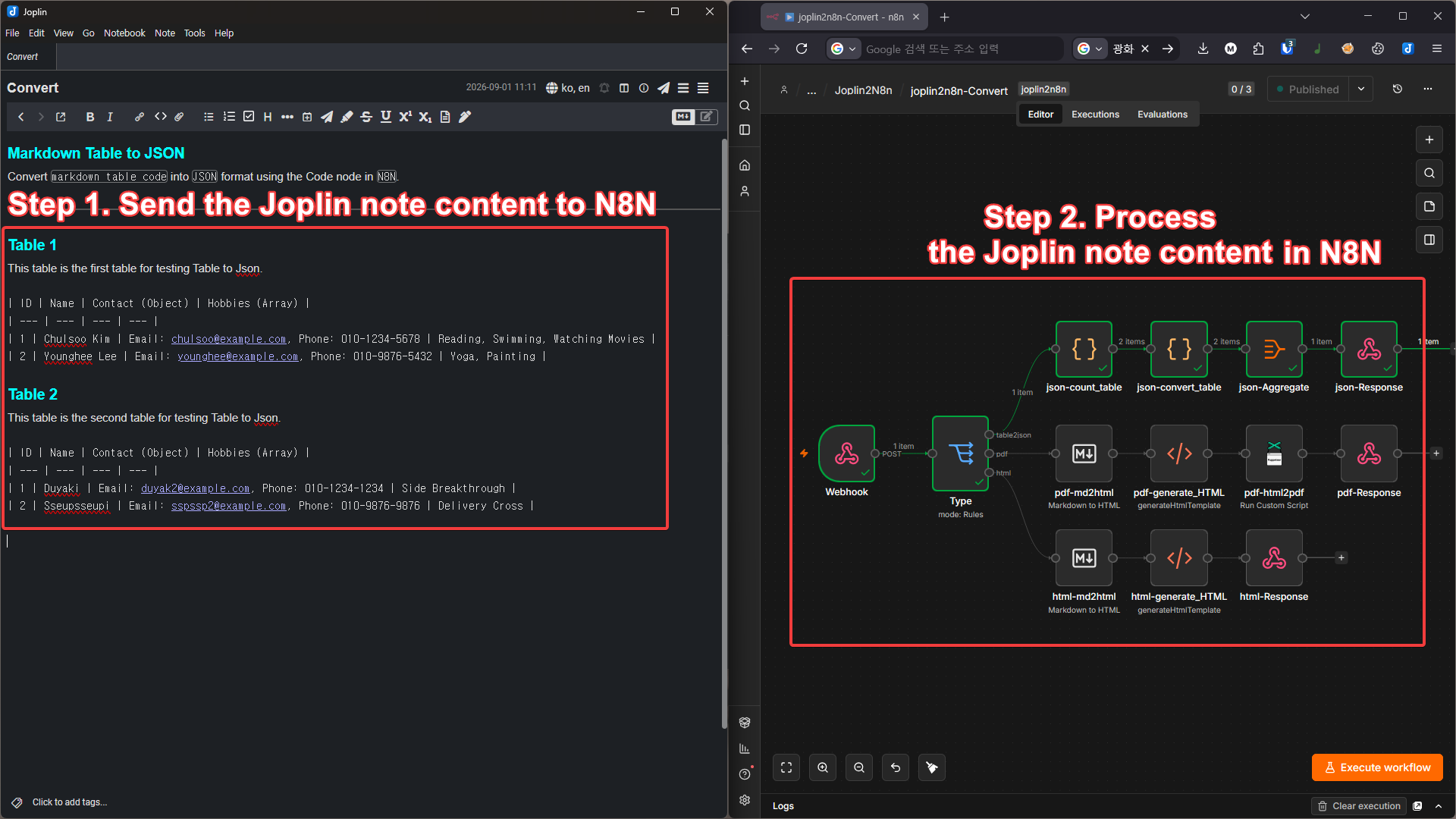
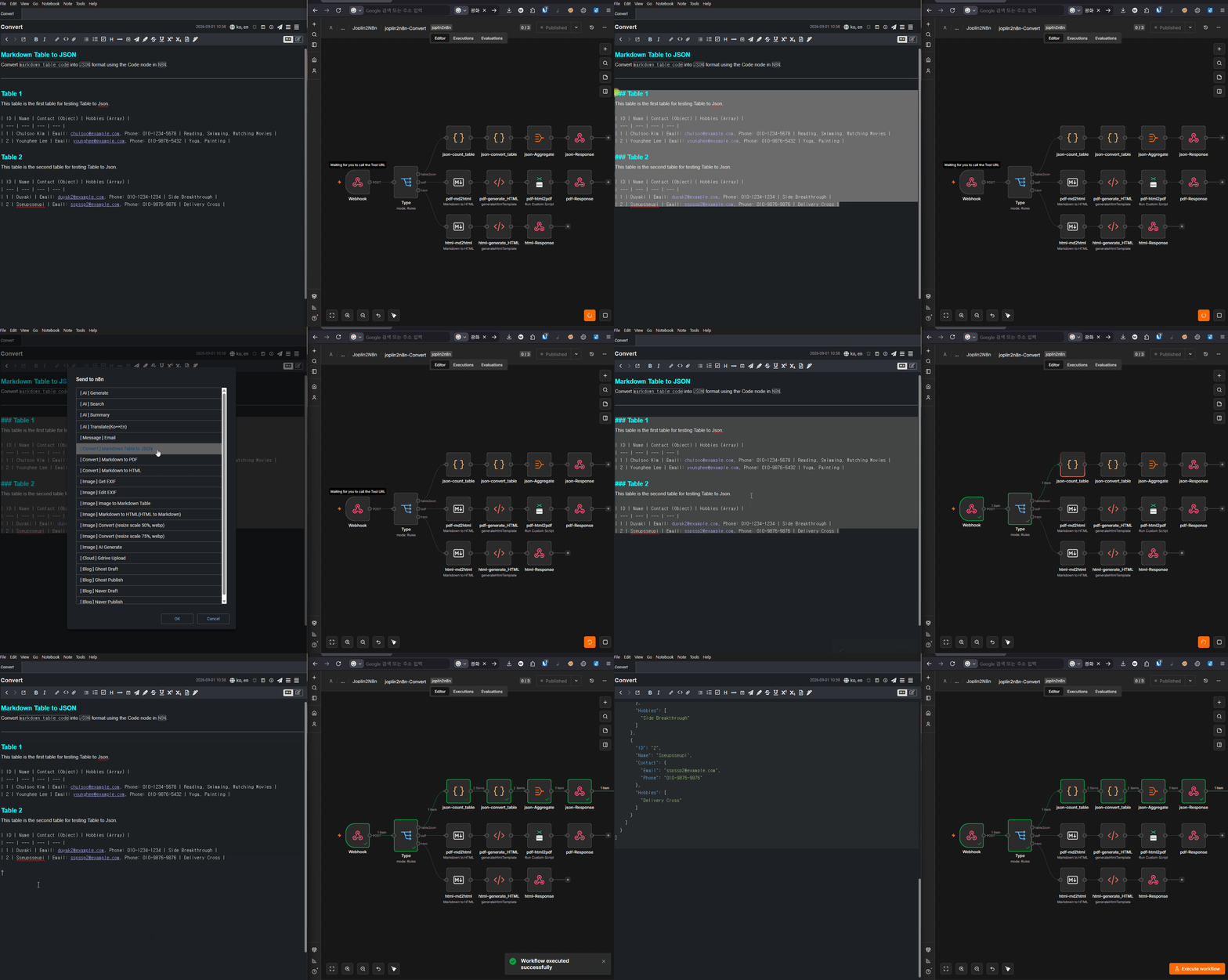 Converting a Markdown table to JSON using JavaScript code
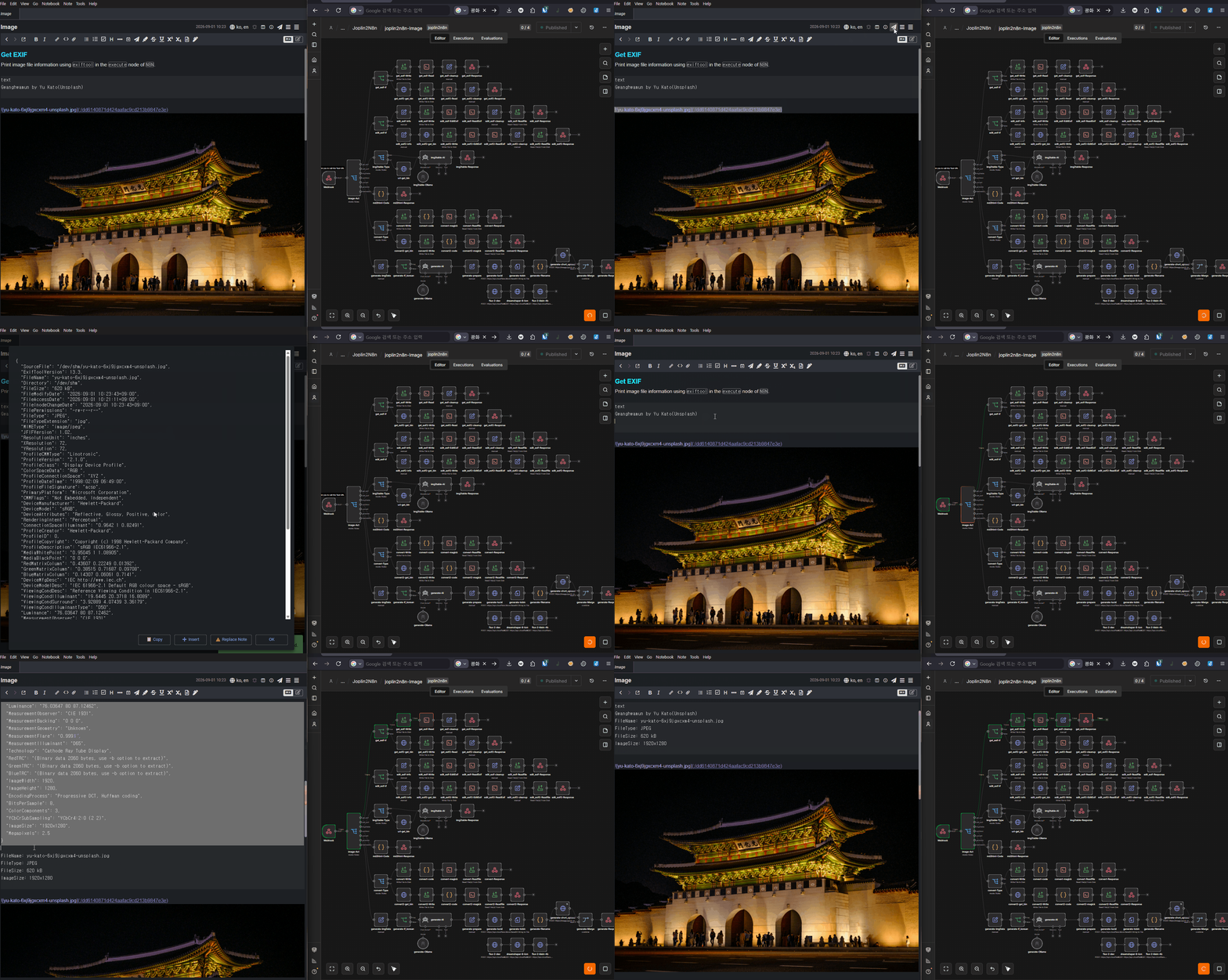 Extracting image metadata using Exiftool
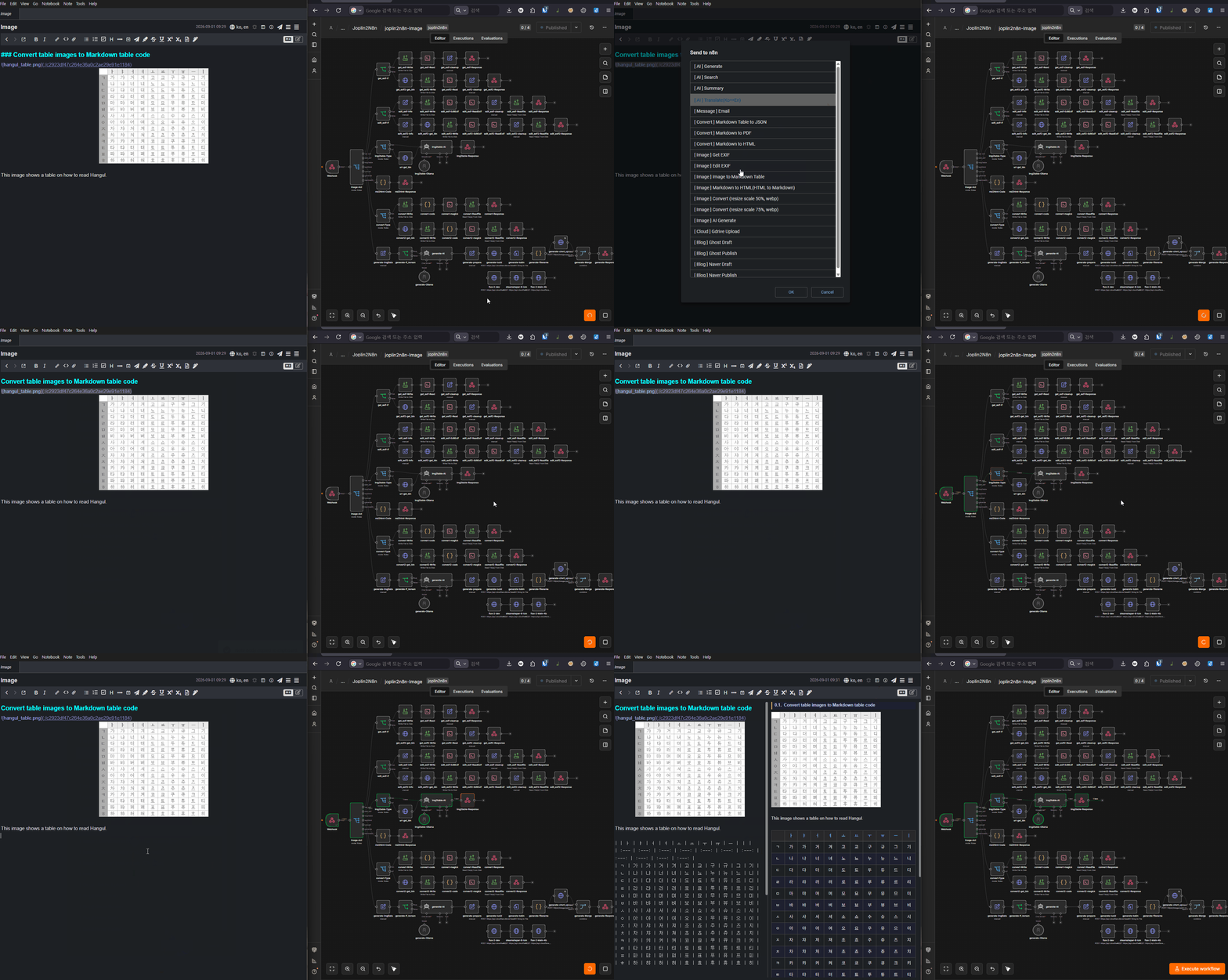 Converting a table inside an image to a Markdown table using AI
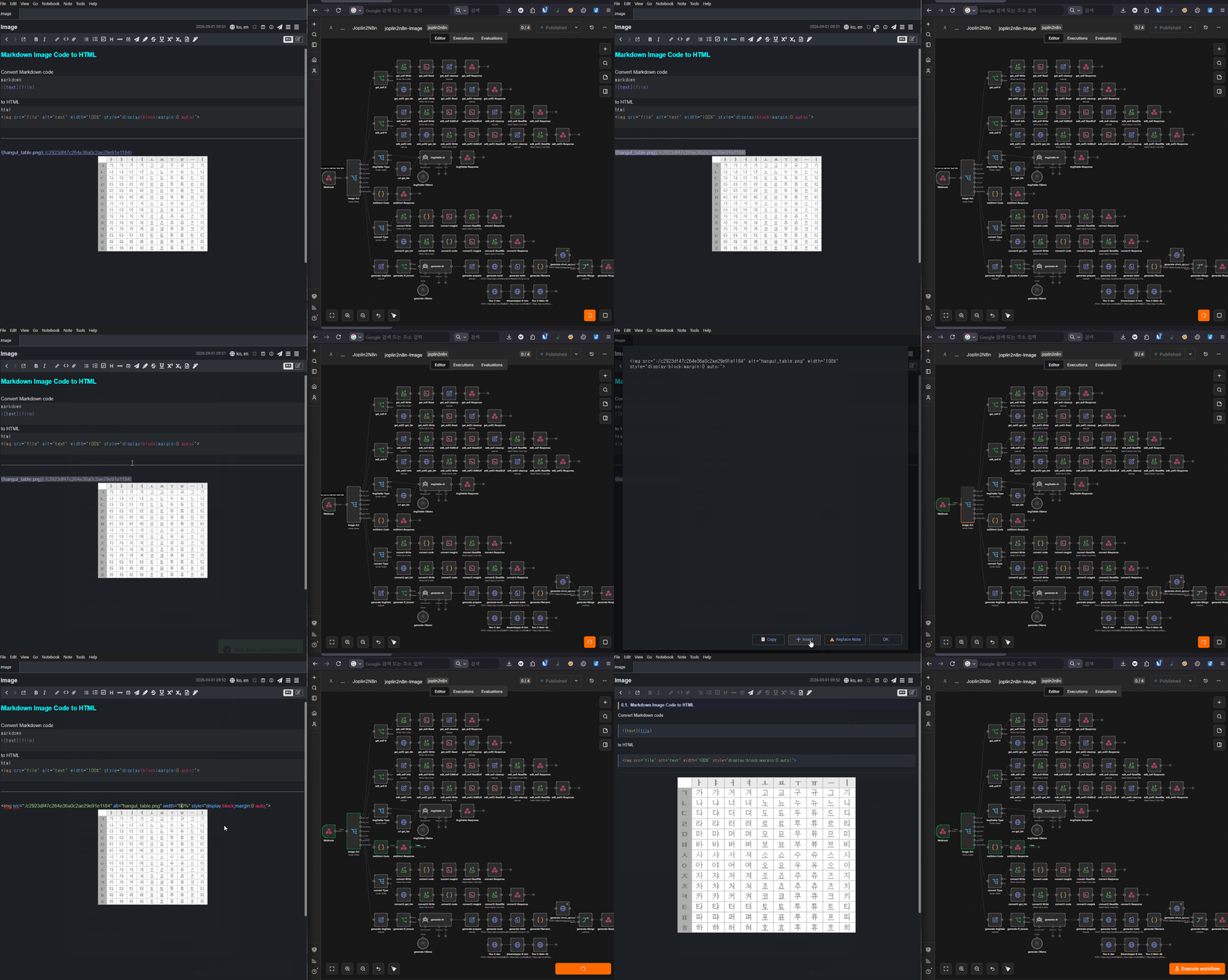 Converting Markdown image syntax to HTML image tags using JavaScript (easy width control and center alignment)
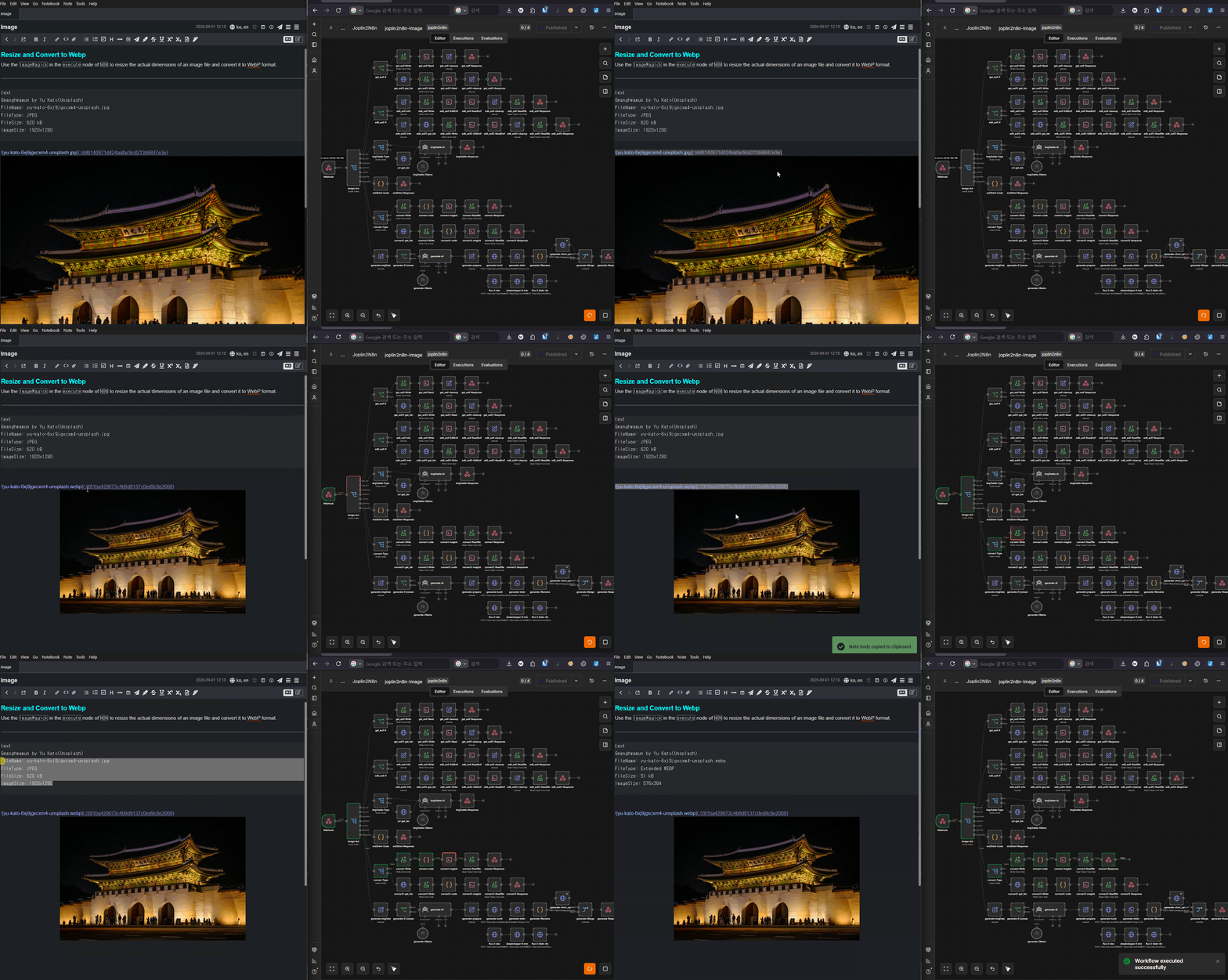 Resizing and converting image format (extension) using ImageMagick
The Joplin mobile plugin has no access to local storage. Use the following workaround:
Instead of creating a large number of webhooks, use URL query parameters and route them with a Switch node inside n8n — one URL handles multiple automations.
https://n8n.example.com/webhook/j2n_ai?act=generate
https://n8n.example.com/webhook/j2n_ai?act=search
https://n8n.example.com/webhook/j2n_ai?act=summary
https://n8n.example.com/webhook/j2n_ai?act=translate