
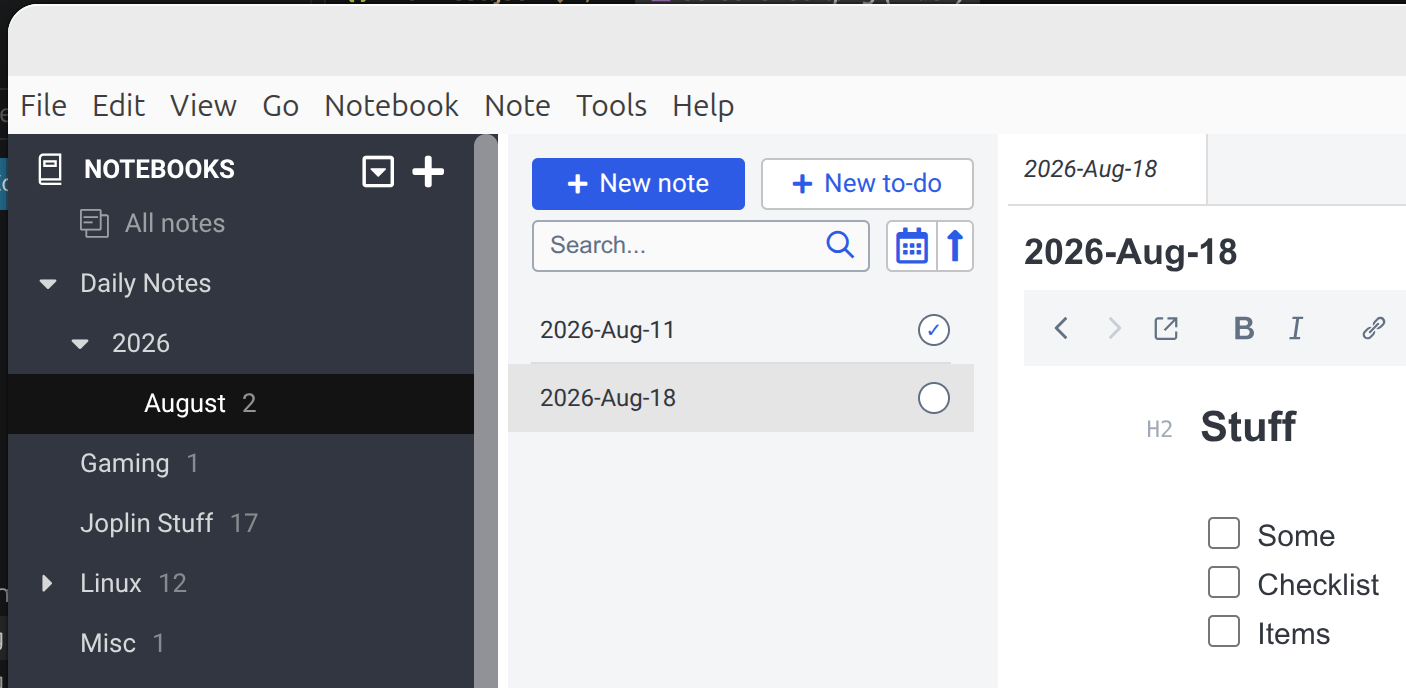
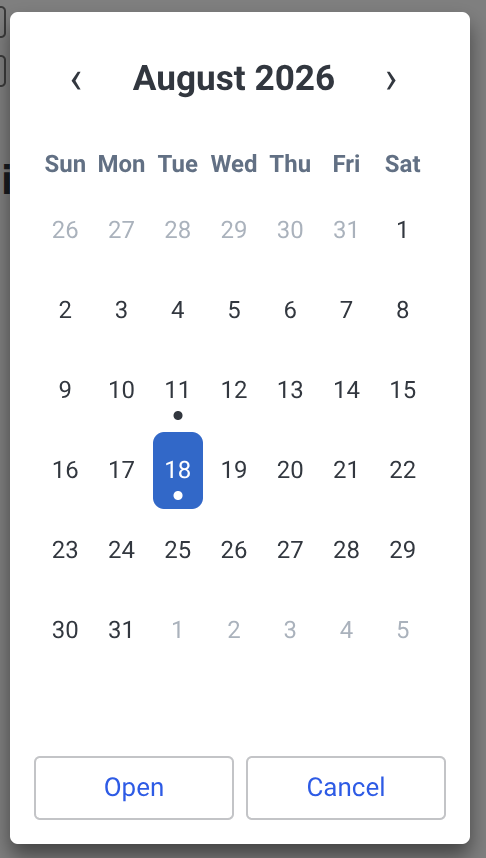
Open or create date-based daily notes from today or a calendar.
| Links: | |
|---|---|
| Maintainers: | bwat47 |
| Version: | 1.0.4 |
| Minimum app version: | 3.5 |
| Downloads: This version: | 38 |
| Last updated: | 2026-10-10T22:26:28Z |
[!note] This plugin is developed/maintained using AI
Daily Notes adds an Obsidian-style daily note workflow to Joplin. Open today's note directly or choose any date from a calendar; the plugin creates missing notebooks and notes automatically.
| Command | Default desktop shortcut |
|---|---|
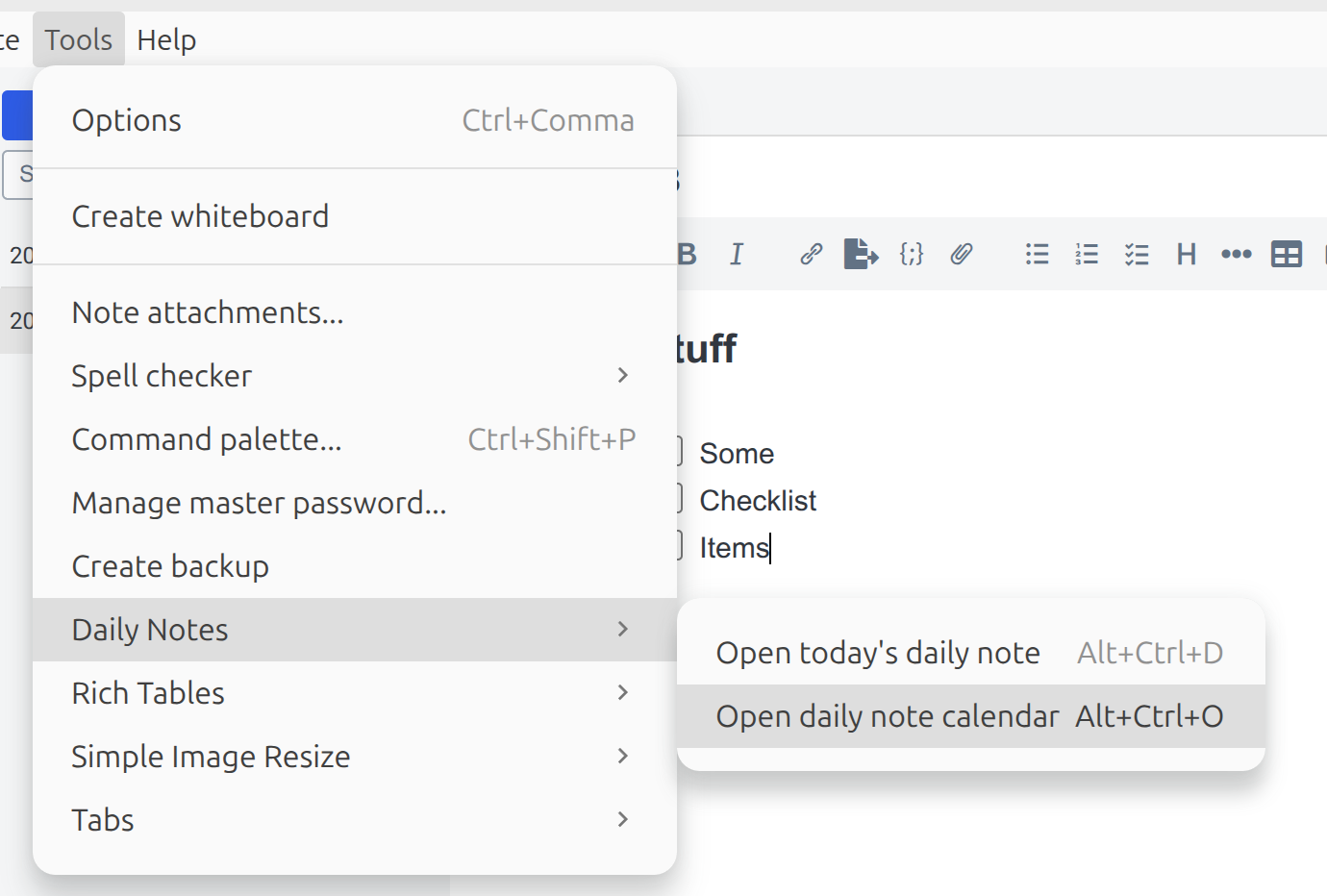
| Open today's daily note | Ctrl+Alt+D (Cmd+Alt+D on macOS) |
| Open daily note calendar | Ctrl+Alt+O (Cmd+Alt+O on macOS) |
On desktop, both commands are available from the note toolbar, Tools → Daily Notes, the command palette, and the shortcut editor. On mobile, use the note toolbar overflow menu.
| Setting | Default | Description |
|---|---|---|
| Daily notes notebook | Daily Notes |
Single top-level notebook; created if missing. |
| Date format | YYYY-MM-DD |
Note name and optional sub-notebook hierarchy. |
| Template note ID | Empty | ID of a note whose Markdown body initializes new daily notes. |
| First day of week | Sunday | Sunday-first or Monday-first calendar layout. |
| Roll unfinished todos forward | Off | Carry open tasks from the previous daily note into today's. |
| Keep empty todo placeholder line | Off | Preserve the {{todos}} line when there is nothing to carry. |
| Rollover lookback (days) | 30 | How far back to search for the previous daily note. |
Use / in the date format to create sub-notebooks. For example:
Date format: YYYY/MMMM/YYYY-MMM-DD
Date:        2023-01-01
Result:      Daily Notes/2023/January/2023-Jan-01
Supported Moment-style date tokens:
YYYY YY M MM MMM MMMM D DD d dd ddd dddd Do Q W WW
Wrap literals in square brackets, for example [Week]-WW.
A calendar dot marks a note only when its title and notebook path match the current settings. Renaming or moving a note removes its marker, and opening that date can create a new matching note.
Set Template note ID to a note's 32-character Joplin ID, available from note properties or its Markdown link. The note body is copied only when a daily note is first created.
Available variables:
| Syntax | Meaning |
|---|---|
{{date:format}} |
Selected note date, for example {{date:dddd}} → Sunday |
{{time:format}} |
Creation time, for example {{time:h:mm A}} → 9:05 AM |
{{date}} |
Short for {{date:YYYY-MM-DD}} |
{{time}} |
Short for {{time:HH:mm}} |
{{title}} |
Generated note title |
{{todos}} |
Unfinished todos carried from the previous note |
Date variables accept the date tokens listed above. Time variables accept:
H HH h hh m mm s ss A a
Date variables use the selected note date; time variables use the creation time. Bracketed literals work in both, for example {{date:[Week] WW}}. Unknown or malformed variables remain unchanged. If the template cannot be read, the plugin creates an empty note and shows a warning.
Enable Roll unfinished todos forward to carry open - [ ] tasks from the most recent daily note within the configured lookback. Rollover runs only when creating today's note, not when opening an existing or past note.
Carried tasks are changed to - [>] in the source note, marking them as migrated rather than completed. Nothing is deleted.
Place the block with the {{todos}} template variable:
## Carried over

{{todos}}

## Today

- [ ]
Without {{todos}}, carried tasks are appended to the bottom of the note; without a template, they become the entire note. By default, a standalone {{todos}} line is removed when there is nothing to carry. Enable Keep empty todo placeholder line to preserve it as an empty line instead.
[!WARNING] Create today's note on only one device at a time. If two unsynced devices create it, rollover may target a duplicate that must be merged manually. See todo rollover behavior for selection rules and edge cases.
This plugin has an intentionally simple workflow (one note per day in a single folder heirarchy) and isn't intended to be a full on journaling system or to support features like multiple folder heirarchies, multiple notes per day, creating/inserting links, etc...
npm install
npm test
npm run lint
npm run knip
npm run dist
The packaged plugin is written to publish/com.bwat47.joplin-daily-notes.jpl. See docs/ARCHITECTURE.md for implementation details and GENERATOR_DOC.md for framework maintenance and publishing instructions.