Description
Display heading levels in the markdown editor gutter
Additional Information
| Links: | |
|---|---|
| Maintainers: | bwat47 |
| Version: | 1.1.1 |
| Minimum app version: | 3.5 |
| Downloads: This version: | 20 |
| Last updated: | 2026-10-07T04:38:25Z |
[!note] This plugin was created entirely with AI tools
Heading Levels
-
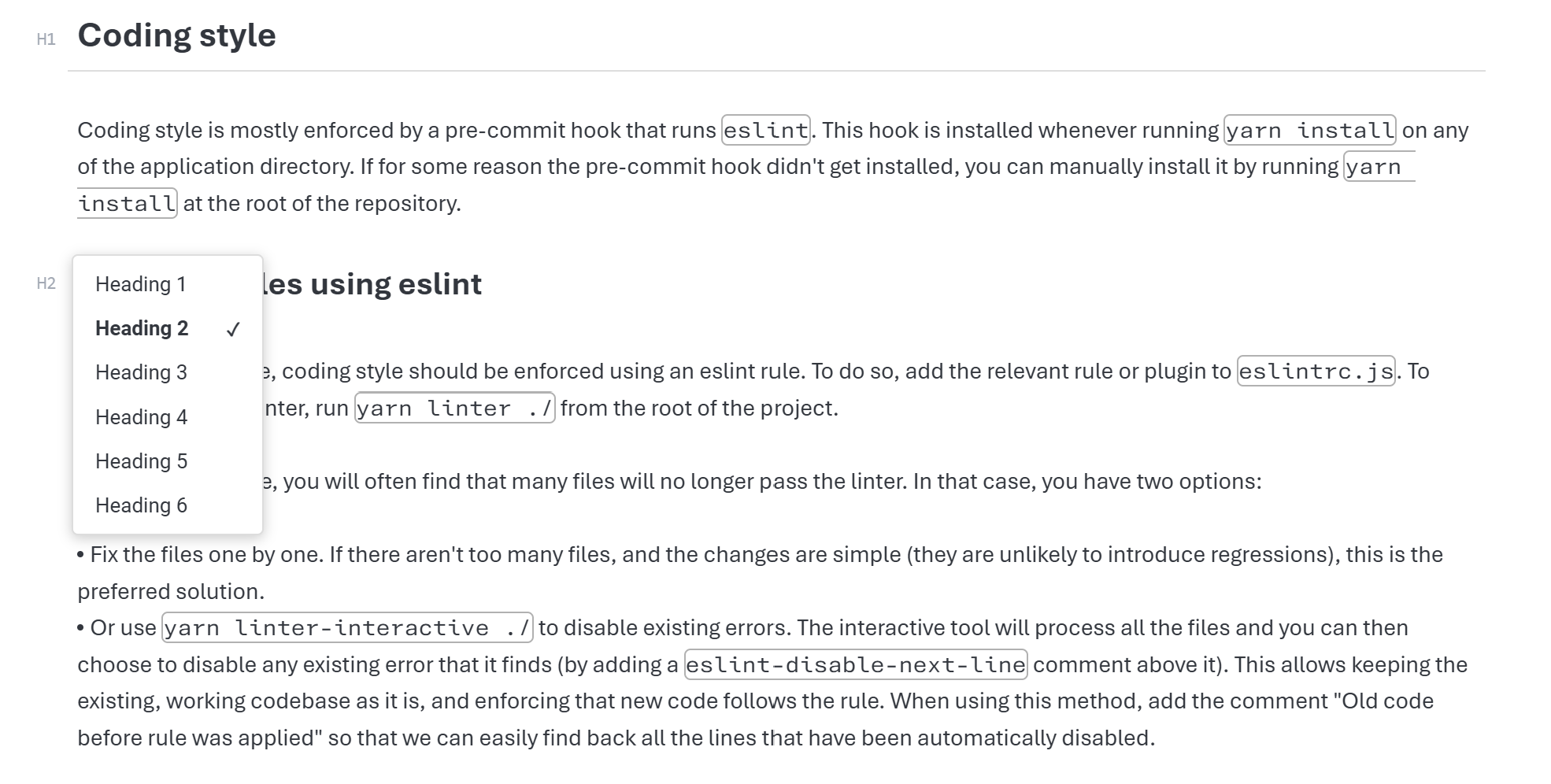
Displays heading levels in the markdown editor's gutter (h1, h2, etc...).
-
Provides a menu for quickly switching heading levels (or removing heading).
-
Aligns the gutter to be flush with the editor content if using Joplin's max editor width setting and applies minimalistic styling to the gutter.
[!note] Only works in the markdown editor (does not effect markdown viewer or rich text editor).
Settings
Gutter position - Display the heading level gutter before or after the line numbers (if you use the extra markdown editor settings plugin to display line numbers).