Reformat/Normalize markdown with some configurable settings
| Links: | |
|---|---|
| Maintainers: | bwat47 |
| Version: | 1.6.11 |
| Minimum app version: | 3.5 |
| Downloads: This version: | 25 |
| Last updated: | 2026-10-10T18:59:31Z |
[!NOTE] This plugin was created entirely with AI tools.
[!NOTE] This plugin only works in the Markdown editor.
A Joplin plugin that formats the current note's Markdown with some configurable rules.
The plugin parses Markdown to find known structures, then applies targeted edits to the original text. Syntax it does not explicitly understand is left alone.
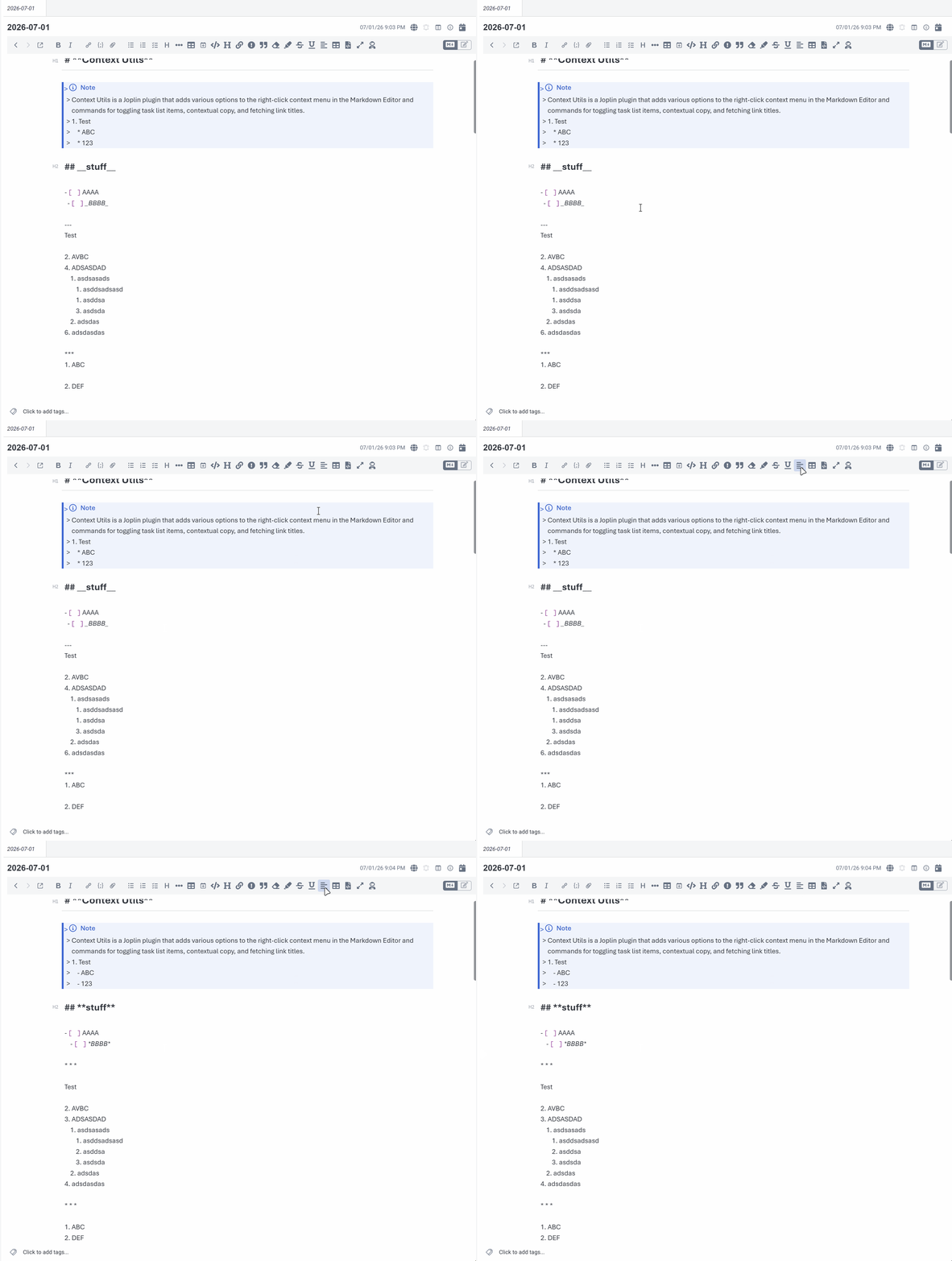
Formats the current note with configurable settings (see settings section below).
When applying formatting, the old and new text are diffed and only the changed spans are replaced, all in a single codemirror transaction, so the cursor and scroll position can stay anchored to unchanged text, and the changes can be undone with a single undo command.
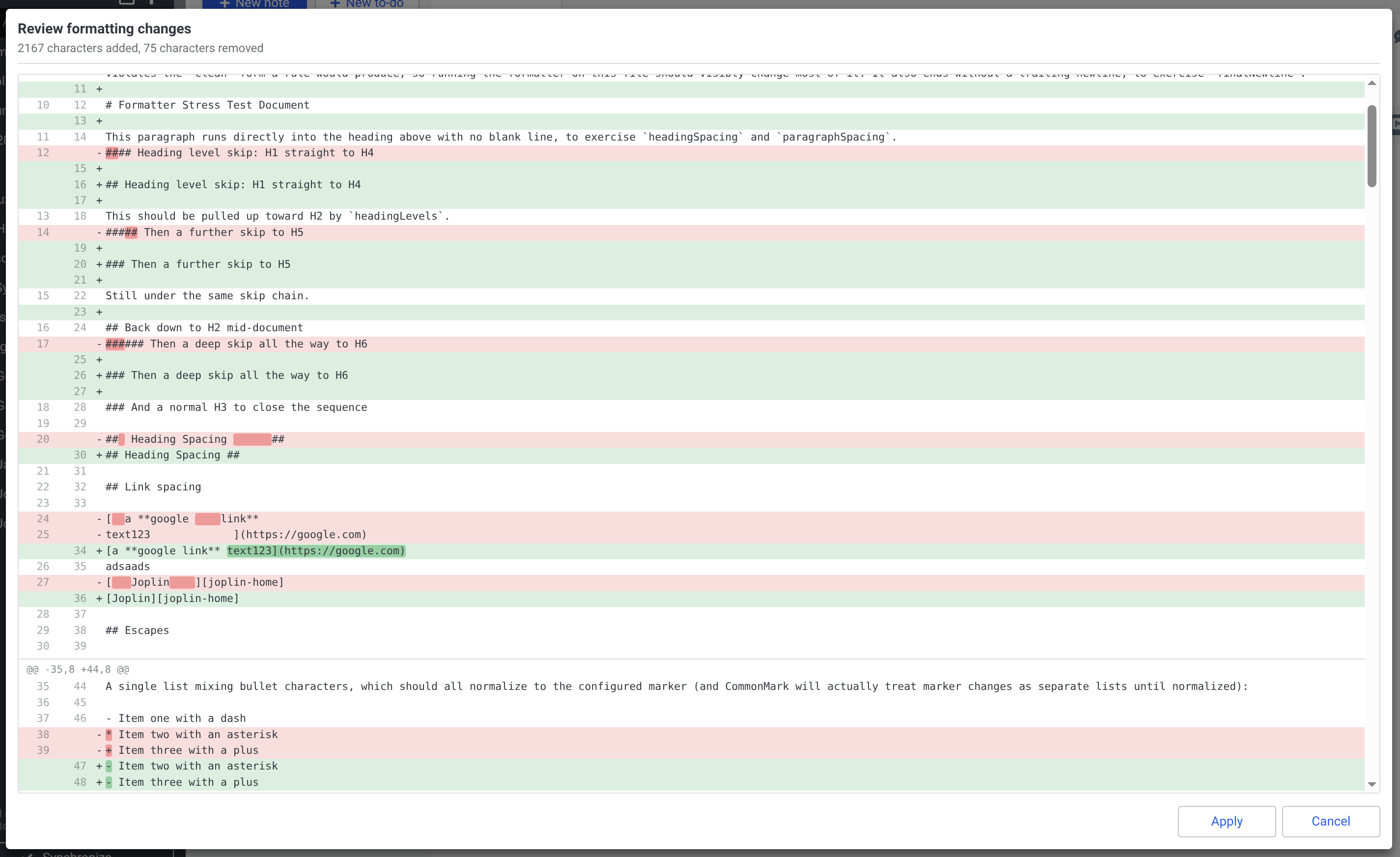
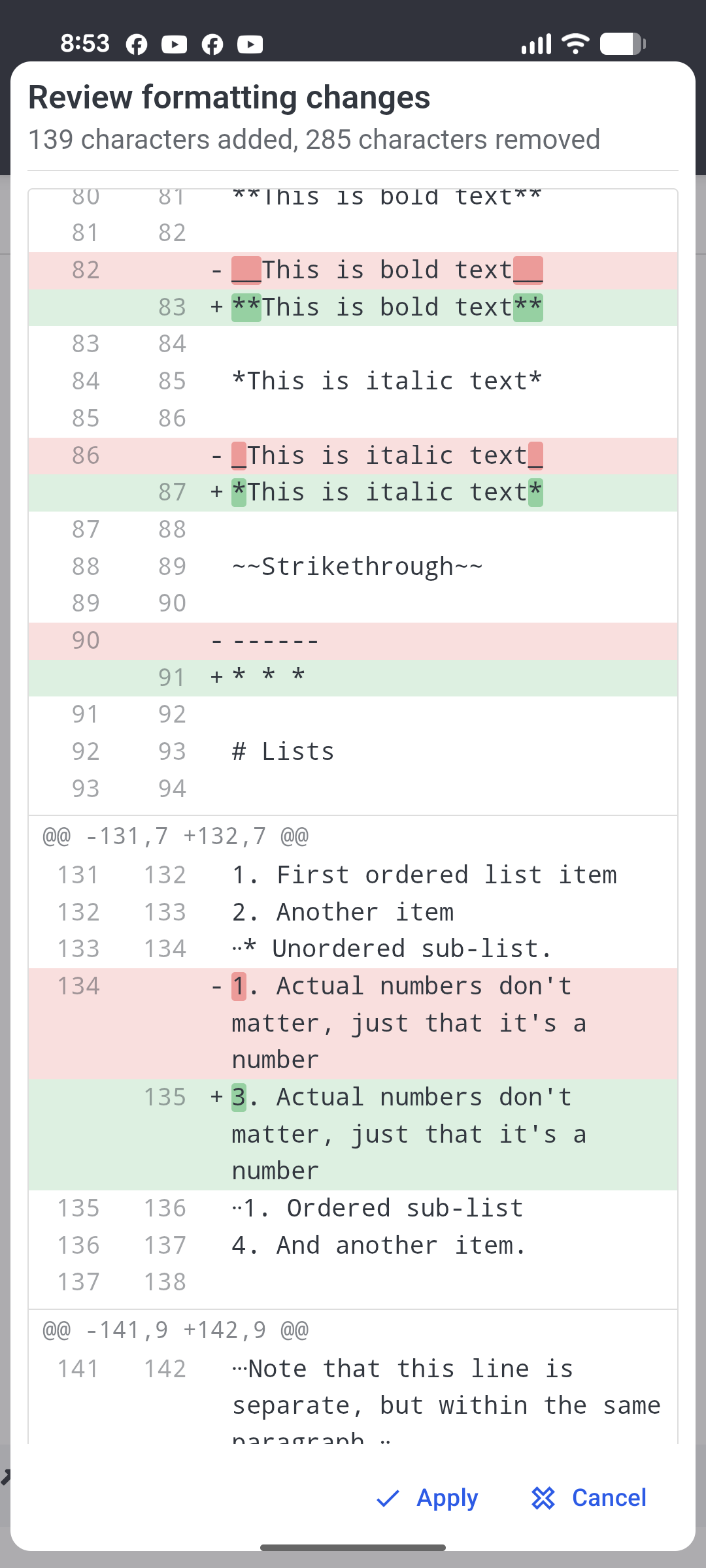
Optional diff preview: review the changes in a dialog, with the edited characters highlighted inside each changed line, and apply or cancel them (off by default).
Install the plugin, open a Markdown note, then:
Edit -> Format MarkdownCtrl+Alt+F on Windows/LinuxCmd+Alt+F on macOSFormat Markdown button in the formatting toolbarThe command formats the currently open note. If the note is already formatted, it does not write the note back.
With Preview changes before applying enabled, the command shows the changes as a diff first and only writes the note if you click Apply.
Settings are available under Markdown Formatter in Joplin's plugin settings.
| Setting | Default | Description |
|---|---|---|
| Unordered list marker | - |
Rewrite unordered bullets to dash or asterisk, or preserve them as written. |
| Normalize ordered list numbering | On | Renumber ordered lists sequentially, keeping the first item number. |
| Normalize heading level increments | On | Lower skipped heading levels so headings increase one level at a time. |
| Minimum heading level | None | Shallowest heading level the note may use, applied by the rule above. H2 moves every heading by the same amount so the first one becomes level 2, keeping the note's relative hierarchy; first heading keeps the first heading as written and raises any later heading that goes above it; none leaves levels unfloored. |
| Normalize heading marker spacing | On | Use one space between ATX heading markers and text, including optional closing markers. |
| Remove heading indentation | On | Move root-level ATX headings to the start of the line without changing indented code or headings nested in containers. |
| Horizontal rule marker | * * * |
Preferred format for horizontal rules. |
| Emphasis (italic) marker | *emphasis* |
Prefer * or _ for emphasis delimiters. |
| Bold marker | **bold** |
Prefer ** or __ for strong delimiters. |
| Double quote style | Preserve | Convert double quotes in prose to straight or smart (curly) quotes. Code, math, HTML, front matter, and link titles are never changed. |
| Single quote style | Preserve | Convert single quotes and apostrophes in prose to straight or smart (curly) quotes. Same exclusions as double quotes. |
| Link text spacing | All | Collapse excess internal whitespace and trim leading/trailing spaces inside link text, including reference links. All also turns line breaks (soft and hard) into a space so labels stay on one line; spaces removes excess whitespace but preserves line breaks; preserve leaves link text unchanged. Inline code inside link text and image alt text are never changed. |
| Set default language on unlabeled code blocks | Off | Add the configured default language to fenced code blocks with no language. Indented code blocks are left unchanged. |
| Default code block language | txt |
Language identifier to add when the default code block language rule is enabled. |
| List spacing | Semantic | Semantic keeps each list tight or loose as authored and only fixes mixed spacing, so rendering never changes. This setting also controls spacing between blocks inside list items; the individual block-spacing settings only affect root-level blocks. Preserve, tight, and loose are also available. |
| List indentation | Tabs | Preferred indentation before nested list markers (tabs, 2 spaces, or 4 spaces). It may be widened to preserve CommonMark nesting; for example, 2 spaces becomes 3 beneath 1. and 4 beneath 10.. |
| Table style | Preserve | Compact rebuilds cells with one space of padding; aligned pads cells so pipes line up. Preserve leaves tables unchanged. |
| Ensure blank lines around headings | On | Add one blank line before and after root-level headings with neighboring content. |
| Ensure blank lines around paragraphs | On | Add one blank line before and after root-level paragraphs with neighboring content. |
| Ensure blank lines around code blocks | On | Add one blank line before and after root-level code blocks with neighboring content. |
| Ensure blank lines around math blocks | On | Add one blank line before and after root-level math blocks with neighboring content. |
| Ensure blank lines around tables | On | Add one blank line before and after root-level tables with neighboring content. |
| Ensure blank lines around blockquotes | On | Add one blank line before and after root-level blockquotes with neighboring content. Quote interiors are never rewritten. |
| Normalize blockquote marker spacing | On | Use one space between blockquote > markers and quoted content, and between markers in nested quotes (>> becomes > >). A blockquote is left entirely unchanged if any of its lines cannot be rewritten safely (code or other literal content requiring exact indentation, or a list inside the quote), so a single quote never ends up with mixed marker spacing. |
| Ensure blank lines around lists | On | Add one blank line before and after root-level lists when neighboring content exists. |
| Ensure blank line after front matter | On | Add one blank line between YAML front matter and following content. |
| Collapse consecutive blank lines | On | Reduce runs of blank lines to one blank line outside protected content. |
| Trim trailing whitespace | On | Remove trailing spaces and tabs outside protected content, preserving two-space hard line breaks. |
| Ensure trailing newline | On | End the note with exactly one newline. |
| Preview changes before applying | Off | Show the formatting changes as a diff, with buttons to apply or cancel them. |
| Display toast messages | On | Show a toast after formatting with the number of characters added and removed. |
The formatter follows a "parse for analysis, edit the original text" model. Each rule runs as a separate pass against a parsed tree that matches the current Markdown:
If a rule's edits would change the parsed document structure in an unexpected way, that rule is skipped and the note is left with the last safe output. If formatting fails, the plugin leaves the original note unchanged.
[!NOTE] If the diff preview shows "[Rule] Skipped by the structural safety check", it's probably a bug with that rule (causing the rule to be skipped), create an issue on github with example markdown that re-creates the issue.
Protected content such as fenced code blocks, indented code blocks, inline code, YAML front matter, math, and HTML blocks is preserved by whitespace-oriented rules.
_ skips cases where CommonMark would reinterpret intraword underscores or merge adjacent delimiter runs.text and (optionally) line breaks inside links; image alt text and inline code are left as written. A link inside a blockquote whose label spans lines is skipped, because each quoted continuation line starts with a > that is not part of the label.Install dependencies:
npm install
Run tests:
npm test
Lint TypeScript:
npm run lint
Build the plugin archive:
npm run dist
The distributable .jpl archive is created under publish/.
MIT