
Description
Indent wrapped lines in the markdown editor (hanging indent)
Additional Information
| Links: | |
|---|---|
| Maintainers: | bwat47 |
| Version: | 1.1.2 |
| Minimum app version: | 3.5 |
| Downloads: This version: | 108 |
| Last updated: | 2026-07-20T16:33:28Z |
[!note] This plugin was created entirely with AI tools
Wrapped Line Indentation
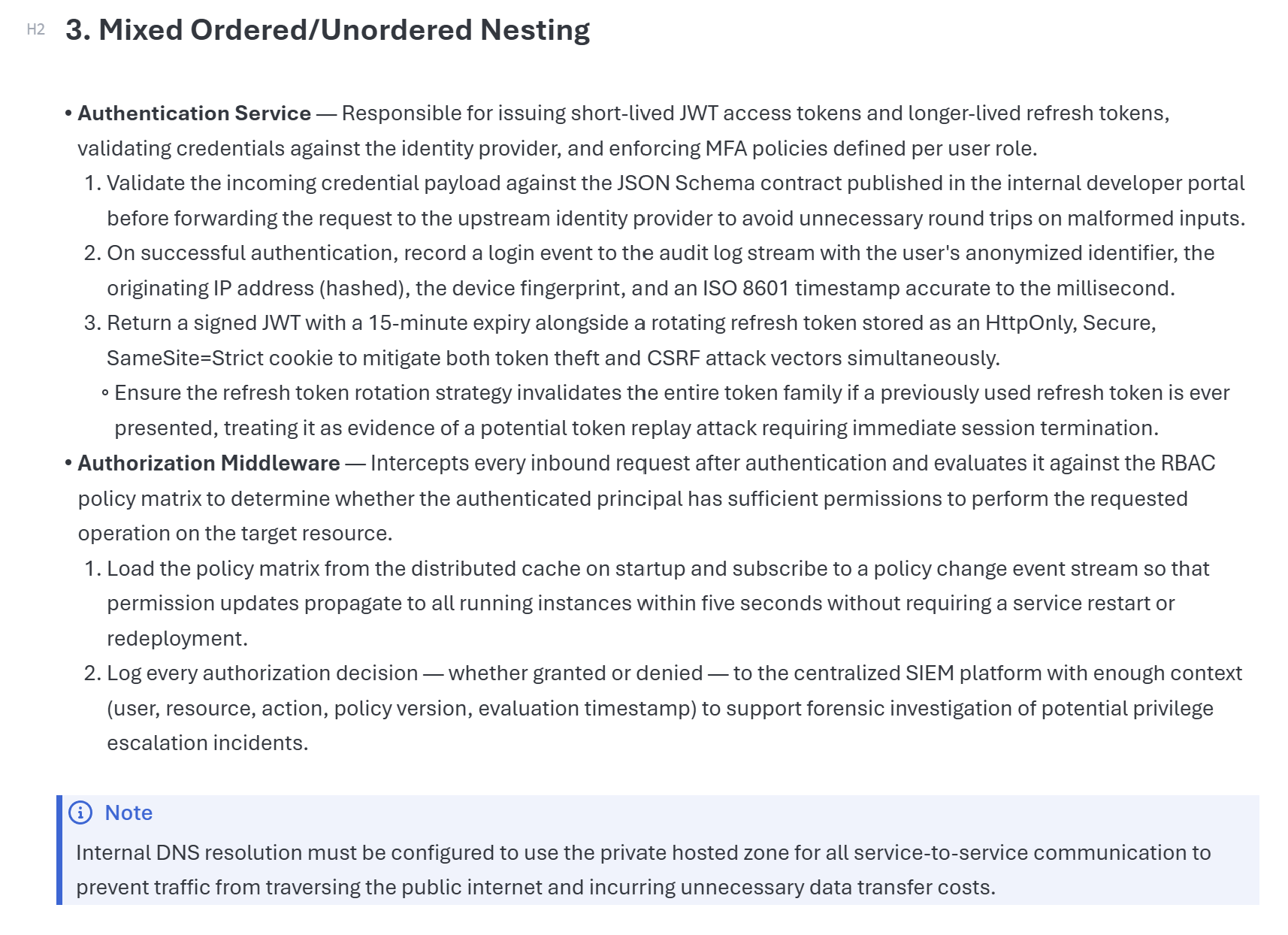
Indent wrapped lines in Joplin’s Markdown editor so list items, task items, block quotes, and indented paragraphs stay visually aligned when they wrap.
What it does
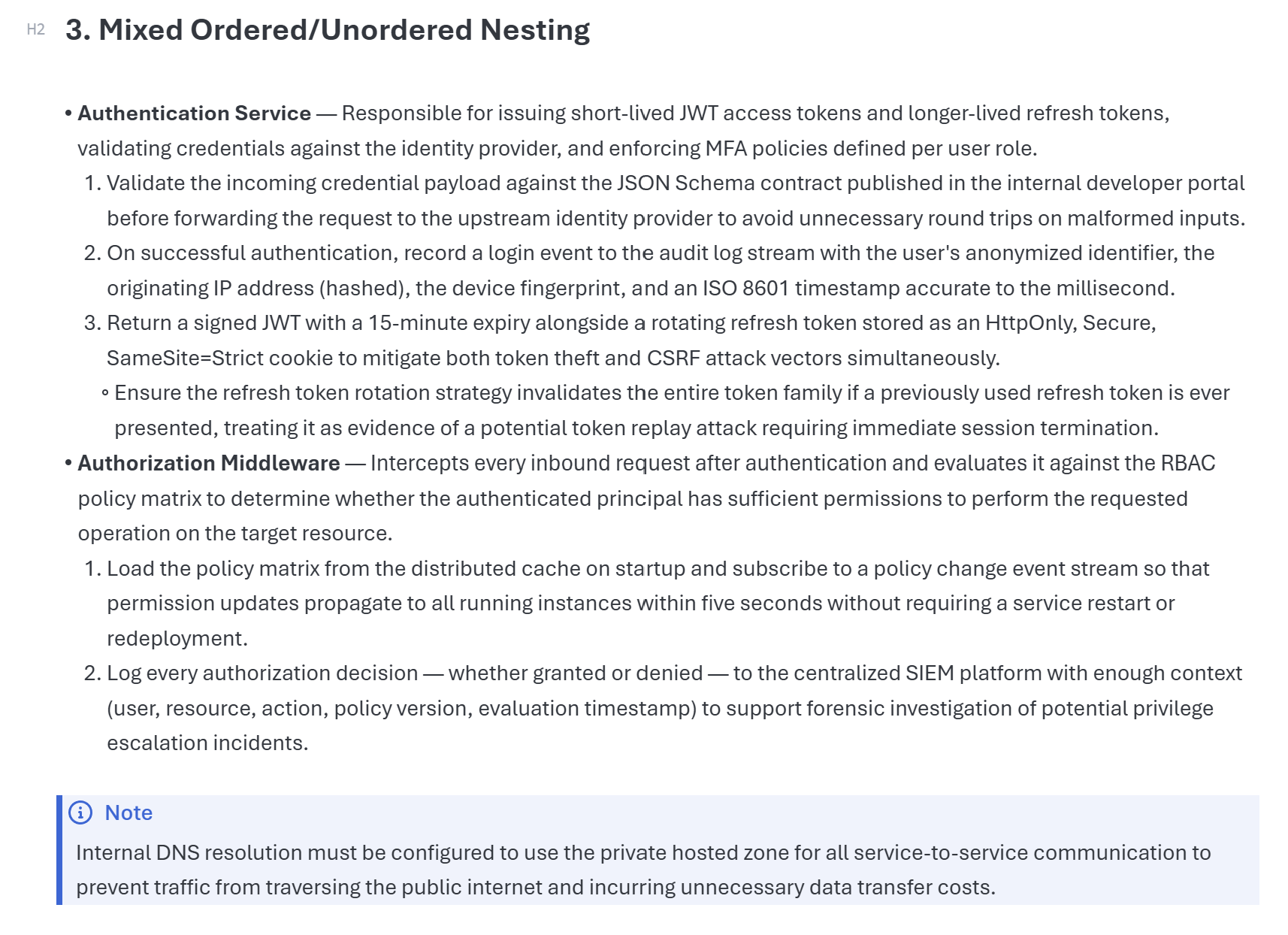
Without this plugin, a long Markdown line wraps back to the start of the editor line. With this plugin, wrapped continuation lines align after the Markdown prefix.
Examples handled:
- Bullet lists
- Numbered lists
- Task lists
- Nested block quotes
- Lists inside block quotes
- Indented continuation paragraphs
The plugin skips fenced and indented code blocks.
Compatibility
- Works with/without Joplin's render markup enabled.
- Works whether you're using tabs or spaces for Indentation (or mixed tabs/spaces).
- Works with proportional fonts.
Screenshot example
Requirements
- Joplin 3.5 or newer
- Markdown editor using CodeMirror 6
Installation
Install from Joplin’s plugin manager, or install the .jpl file manually:
- Download
com.bwat47.joplin-wrapped-line-indent.jplfrom the latest release. - In Joplin, open
Tools > Options > Plugins. - Select
Install from file. - Restart Joplin if prompted.
Notes
This plugin changes editor display only. It does not modify note content.
Development
npm test
npm run lint
npm run dist