
Description
A Joplin plugin to provide table rendering and table editing in the Markdown editor.
Additional Information
| Links: | |
|---|---|
| Maintainers: | bwat47 |
| Version: | 1.7.11 |
| Minimum app version: | 3.3 |
| Downloads: This version: | 188 |
| Last updated: | 2026-04-03T02:56:41Z |
[!note] This plugin was created entirely with AI tools, and I may be limited in my ability to fix any issues.
Rich Tables
A Joplin plugin to provide table rendering & table editing in the Markdown editor.
Features
Table Rendering
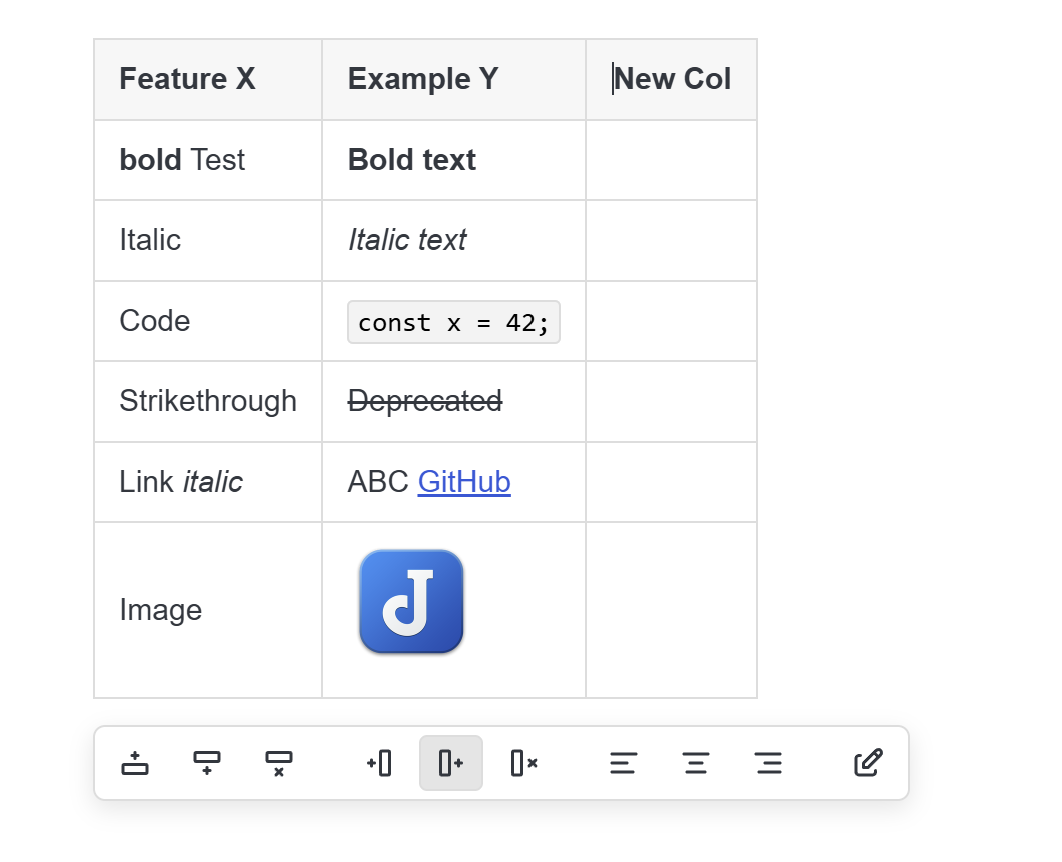
Tables are rendered as HTML in the markdown editor, allowing you to see the HTML formatted table without using the markdown viewer.
Table rendering includes rendering of inline markdown and image embeds.
[!note] Table rendering can be temporarily disabled by toggling "source mode" via toolbar button or keyboard shortcut.
Markdown Rendering
Supports syntax highlighting (while editing) and rendering (cells not being edited) most markdown syntax supported by Joplin:
- Basic formatting: bold/italic/inline code/strikethrough/highlight(==mark==)/underline(++insert++).
- Inline HTML (Joplin 3.6 and newer), e.g.
<sup></sup>. - Links (markdown links, autolinks, reference style links).
- Footnotes: Note that footnotes support is very basic. Table cells are rendered in isolation, which breaks markdown-it-footnote's footnote numbering, so the plugin just displays the exact footnote label that's defined in the footnote link (e.g.
[^1]). - Embeds (markdown and html image embeds, video embeds when you have joplin's video plugin enabled, youtube links will be rendered as video embed in joplin 3.6.1 or newer).
- Katex (math) - will be rendered, but not syntax highlighted when editing.
- Line breaks (html
<br>tags, rendered as line breaks while editing).
Table Editing
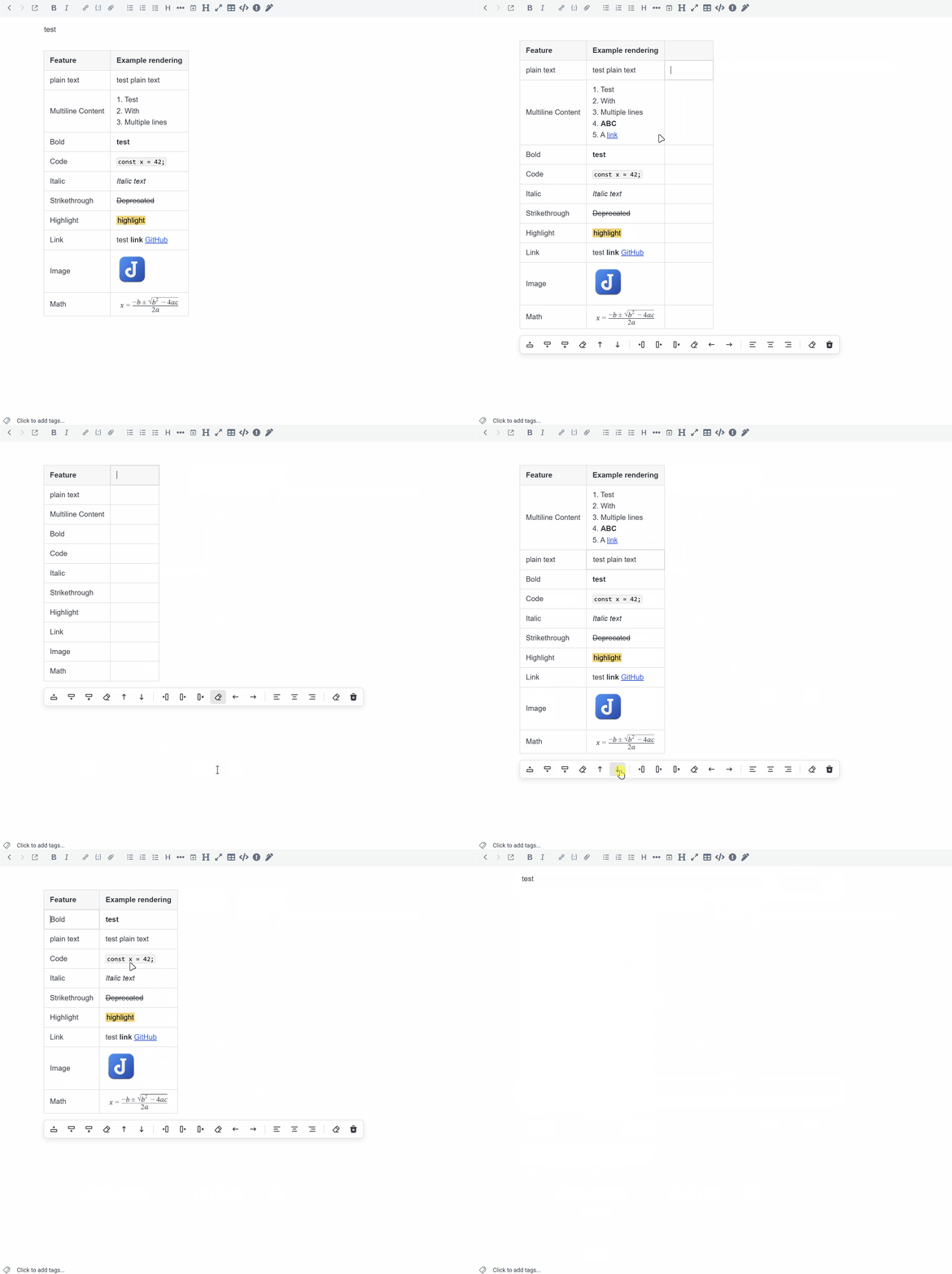
Provides table editing from the rendered HTML table similar to the Rich text editor. The following operations are supported:
- Create new table
- Editing table cells (with syntax highlighting for markdown)
- Adding/Deleting/Clearing rows
- Adding/Deleting/Clearing columns
- Moving rows (up/down)
- Moving columns (left/right)
- Changing column alignment (left/center/right)
- Clear table
- Select multiple table cells and cut/copy/paste/clear/delete (desktop only).
[!note]
The plugin does not provide handling for ctrl + clicking links while editing a table cell. However, you can left click links on table cells that aren't actively being edited, and you can get right click context menu options for links using plugins like Rich Markdown or Context Utils.
Formatting commands
The cell editor syncs cursor position/selection with the main editor, so Joplin's native formatting toolbar buttons/shortcuts work while editing tables (Bold Text, Italic Text, Inline Code, Insert Link).
Undo/Redo
Properly supports undo/redo while editing tables (integrated with main editor's undo/redo history).
Search integration
Table markdown is revealed while joplin search panel is active. When closing the search panel (and if current search result selection is inside a table), closing search will activate that table cell with the current search result selected.
Keyboard Shortcuts
| Action | Shortcut |
|---|---|
| Insert Table | Alt + Shift + T |
| Insert Row Above/Below | Alt + Shift + Up / Down |
| Insert Column Left/Right | Alt + Shift + Left / Right |
| Delete Row | Alt + Shift + D |
| Clear Row | Alt + Shift + C |
| Delete Column | Ctrl + Alt + Shift + D |
| Clear Column | Ctrl + Alt + Shift + C |
| Move Row Up/Down | Ctrl + Alt + Up / Down |
| Move Column Left/Right | Ctrl + Alt + Left / Right |
| Align Left/Center/Right | Alt + Shift + Q / W / E |
| Source Mode | Ctrl + Shift + / |
- Tab/Shift Tab: Cycle through table cells in order/reverse order. Tab on last row/column will create a new row.
- Arrow Keys: Navigate within text in table cell, and navigate to next cell (based on arrow direction) when reaching cell boundary.
- Enter Key: Moves to next row, or creates new row on last row.
- Shift + Enter: Insert
<br>(line break). - Shift + Click: Select multiple table cells.
- Shift + Arrow: Select multiple table cells.
Settings
-
Show move row/column buttons
- Display move row and move column actions in the floating table toolbar.
-
Show clear row/column/table buttons
- Display clear row, clear column, and clear table actions in the floating table toolbar.
-
Show alignment buttons
- Display align left, center, and right actions in the floating table toolbar.
Important Notes/Limitations
- The plugin only works with the Markdown Editor (codemirror 6). Legacy Editor/Rich Text Editor are not supported.
- Only supports markdown tables (GFM). Doesn't support HTML tables, multi-markdown table extensions, etc...
- Multi-cell selection is keyboard only.