Description
Inline note search on '[[': with autocomplete
Additional Information
| Links: | |
|---|---|
| Maintainers: | eugene-lesnov |
| Version: | 1.1.1 |
| Minimum app version: | 3.5 |
| Downloads: This version: | 181 |
| Last updated: | 2026-05-30T23:19:21Z |
joplin-plugin-link-it
A Joplin plugin for fast inline note linking from the editor.
Features
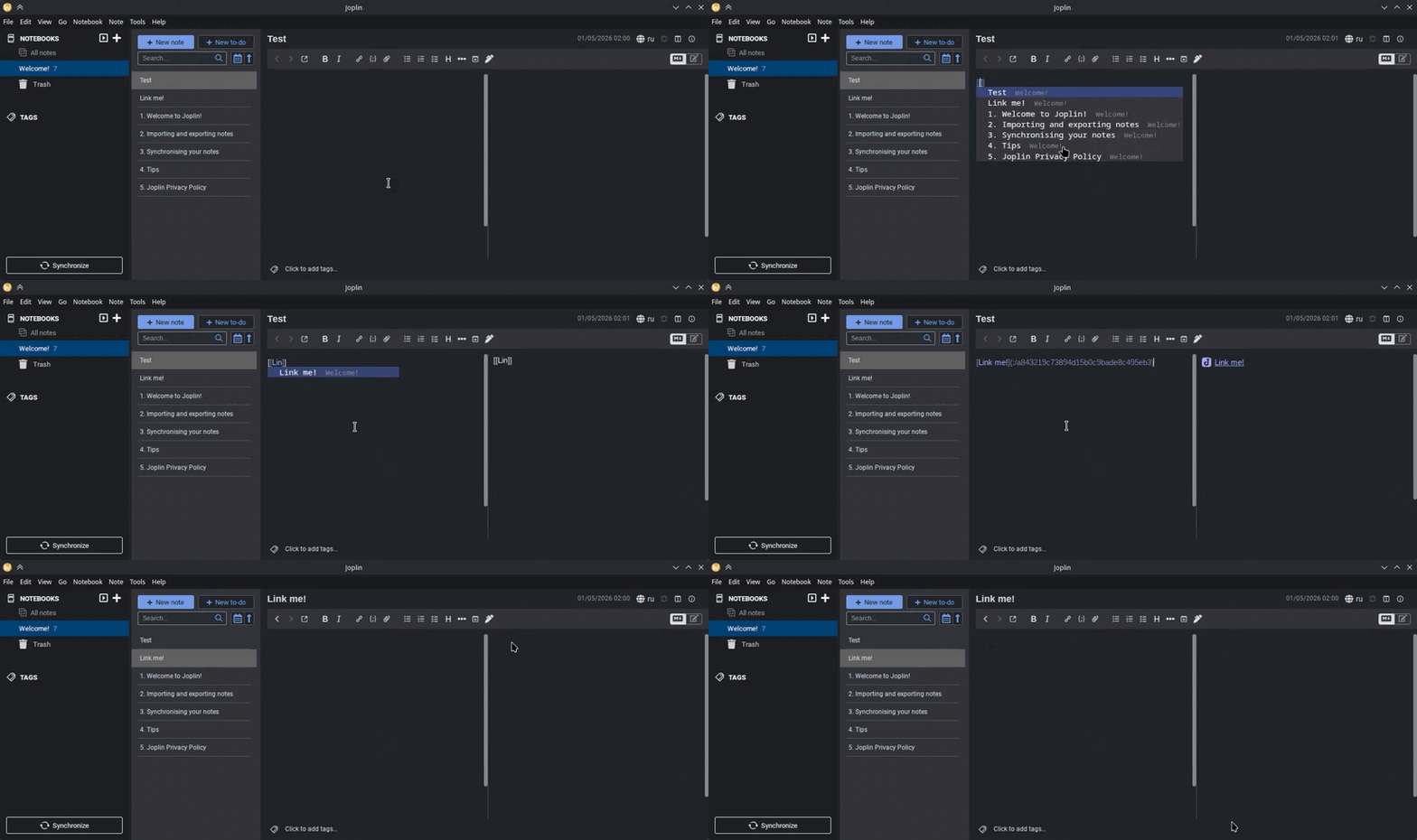
[[triggers an autocomplete with title-prefix search and notebook path preview.- Inserts a note link in the form
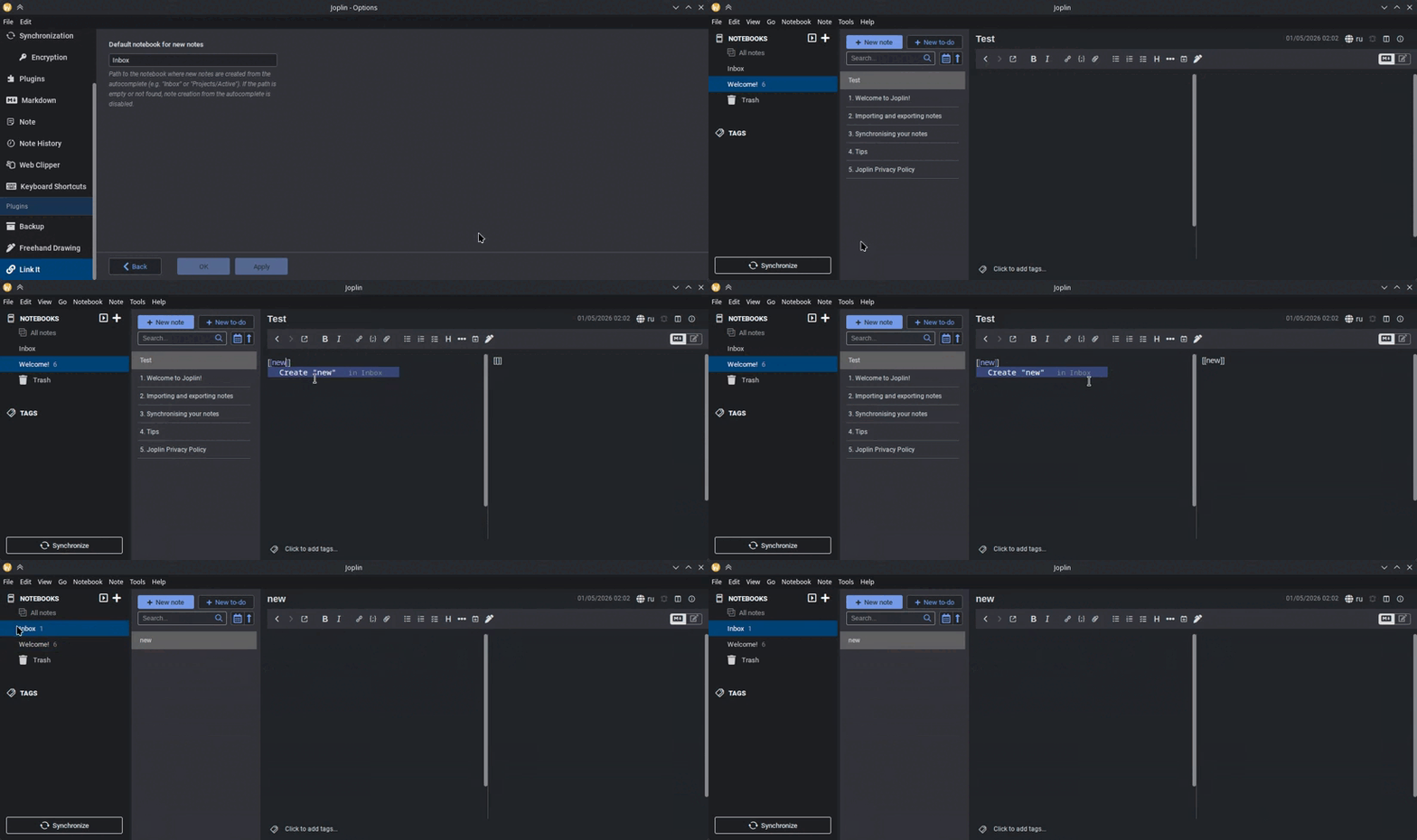
[Title](:/<id>). - Creates a new note from the autocomplete when nothing matches.
- Links panel for the current note: shows incoming and outgoing note links. Missing targets are marked as deleted.
- Localization support.
Demo
Link existing notes
Create new notes from autocomplete when no matches are found
Requirements
- Joplin 3.5+ (CodeMirror 6 editor).
Usage
Type [[ and start typing a note title. Pick an entry from the list to insert the link. With an empty query, the most recently modified notes are shown. When no match is found, the list offers a "Create" option.
Settings
- Default notebook for new notes: path (e.g.
InboxorProjects/Active) where notes created from the autocomplete are placed. If empty or not found, note creation is disabled (Joplin requires every note to belong to a notebook). - Show note links: when enabled, the links panel shows incoming and outgoing links for the current note.
Installation
- Plugin repository:
Tools -> Options -> Plugins, findLink It, install and restart Joplin. - Manual: build the
.jplwithnpm run distand install it viaTools -> Options -> Plugins -> Install from file.
Development
npm install
npm run dist
The build produces a publishable artifact in publish/.