
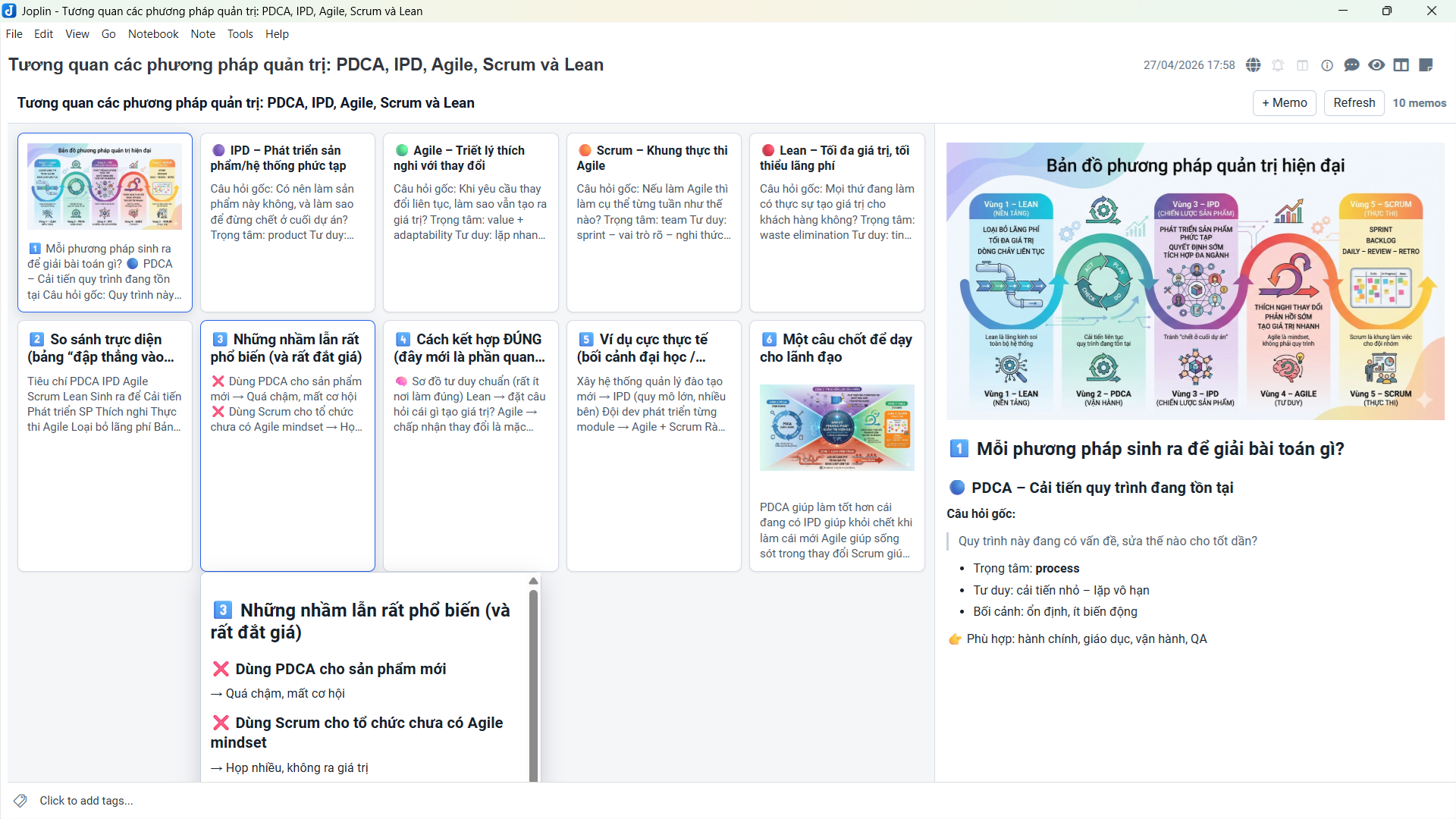
Description
View ordinary Joplin notes as compact, colorful memo boards.
Additional Information
| Links: | |
|---|---|
| Maintainers: | txnam |
| Version: | 0.4.3 |
| Minimum app version: | 3.5.1 |
| Downloads: This version: | 59 |
| Last updated: | 2026-10-05T18:56:17Z |
JoplinMemo
JoplinMemo 0.4.3 turns ordinary Markdown notes into colourful memo boards, readable cards and image slideshows. It requires Joplin 3.5.1 or later on desktop and mobile. Android is the mobile acceptance target; iOS has not been verified for this release.
Present your image notes in full screen: paste your images into a note, open Slide, select Fullscreen when available, then press Play. Each image becomes a slide, with optional formatted captions, adjustable timing and zoom. Use it to present photo albums, visual guides or image-based talks directly from your Joplin notes. Your note stays ordinary Markdown.
Giới thiệu bằng tiếng Việt
JoplinMemo biến ghi chú Markdown trong Joplin thành bảng memo gọn, dễ đọc và có màu sắc. Bạn có thể xem nhanh nhiều mục cùng lúc, mở nội dung đầy đủ, chỉnh sửa từng memo và kéo thả để sắp xếp. Ghi chú chỉ chứa ảnh sẽ hiển thị mỗi ảnh thành một memo riêng.
Slideshow toàn màn hình là một cách tiện lợi để trình chiếu ngay từ ghi chú. Chỉ cần dán các ảnh vào note, thêm chú thích nếu muốn, rồi mở Slide → Fullscreen → Play. Tính năng này phù hợp để giới thiệu album ảnh, trình bày tài liệu minh họa hoặc thuyết trình bằng các trang slide đã xuất thành ảnh.
- Mỗi ảnh là một slide; phần chữ phía sau ảnh trở thành chú thích và giữ định dạng Markdown.
- Tự động chuyển ảnh sau 3, 5 hoặc 10 giây, có Play/Pause, bật lặp và bật/tắt chú thích.
- Khi trình bày thủ công, dùng nút Trước/Sau, phím mũi tên hoặc vuốt ngang lúc ảnh đang vừa khung. Có thể thu phóng để xem chi tiết.
- Nút Fullscreen xuất hiện khi môi trường Joplin hỗ trợ chế độ toàn màn hình; nếu không, slideshow vẫn phủ toàn bộ vùng plugin.
- Bấm lại vào ảnh hoặc vùng trống xung quanh để quay về bảng memo; cũng có thể dùng Close hoặc Esc. Việc xem và trình chiếu không sửa nội dung note.
Yêu cầu Joplin 3.5.1 trở lên. Tải file .jpl tại GitHub Releases và cài bằng tùy chọn Install from file trong phần plugin của Joplin.
Image slideshow
- Create a note with images on their own lines. You may add a heading before the first image and caption text after each image.
- Open the note in JoplinMemo and select Slide. The first image opens without starting playback.
- Press Play for an automatic slideshow, or browse with the previous/next buttons, arrow keys, or a horizontal swipe while the image is fitted.
- Select Fullscreen when available to present the album across the whole screen, making images and captions easier for an audience to see.
- Playback: choose 3, 5 or 10 seconds per image; 5 seconds is the default. Use Pause at any time and enable Loop when you want to repeat the album.
- Captions: show or hide formatted text below each image. Text belongs to the preceding image until the next image; alt text is used when no caption is supplied.
- Image controls: fit the image to the viewing area, view original size within the zoom limit, or zoom up to eight times the fitted size. Use the mouse wheel or pinch gesture to zoom and drag to pan.
- Full-screen presentations: use Fullscreen for presenting photo albums, illustrated instructions or slides exported as images. The button is available when the host supports full screen; otherwise, slides fill the plugin area. Click the image or the surrounding stage to return to the memo board, or use Close or Escape.
- Automatic pause: zooming, closing the viewer, changing notes, hiding the app or encountering an image error pauses playback. Only the next image is preloaded.
The Slide button appears automatically for image albums. Images inside code, inline images mixed into sentences, and notes with prose before the first image do not qualify. A single opening heading is allowed, and Markdown reference images are supported. Viewing slides never changes or saves the note.
Install
Download com.github.txnam.joplinmemo.jpl from GitHub Releases and install it using Joplin's Install from file plugin option. Version 0.4.3 requires Joplin 3.5.1 or later.
Reading and editing
- Notes containing title-only memos use the compact grid. Click or tap a card to read its complete formatted content, including long titles on phones. Compact tooltips also show the selected memo. Use Edit beside + Memo to edit the selected or keyboard-focused card, or Edit beside Close in the reading pane.
- Notes with bodies show a grid and detail pane. Double-click a card or its detail content to edit; F2 edits the selected memo. Cards and detail panes have no Edit/Read toolbars. The compact reader also supports double-click to edit.
- Header text, tooltips, detail and reading panes use Joplin's Markdown renderer. Supported acceptance cases include emphasis, headings, links, nested lists, numbered lists, tables, checkboxes, code and images. Maths, Mermaid, third-party renderers and custom Joplin CSS are outside this release's acceptance scope.
- Drag and drop cards to reorder them. An abstract remains pinned before heading sections; no up/down buttons occupy card space.
- Form drafts survive colour changes, selection and failed saves. An external note change requires Reload latest note before saving the preserved draft. If its original memo cannot be identified, the draft can be saved as a new memo. Drafts are kept in memory, not across application restarts.
- HTML notes and Kanban notes remain excluded.
Markdown and preservation
The plugin recognises same-level ATX headings, top-level bullet/numbered lists, reverse slash-number lists (3/, 2/, 1/), horizontal-rule sections, prose abstracts before headings, and paragraph blocks. Fenced code and nested structures do not become accidental boundaries. Structures that cannot be split safely stay as one memo with a raw Markdown body editor.
The parser retains original source slices, delimiters and line endings. Reading and serializing without changes preserves the original text exactly; an edit or colour change patches only the affected memo. No IDs or additional storage format are inserted into notes. Adding blank-line blocks or structural markers while editing can create new memo boundaries on the next parse.
Use a known colour name or six-digit hex marker at the end of a title, for example [[yellow]] or [[#facc15]]. Unknown values such as [[project]] remain ordinary text. Unchanged markers retain their original spelling. Whole-note fallbacks expose the raw Markdown body instead of inventing a title or colour marker.
Numbered lists keep their written numbers when reading, editing content or changing colour. Adding or moving an item renumbers the list consecutively from its original starting number, retaining its . or ) style. Reverse slash-number lists are renumbered from the item count down to one.
Image memo boards
Image-only notes show one memo per image, without filename/alt-text titles, including adjacent images on the same line, reference images and HTML image tags. Trailing blank lines, empty paragraphs and <br> do not create empty cards. Reading, editing and reordering retain the original source whitespace and reference definitions.
Click an image to open the image viewer; click the image or its surrounding stage again to return. Dragging, swiping and pinching do not close it. It supports fit-to-screen, original size (bounded by the zoom limit), zoom buttons, wheel zoom, dragging and Android pinch zoom. Zoom ranges from the fitted image to eight times that size. Failed or unavailable images have a retry action.
Build and checks
Use Node.js 22.13 or newer (Node 22 LTS is used in CI).
npm ci
npm test
npm run typecheck
npm run dist
npm run verify:package
The installable archive is publish/com.github.txnam.joplinmemo.jpl. The verification command checks version consistency, icon inclusion and the archive hash. GitHub Actions runs the same checks on Windows and Linux. Packaging failures fail the build.
Development and validation
src/memo/: source-preserving parser/serializer, model and album detection.src/editor/: Joplin bridge, revision-checked save queue and host Markdown rendering/cache.src/webview/: HTML filtering, memo forms, reader, image gestures and slideshow state.tests/: parser, save race, renderer and webview tests with a simulated Joplin API.
For manual browser QA after building:
node tests/browser-server.js
Open http://127.0.0.1:4177/?note=full, ?note=compact, ?note=album or ?note=photos. This development host uses mock notes and a simulated renderer, and never accesses your Joplin notes. It is not a substitute for testing inside Joplin. See the release validation record.
No data migration is required. Existing notes and colour markers remain compatible. Save checks detect stale editor revisions and changed stored bodies, but the public Joplin API does not provide an atomic compare-and-swap write; a change between the final read and host save cannot be made transactional by the plugin.