Description
Adds a panel to sort to-dos in Joplin Mobile
Additional Information
| Links: | |
|---|---|
| Maintainers: | lack_ |
| Version: | 0.1.0 |
| Minimum app version: | 3.5 |
| Downloads: This version: | 152 |
| Last updated: | 2026-04-30T00:23:29Z |
ToSort: A Joplin Plugin to sort your to-dos
In Joplin's mobile client, there is no way to sort your notes when using custom ordering, which is critical in some workflows.
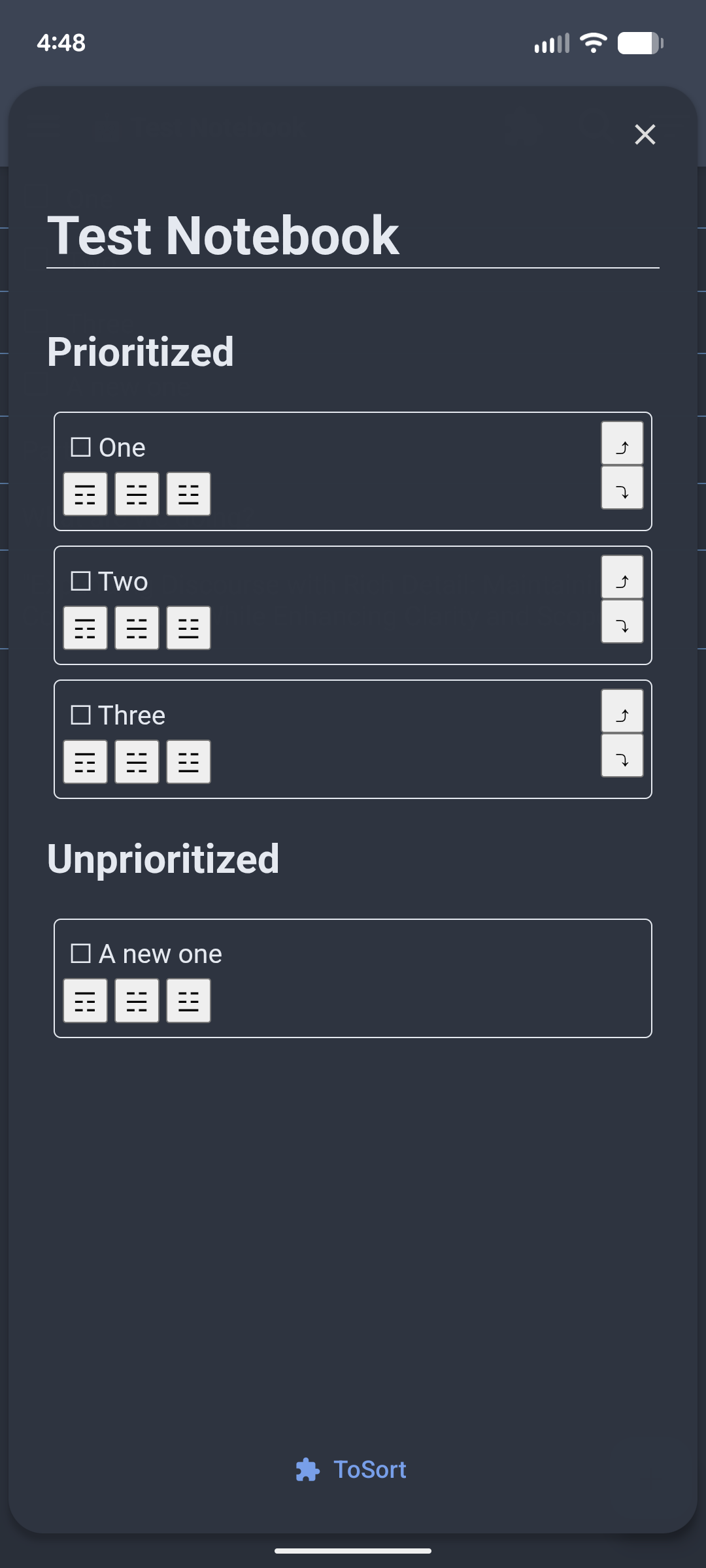
This plugin adds a panel to the UI which (though ugly) allows you to do this.
Caveat
This plugin is in its early stages of development, so it definitely has some rough edges:
- Needs a cleaner UI (theming and layout)
- Needs a snappier UX (Drag & Drop?)
- Needs to be more responsive to external factors (folder changes, incoming syncs)
- Probably many bugs since I'm new to typescript and the Joplin plugin API
Usage
But for now, at least the basics work (most of the time):
- Select a folder (and open a note within that folder so the plugin notices the folder change)
- Open the panel (via the puzzle-piece icon in the top right)
- Incomplete to-dos (not all notes) are shown in 2 groups:
- Prioritized (those that have already been sorted)
- Unprioritized (those that have not been)
- Each to-do shows its title and some buttons to change its position in the list.
- Clicking the buttons moves the to-do to:
- ☶ Top of list
- ☵ Middle of list
- ☳ Bottom of list
- ⤴ Up by one
- ⤵ Down by one
- The change is immediately shown in the note list (if you have selected custom sorting) and is synced to other clients (like desktop)