Filterable Notebook TreeView
Description
A panel that lets you filter notebooks by name while preserving the tree structure.
Additional Information
| Links: | |
|---|---|
| Maintainers: | wakakusa.ryuuzi |
| Version: | 0.1.0 |
| Minimum app version: | 3.5 |
| Downloads: This version: | 153 |
| Last updated: | 2026-03-29T13:04:20Z |
Joplin Plugin Filterable Notebook TreeView
[!CAUTION] This plugin is currently under development. Use at your own risk.
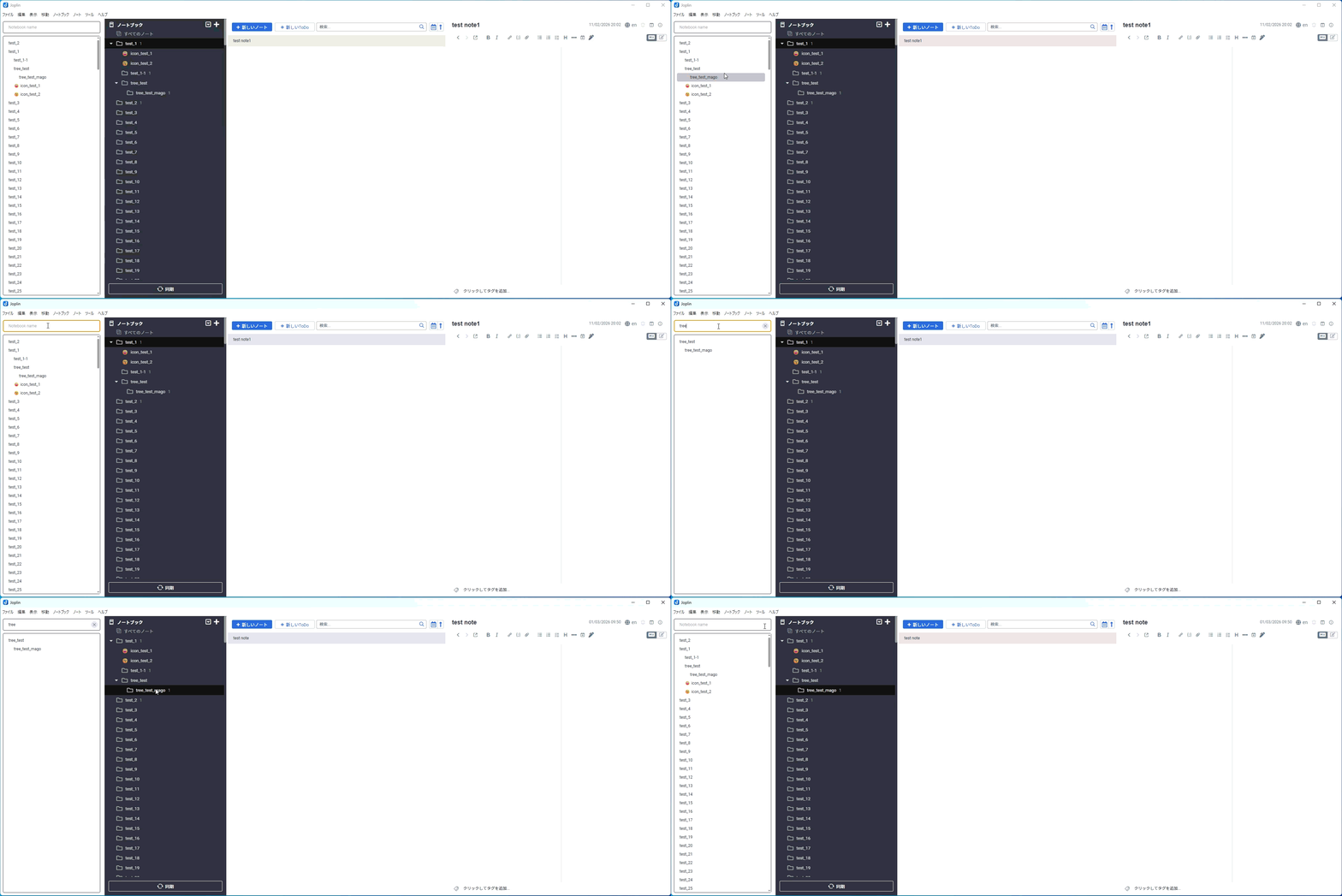
Filterable Notebook TreeView adds a panel that lets you filter the notebook tree by name.
Motivation
As a heavy Joplin user, I ended up with too many notebooks, which made them hard to find.
I wanted a way to filter that:
- stays visible as a panel
- keeps parent/child relationships visible
So I created a filtering approach separate from the command palette.
Installation
This plugin is published in Joplin's plugin registry.
In Joplin, open Options -> Plugins, then search for Filterable Notebook TreeView.
Usage
Panel
After installing and enabling the plugin, the panel appears.
Use View -> Change application layout to place it wherever you like.
Filter
Type text into the field labeled Notebook Name.
Folders containing that text are shown, along with their parent path up to the root.
Selecting a folder in the panel moves Joplin to that folder.
Filter Options
The following options are available as checkboxes:
- Match exact text only
- Enable regular expressions
- Exclude child notebooks of matched notebooks
Reload Display Tree
Click the button next to the option checkboxes to reload the tree.
TODO
The following items are planned features or known bugs:
- [x] You currently need to restart Joplin to show newly created notebooks
- Since the plugin framework cannot receive notebook change notifications, a reload button was added as a workaround
- [ ] Display order may not match Joplin in some cases
- [ ] Parent folders may not appear in some cases
Lisence
This project is licensed under the MIT License.