CalcNote-style expense calculator. Write Label expression | on any line and the result appears in the right column. Includes a live 75/25 split panel and a toolbar button to write results back into the note.
| Links: | |
|---|---|
| Maintainers: | technoparth |
| Version: | 2.0.3 |
| Minimum app version: | 3.2 |
| Downloads: This version: | 364 |
| Last updated: | 2026-05-04T20:57:46Z |
A Mathematical Calculator + Note taking expense calculator that lives inside your Joplin notes. Write natural expense lines, hit Calculate, and totals appear automatically — no spreadsheet needed.
| Before (you type) | After (plugin calculates) |
|---|---|
Coffee 3.5 * 20 | |
Coffee 3.5 * 20 | 70 |
Rent 12000 | |
Rent 12000 | 12,000 |
Total | |
Total | 12,070 |
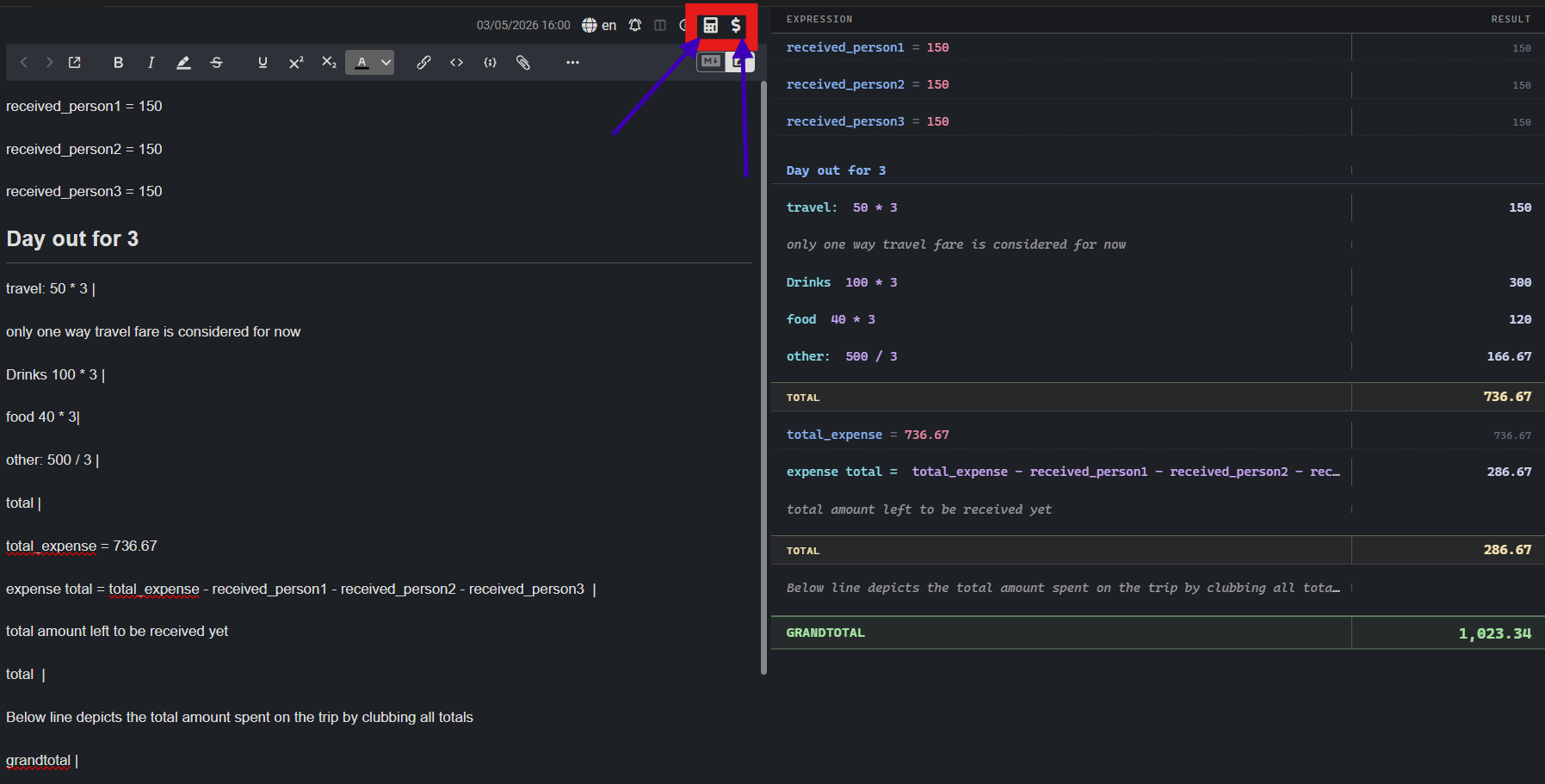
| is treated as a calculation slot..jpl file, or search for MathNote in the plugin marketplace.There are two buttons added to the note toolbar:
Command name:
mathNote.togglePanel
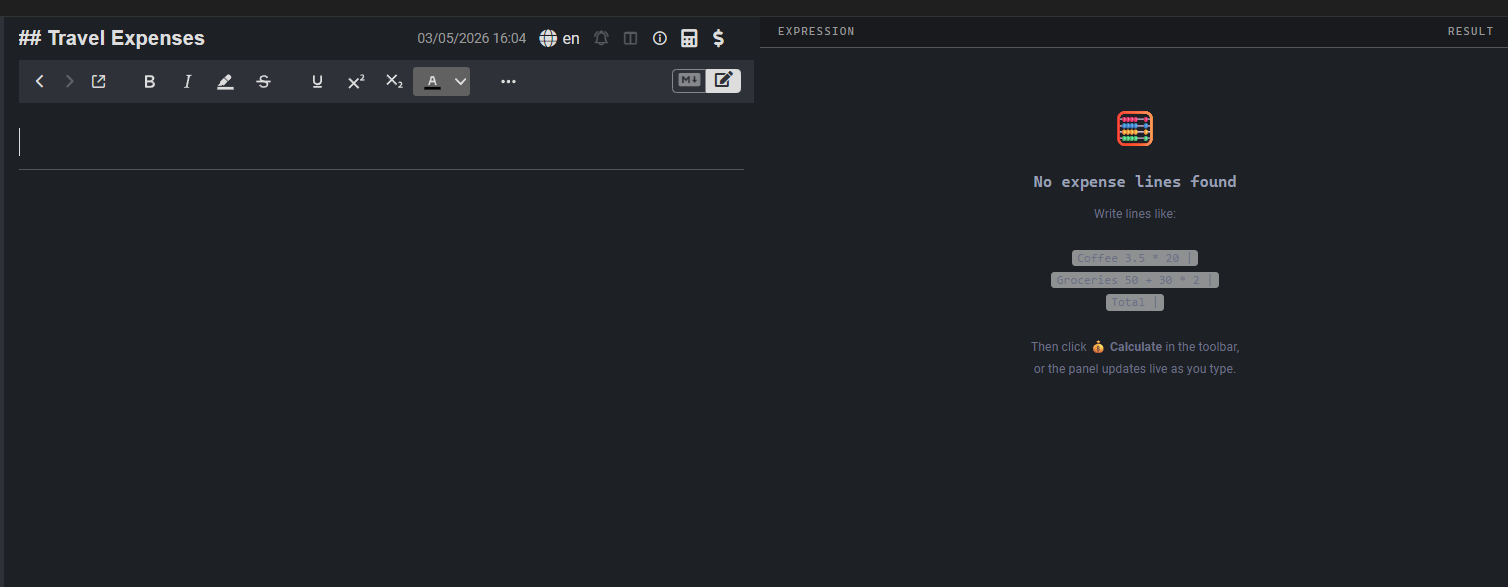
Opens or closes the live 75/25 split panel in the sidebar. The panel reads your current note and displays every line as a two-column view:
┌─────────────────────────────────┬──────────┐
│  Expression                     │  Result  │
├─────────────────────────────────┼──────────┤
│  Coffee  3.5 * 20               │  70      │
│  Groceries  50 + 30 * 2         │  110     │
│  TOTAL                          │  180     │
└─────────────────────────────────┴──────────┘
The panel updates automatically every time the note content changes — you do not need to click anything to refresh it.
Command name:
mathNote.calculate
Evaluates every calculation line in the note and writes the results back into the note body next to the | character.
✓ Expenses calculated and saved.The basic pattern for any expense line is:
[Optional Label] [Math Expression] |
The | (pipe character) at the end marks a line as a calculation slot. Without |, the line is treated as plain text and ignored.
Groceries  50 + 30 * 2     |        ← will be calculated
This is just a note                  ← ignored, no pipe
Spacing is flexible — the plugin finds the first digit and treats everything before it as the label.
expr — Expression LineAny line containing a math expression followed by |.
Pattern: [Label] [expression] |
Coffee  3.5 * 20           |        → Coffee  3.5 * 20           | 70
Rent    12000              |        → Rent    12000              | 12,000
Taxi    150 + 80 + 60      |        → Taxi    150 + 80 + 60      | 290
Snacks  (20 + 15) * 3      |        → Snacks  (20 + 15) * 3      | 105
Coffee, Rent, etc.).| are automatically replaced on recalculation — safe to re-run.total — Section TotalA line containing only the word total (or subtotal, sum) followed by |. Sums all expr lines above it since the last heading or previous total.
Keywords: total, Total, TOTAL, subtotal, sum — case-insensitive.
Coffee     3.5 * 20    |        → | 70
Groceries  50 + 30     |        → | 80
Rent       12000       |        → | 12,000
Total                  |        → | 12,150
After a Total line, the section sum resets to zero — the next Total will only include lines written after it.
# Week 1
Lunch    120 + 90    |          → | 210
Dinner   200         |          → | 200
Total                |          → | 410   ← only Week 1

# Week 2
Lunch    100 + 80    |          → | 180
Dinner   150         |          → | 150
Total                |          → | 330   ← only Week 2
grandtotal — Grand TotalA line containing grand total (or overall total) followed by |. Sums all Total values in the note.
Keywords: grand total, Grand Total, GRAND TOTAL, overall total — case-insensitive.
# Food
Groceries  500     |            → | 500
Total              |            → | 500

# Transport
Metro      50 * 22 |            → | 1,100
Uber       300     |            → | 300
Total              |            → | 1,400

Grand Total        |            → | 1,900
Note:
Grand Totaladds upTotallines only — it does not double-count individualexprlines.
vardef — Variable DefinitionA line of the form name = value (no | needed). Defines a reusable variable that can be referenced by name in any expr line that follows it.
Pattern: variableName = [expression]
tax = 0.18
discount = 0.10
item_price = 2500

Shirt     item_price * (1 - discount)       |    → | 2,250
Tax due   item_price * tax                  |    → | 450
_ and contain only letters, digits, and _.rate = 50
hours = 8
days = 5
Weekly pay rate * hours * days | → | 2,000
heading — Markdown HeadingAny standard Markdown heading (#, ##, ###, etc.). Headings visually group sections in the panel and reset the running section total — so a Total after a heading will only include lines since that heading.
# Monthly Budget

# Food & Groceries
Vegetables  200    |
Fruits      150    |
Total              |      ← sums only Food & Groceries section

# Entertainment
Movies  500        |
Games   300        |
Total              |      ← sums only Entertainment section
blank — Empty LineA completely empty line. Displayed as a small gap in the panel for readability. Has no effect on calculations.
Coffee  120    |

Rent    8000   |      ← blank line above is just spacing, no impact
text — Plain TextAny line that has no | and is not a variable definition, heading, or blank. These lines are completely ignored by the calculator and passed through unchanged. Use them freely for notes, comments, or context.
## August Expenses
Note: includes the weekend trip to Pune

Petrol    500 + 200    |    → calculated normally
Hotel     3500         |    → calculated normally

Remember to claim petrol reimbursement from office.   ← plain text, ignored
| Operator | Symbol | Example | Result |
|---|---|---|---|
| Addition | + |
100 + 50 |
150 |
| Subtraction | - |
500 - 80 |
420 |
| Multiplication | * |
3.5 * 20 |
70 |
| Division | / |
1500 / 3 |
500 |
| Modulo | % |
100 % 30 |
10 |
| Exponentiation | ^ |
2 ^ 10 |
1,024 |
| Grouping | ( ) |
(50 + 30) * 2 |
160 |
All standard operator precedence rules apply (* and / before + and -). Use parentheses to control order.
(500 + 200) * 0.18     |    → | 126      ← tax on combined amount
500 + 200 * 0.18       |    → | 536      ← tax on 200 only (precedence)
Here is a complete monthly expense note using every feature:
# Monthly Expenses — August 2025

gst = 0.18
discount = 0.05

---

## 🥗 Food

Groceries      50 + 30 * 2 + 10   |
Eating out     120 * 4             |
Coffee         3.5 * 20            |
Total                              |

## 🚗 Transport

Metro pass     550                 |
Petrol         80 * 6              |
Uber rides     150 + 200 + 90      |
Total                              |

## 🛍️ Shopping

Clothes        2500 * (1 - discount)  |
Books          400 + 350              |
Electronics    8000                   |
Total                                 |

---

Grand Total                        |
After clicking 💰 Calculate Expenses:
# Monthly Expenses — August 2025

gst = 0.18
discount = 0.05

---

## 🥗 Food

Groceries      50 + 30 * 2 + 10       | 120
Eating out     120 * 4                 | 480
Coffee         3.5 * 20                | 70
Total                                  | 670

## 🚗 Transport

Metro pass     550                     | 550
Petrol         80 * 6                  | 480
Uber rides     150 + 200 + 90          | 440
Total                                  | 1,470

## 🛍️ Shopping

Clothes        2500 * (1 - discount)   | 2,375
Books          400 + 350               | 750
Electronics    8000                    | 8,000
Total                                  | 11,125

---

Grand Total                            | 13,265
The 🧮 Toggle Expense Panel opens a sidebar panel that shows the same note in a clean 75/25 split layout. It is read-only — editing happens in the note itself.
Re-run freely — the calculator strips old results before recalculating, so clicking 💰 Calculate multiple times is always safe.
Labels are optional — a bare expression works just fine:
500 + 200 | → | 700
Decimals work — use . as the decimal separator:
Fuel 1.5 * 92.50 | → | 138.75
Variables carry down the note — define once, use anywhere below:
price = 999
quantity = 12

Subtotal   price * quantity         |    → | 11,988
Discount   price * quantity * 0.10  |    → | 1,198.80
Use headings to separate months or categories — each # heading resets the section accumulator, so your Total lines stay accurate even in long notes.
The panel works even before you calculate — open the panel while typing to preview results live without modifying the note body.
MIT — free to use, modify, and distribute.