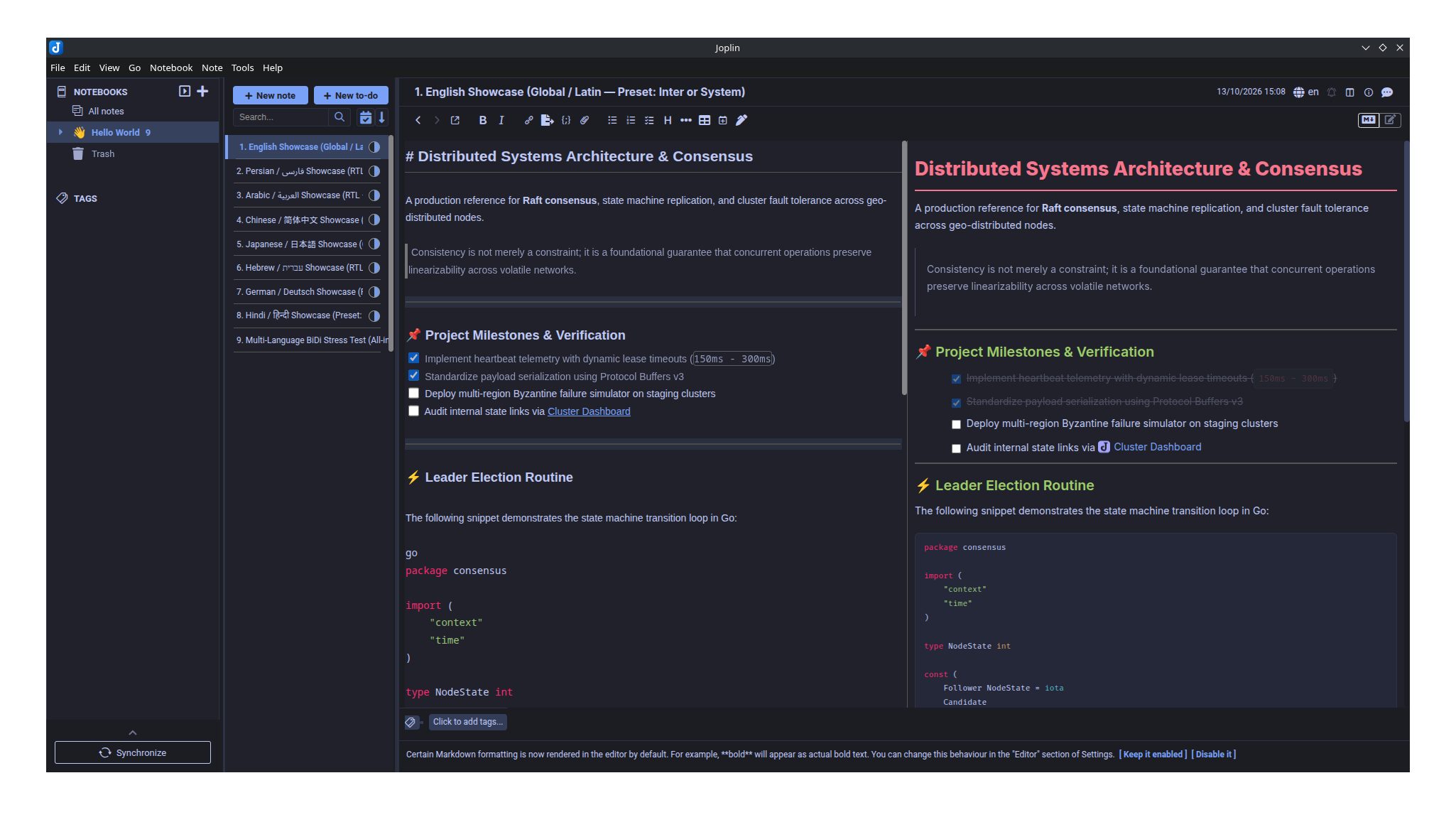
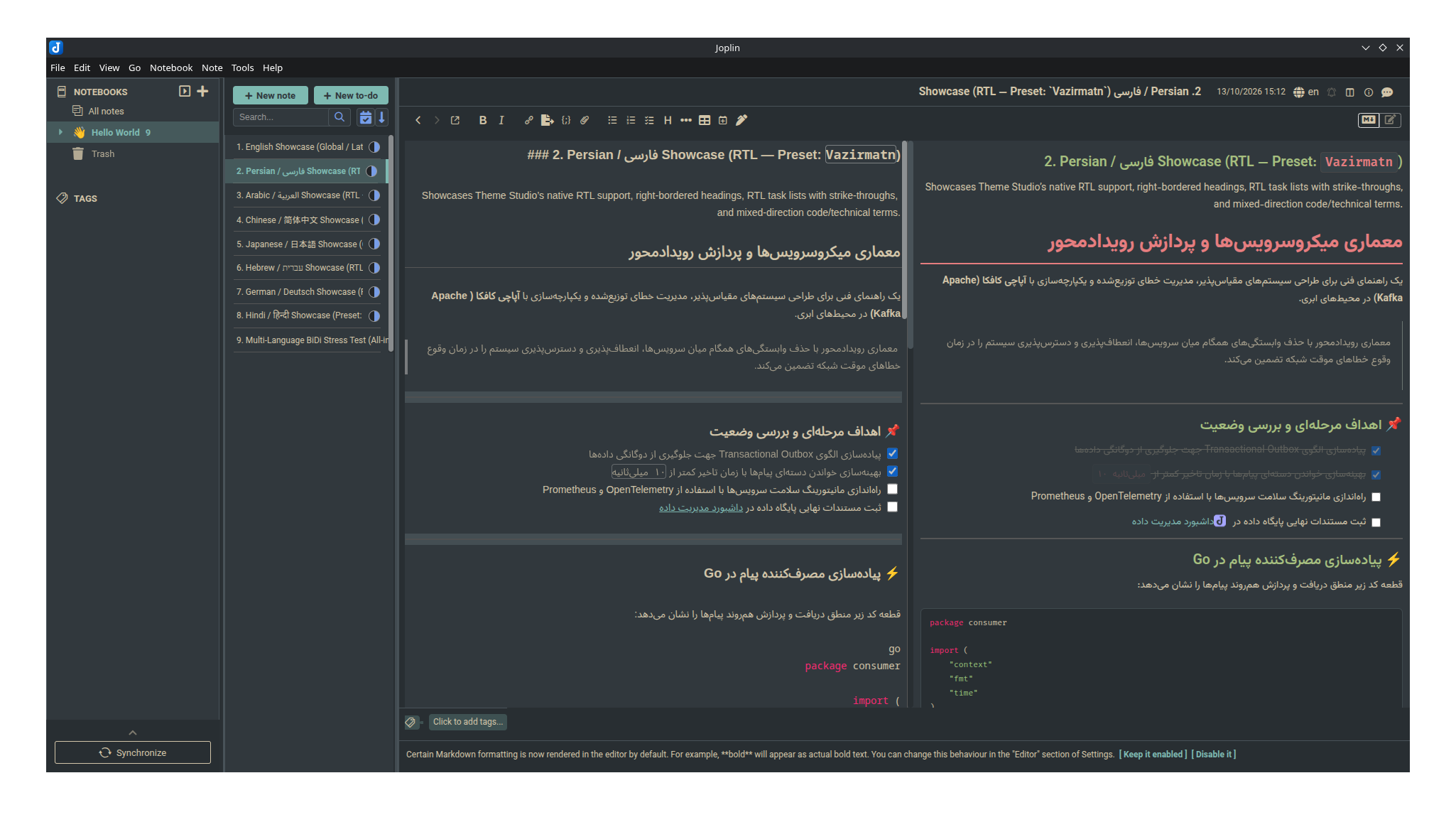
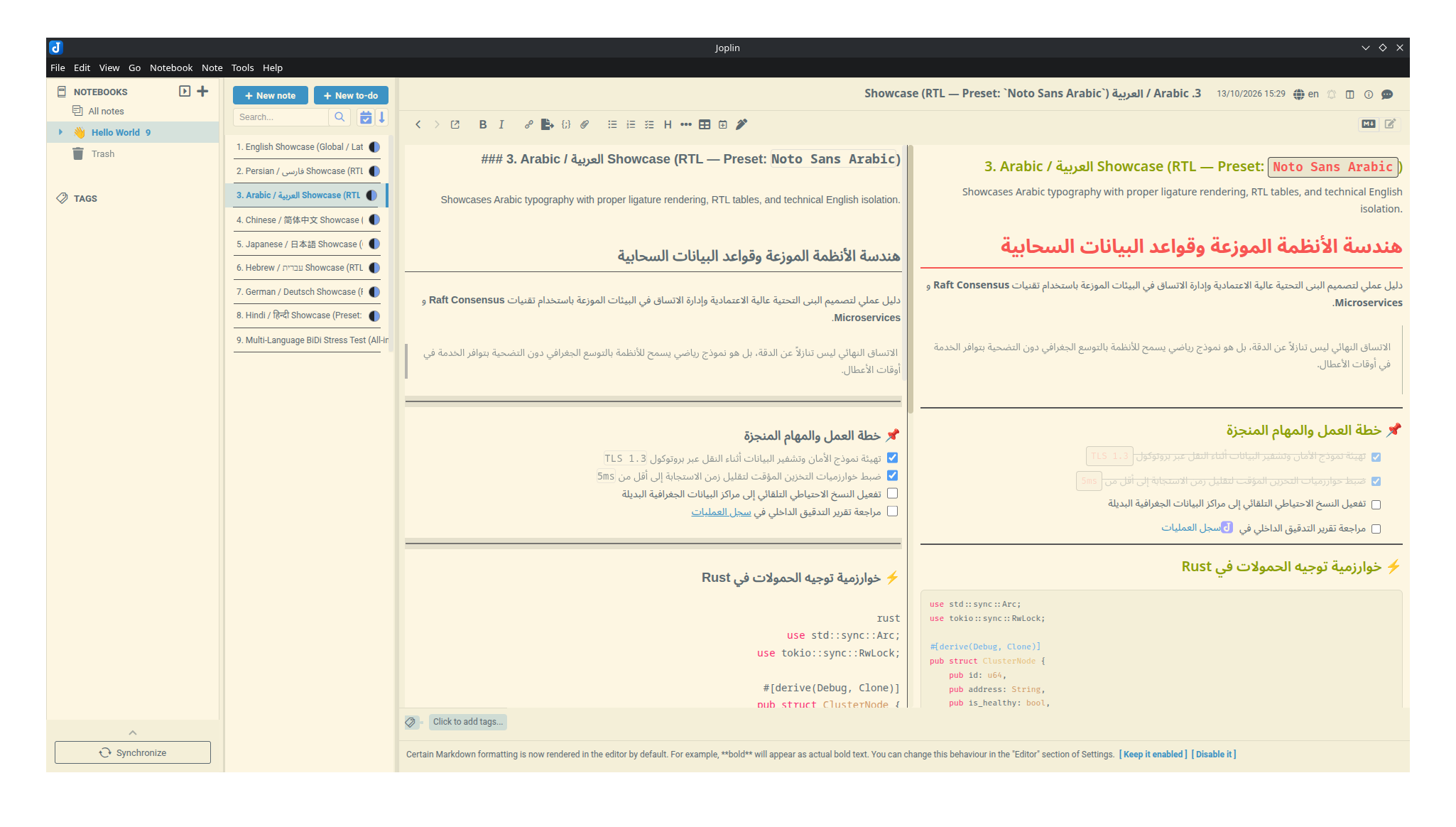
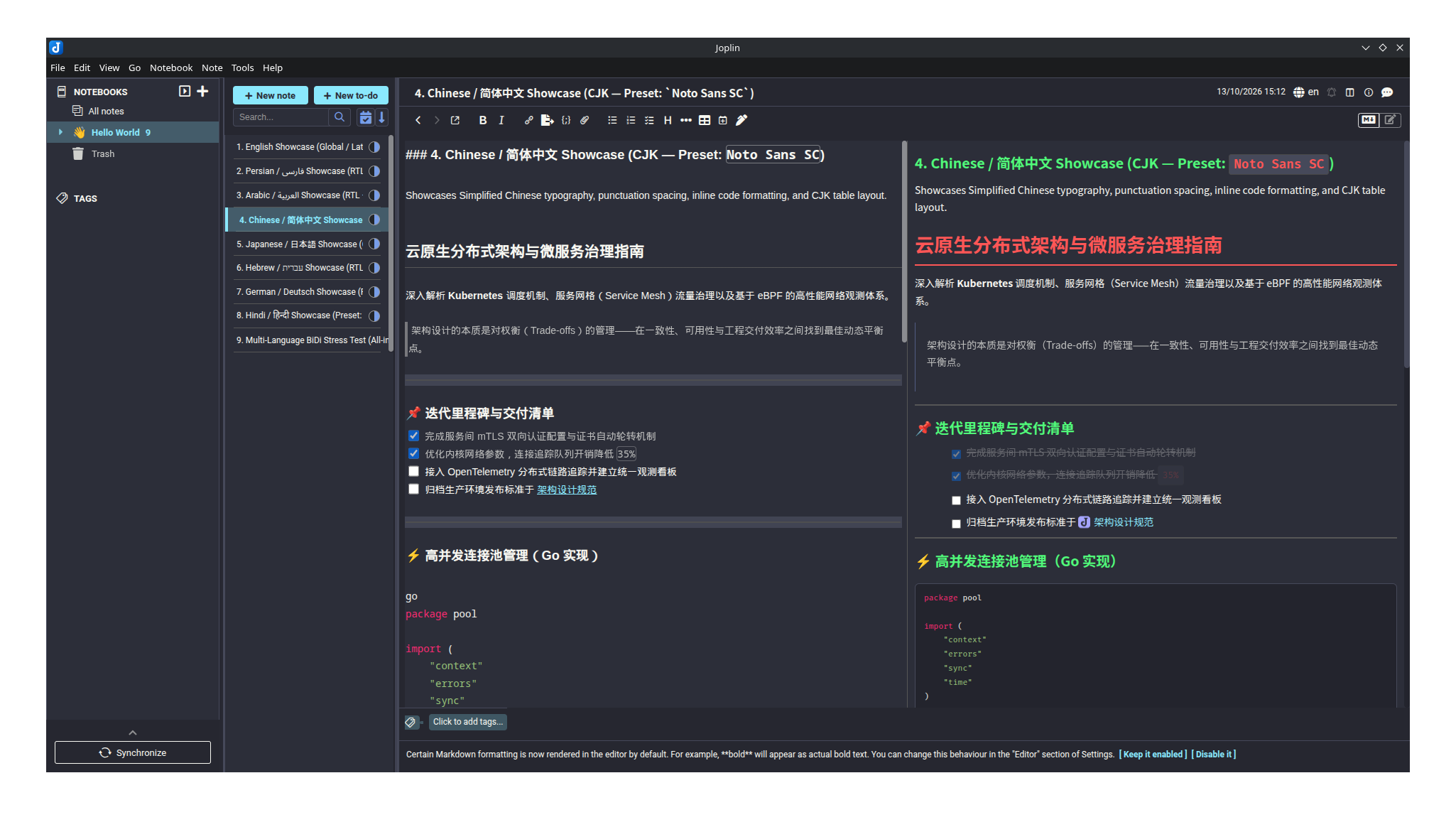
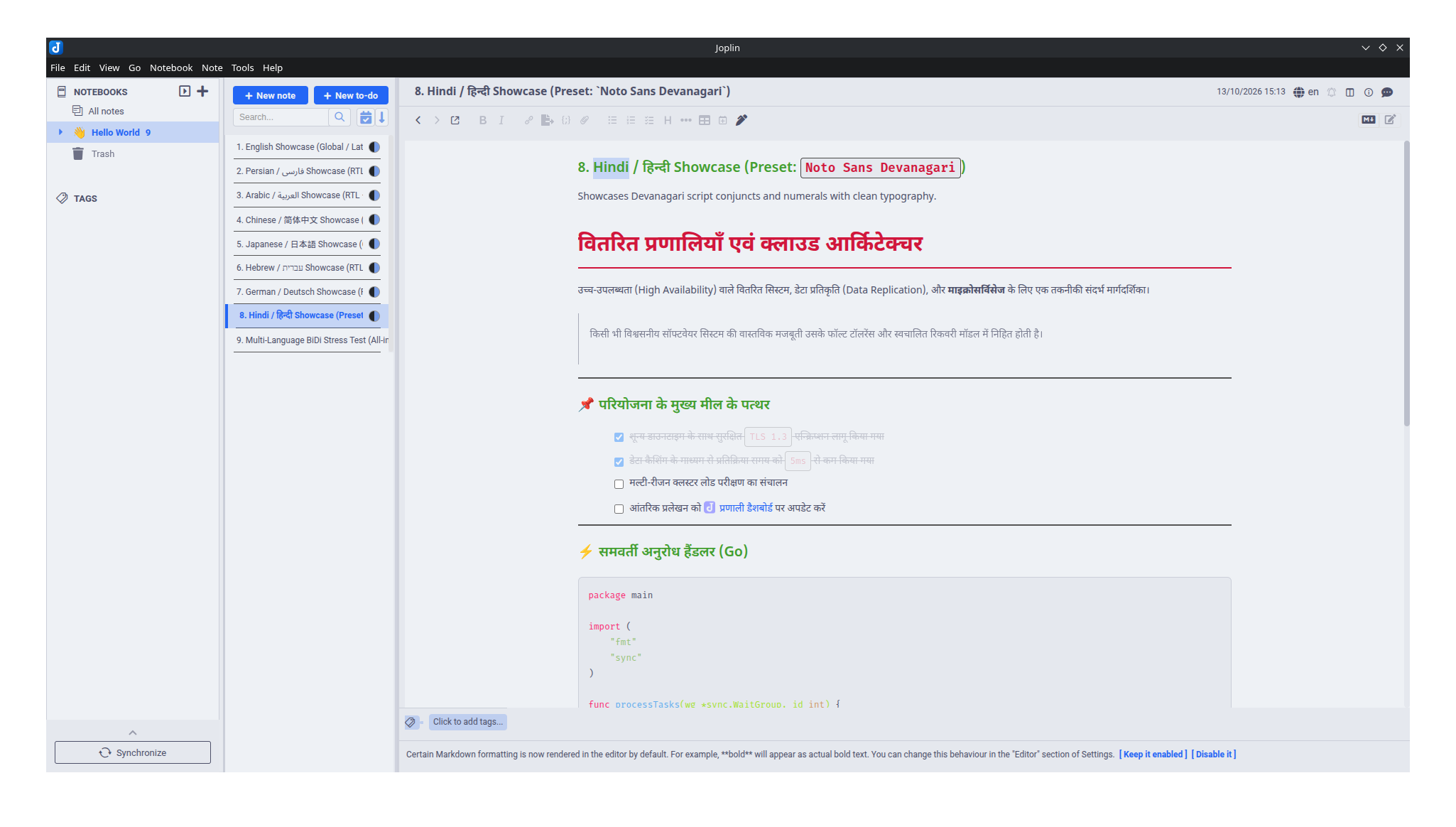
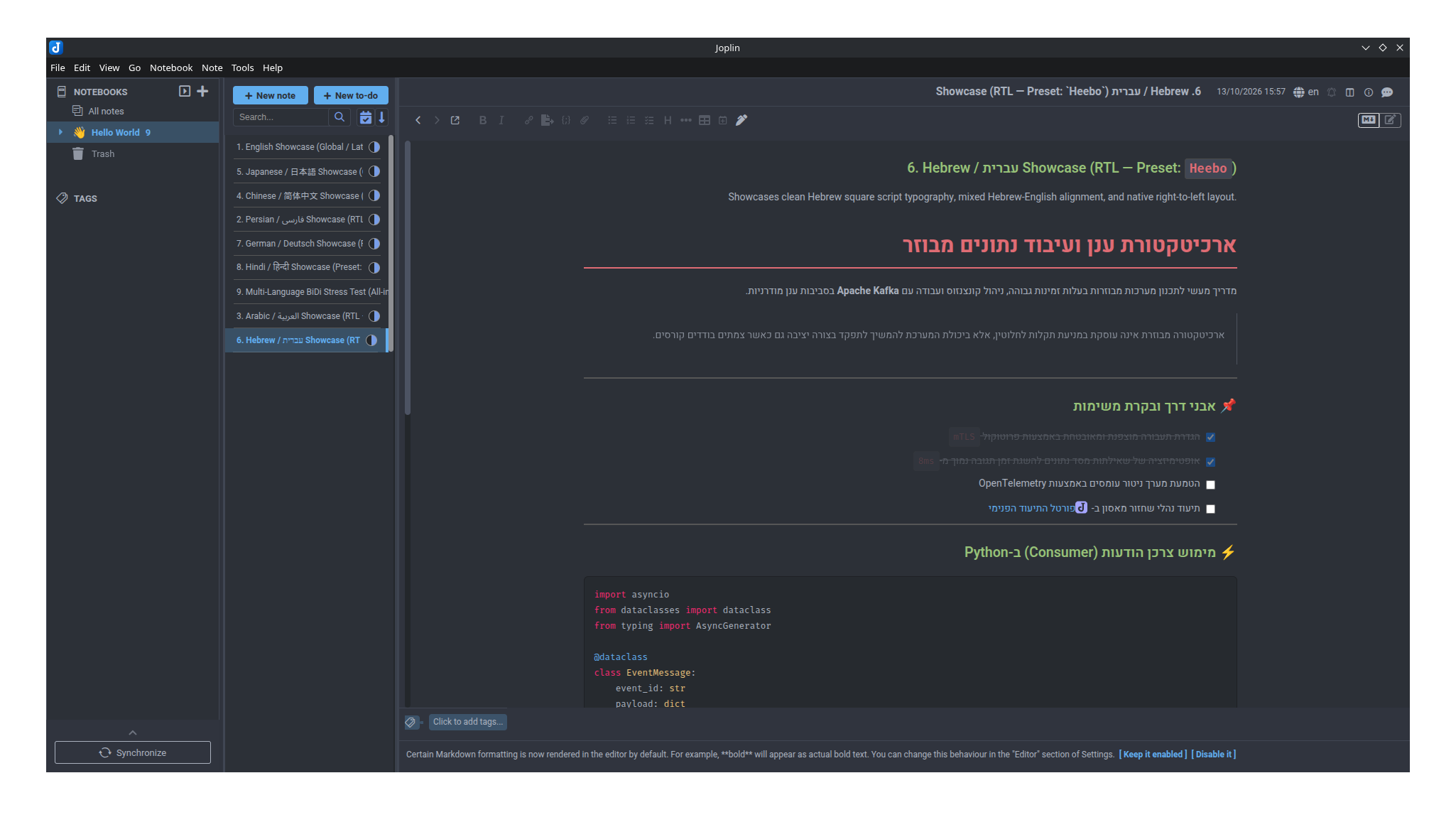
All-in-one multi-palette engine (Tokyo Night, Everforest, Catppuccin, Nord, Dracula, Gruvbox, Atom One) with native RTL/LTR typography & mobile support.
| Links: | |
|---|---|
| Maintainers: | xyasharx |
| Version: | 1.5.1 |
| Minimum app version: | 3.0.0 |
| Downloads: This version: | 50 |
| Last updated: | 2026-10-31T15:15:10Z |



Theme Studio is a modular palette and typography engine for Joplin. It applies unified color schemes and typography across the Markdown Viewer, the Markdown Editor (CodeMirror 6 & 5), the Rich Text Editor (TinyMCE), and the Desktop Application Shell (Sidebar, Note List, and Toolbars)—eliminating manual edits to userstyle.css and userchrome.css.
#rendered-md).Auto-Detect (Per-Paragraph BiDi) mode utilizing unicode-bidi: plaintext and CSS Logical Properties to align individual paragraphs based on their script direction.padding-left: 16px, 32px, 48px) while keeping toolbar coordinate layouts intact during RTL mode.display=swap to eliminate FOIT). Enables custom typography on Joplin Mobile without requiring local OS font installation.print-color-adjust: exact. Tables automatically wrap cells to prevent margin clipping, and code blocks wrap long lines (pre-wrap).- [x]) dim to 55% opacity with an automatic strikethrough.max-height: 520px) to prevent oversized image blowouts.:/<id>) feature a dashed accent underline to distinguish them from external URLs.[[toc]] and [^1] footnotes.
| Script / Target | Font Preset | Technical Description |
|---|---|---|
| Global / Latin / Cyrillic | Inter (Default) | Variable sans-serif optimized for screens |
| Clean Modern Sans | Roboto | Standard geometric sans-serif |
| Persian / Arabic / Urdu | Vazirmatn | Persian and Arabic script typeface |
| Standard Arabic | Noto Sans Arabic | Modern Noto Arabic typography |
| Simplified Chinese (CJK) | Noto Sans SC | Comprehensive Simplified Chinese font stack |
| Japanese (CJK) | Noto Sans JP | Balanced Japanese font stack |
| Hebrew | Heebo | Clean Hebrew and Latin typography |
| Devanagari | Noto Sans Devanagari | Complete Hindi and Sanskrit script support |
| Editorial & Long-form | Lora | Contemporary serif suited for body text |
| Monospace / Code | Fira Code / JetBrains Mono | Developer monospace typefaces with clean punctuation |
| Operating System Native | System Default | Zero network overhead; uses OS system font stack |
| Theme | Type | Characteristics |
|---|---|---|
| Tokyo Night | Dark | Deep navy background with high-contrast pastel accents |
| Tokyo Night Storm | Dark | Medium-contrast slate blue variation |
| Everforest Dark | Dark | Nature-inspired warm green background with muted accents |
| Everforest Light | Light | Low-contrast paper-toned warm background |
| Catppuccin Mocha | Dark | Modern dark palette with soothing pastel accents |
| Catppuccin Latte | Light | High-contrast light palette with clean pastel accents |
| Nord | Dark | Arctic blue-gray palette with subdued cold tones |
| Dracula | Dark | High-contrast dark purple background with vibrant accents |
| Gruvbox Dark | Dark | Retro warm brown and amber palette |
| Gruvbox Light | Light | Retro parchment light palette with warm accents |
| Atom One Dark | Dark | Traditional Atom editor syntax theme |
| Atom One Light | Light | High-clarity light theme with crisp editor contrast |
Theme Studio..jpl)org.joplin.plugin.theme-studio.jpl from the Releases page..jpl file and restart Joplin..jpl file to your mobile device storage..jpl file and restart the application.Access the settings panel under Tools > Options > Theme Studio (on Mobile: Configuration > Plugins > Theme Studio):
| Setting Key | Options / Inputs | Default | Description |
|---|---|---|---|
| Color Theme | 12 built-in palettes | Atom One Dark |
Sets document, editor, and UI chrome color tokens |
| Layout Direction | LTR, Auto-Detect (BiDi), RTL |
Auto-detected | Primary text direction and border alignment |
| Apply Theme to Markdown Editor | true / false |
true |
Styles CodeMirror 6/5 and TinyMCE editors |
| Theme Application Shell | true / false |
true |
Applies palette to Joplin sidebar, note list, and toolbars (Desktop only) |
| International Font Preset | 11 font presets | Auto-detected | On-demand web font loaded via CDN |
| Custom Font Stack | CSS font-family string |
System Stack | Active when preset is set to Custom |
| Code Font Preset | Fira Code, JetBrains Mono, System, Custom |
Fira Code |
Monospace font for code blocks and editor |
| Custom Code Font Stack | CSS font-family string |
Cascadia / Consolas | Active when code preset is set to Custom |
| Font Size | Text string (e.g., 16px, 18px) |
16px |
Scales base text size across desktop & mobile |
| Line Height | Numeric string (e.g., 1.6, 1.75) |
1.75 |
Sets body reading line spacing |
| Heading Sizes Preset | Balanced, Large, Compact, Custom |
Balanced |
Typographic scale applied to H1 through H6 headings |
| Custom Heading Sizes | Comma-separated sizes string | 1.75em, 1.42em, ... |
Custom sizes for H1 to H6 (e.g., 28px, 24px, 20px, ...) |
| Reading Width (Focus Mode) | Full Width, Comfortable (920px), Compact (760px) |
Full Width |
Constrains note container width on wide monitors |
| PDF Export Appearance | Exact Match, Paper Friendly |
Exact Match |
Controls background retention in exported PDFs |
When Layout Direction is set to RTL, left-to-right code explanations, English citations, or quotes can be isolated using HTML container syntax:
<div dir="ltr">

### English Subheading
- List markers position on the left margin.
- Hyperlinks and formatting render left-to-right.

> Blockquotes format with a left accent border.

</div>
Tip: Selecting Auto-Detect (Per-Paragraph BiDi) handles mixed-language paragraphs automatically without requiring manual div tags.
# 1. Clone the repository
git clone https://github.com/xyasharx/joplin-plugin-theme-studio.git
cd joplin-plugin-theme-studio

# 2. Install dependencies
npm install

# 3. Compile TypeScript and build .jpl bundle
npm run dist
The compiled archive and hash metadata will be generated in the publish/ directory:
publish/org.joplin.plugin.theme-studio.jplpublish/org.joplin.plugin.theme-studio.jsonThis project is licensed under the MIT License.