Description
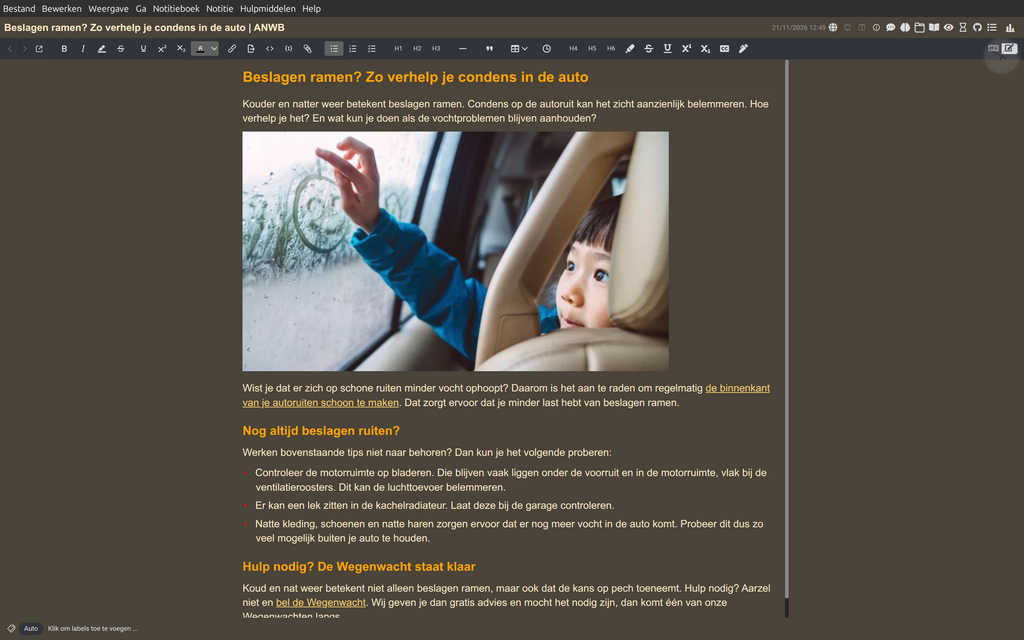
Read and edit the selected note in a separate Joplin window with adjustable margins.
Additional Information
| Links: | |
|---|---|
| Maintainers: | smartscripts.nl |
| Version: | 1.2.15 |
| Minimum app version: | 3.7.22 |
| Downloads: This version: | 1 |
| Last updated: | 2026-11-22T21:46:18Z |
Read Distraction Free
A Joplin Desktop plugin that opens the selected note in a separate reading window with adjustable side margins. The toolbar button or keyboard shortcut toggles the window. The plugin supports English and Dutch.
My other Joplin plug-ins
Requirements
- Joplin Desktop 3.7.22 or newer
- Optional: Headings to Tabs for automatically showing tabs in eligible notes
Build and install
From the repository root:
npm install
npm run dist
This skeleton is intended for publication. The personal installation uses the archive maintained in the original ChatGPT project.
The publication archive is created in publish/com.joplin.plugin.read-distraction-free.jpl.
In Joplin, open Tools → Options → Plugins, choose Install from file in the gear menu, select the archive, and restart Joplin.
Use Tools → Options → Read Distraction Free to adjust the plugin settings and Keyboard Shortcuts to change its shortcut. The default shortcut is Ctrl+Shift+R. If the RDF window has been opend, hitting the shortcut once again will close the window.
Colofon
The idea was mine, but the plugin was generated by ChatGPT.