



Joplin 3.7 is the release where AI arrives in the app. A new chat panel lets you ask questions about the note you're working on, semantic search finds notes by meaning rather than by keyword, and a built-in MCP server allows external tools to work with your notes.
Alongside this, the desktop app gains whiteboards - a new way to lay out notes and ideas visually - while mobile continues its interface redesign. Both platforms benefit from a more capable Markdown table editor and a number of sync reliability improvements.
Improvements across desktop and mobile
A real table editor in the Markdown editor
Editing Markdown tables has always been the least pleasant part of writing in plain text. Joplin 3.7 adds an interactive table editor to the Markdown editor, with a context menu to add and delete rows and columns.
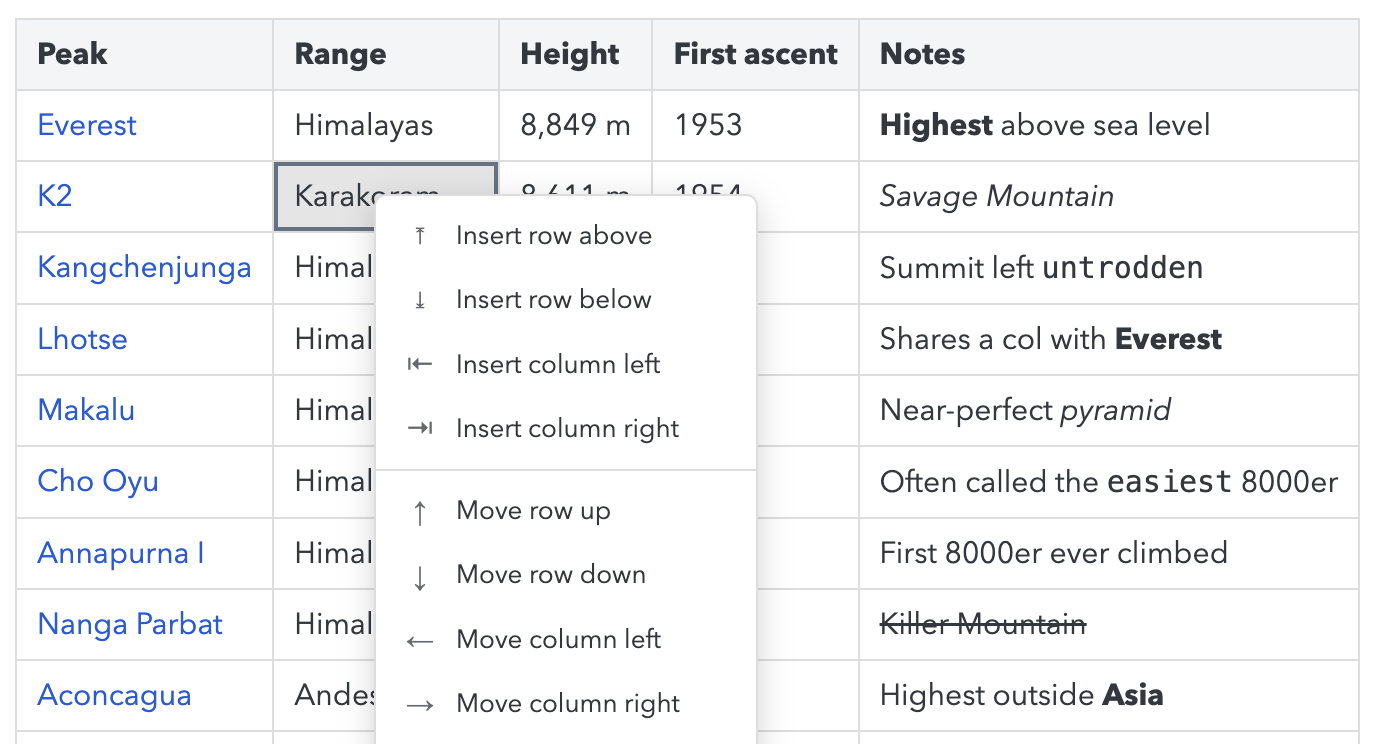
Because the editor is shared between platforms, this is available on mobile as well.
More reliable syncing
Syncing is faster and safer this cycle. Deleting a lot of notes at once on Joplin Server and Joplin Cloud no longer takes as long, and if you happen to be typing in a note just as it's being updated from another device, your changes are no longer at risk of being overwritten.
Faster startup
Joplin no longer processes plugin files that don't need processing at startup, which noticeably reduces launch time for users with several plugins installed.
Desktop-specific improvements
AI features (Beta)
The headline addition of this release is a set of AI features built into the app.
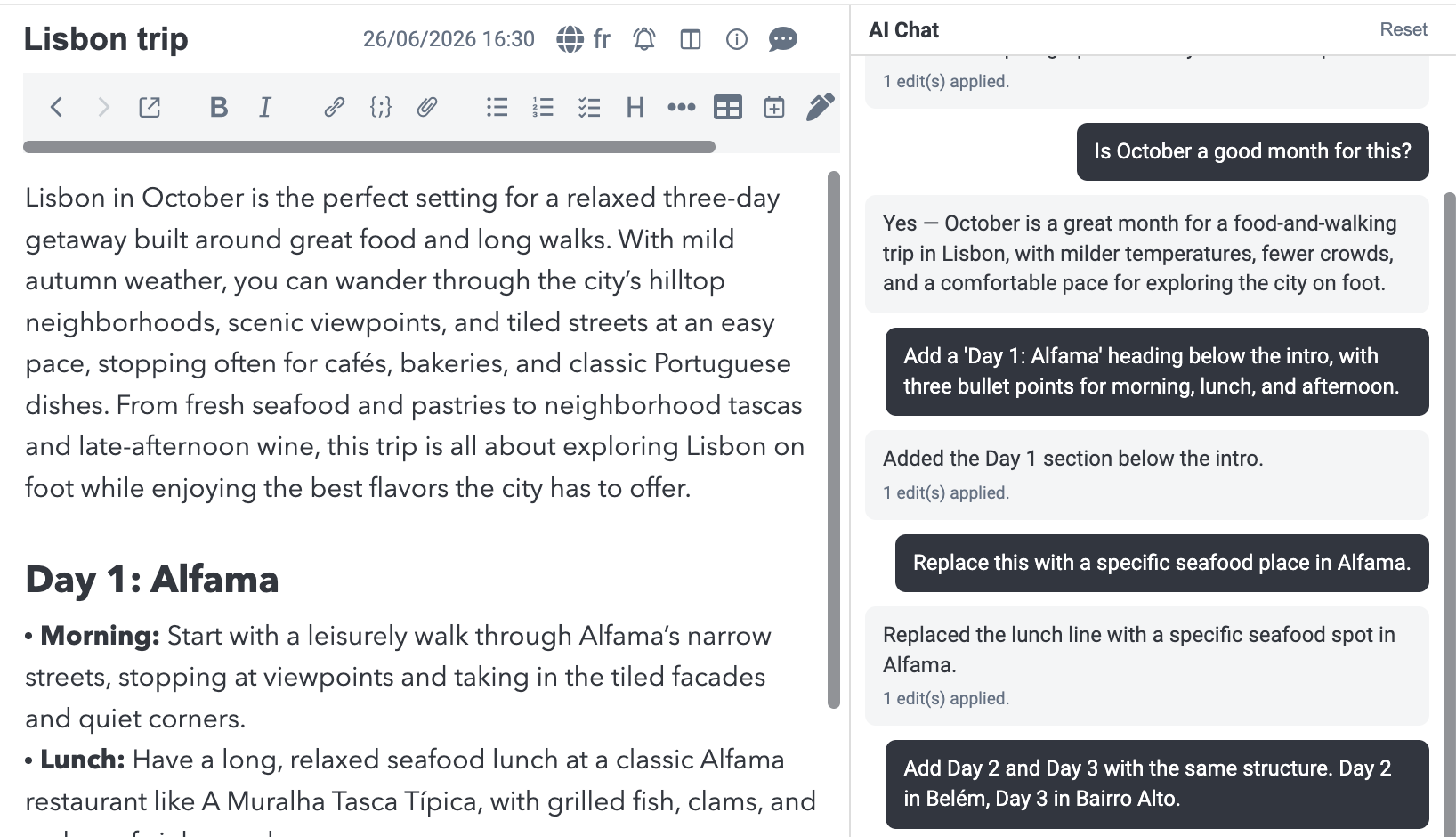
The chat panel sits alongside the current note and can answer questions about it, summarise it, or make edits to it on your behalf, as well as read images in your notes.
To use the AI features you need a provider, and this release introduces Joplin Cloud AI to make that as simple as possible. If you already sync with Joplin Cloud, you can simply turn it on and start using the chat panel right away - there's no API key to obtain, and nothing to configure.
If you would rather use your own provider, that remains possible: the chat panel also works with your own OpenAI or Anthropic key. It can equally be pointed at a local model running on your own machine, in which case your notes never leave your computer at all.
Semantic search is now available in the sidebar and in Go To Anything. Unlike the regular search, it matches on meaning rather than exact words, so a search for "holiday plans" can surface a note titled "Trip to Portugal".
This is powered by a new note embeddings indexer, which runs in the background and indexes both note titles and content.
Finally, all of this is available to plugin authors too. Plugins can now hold conversations with a model, run semantic searches, and work with the note index directly - which opens the door to a whole new class of plugins, from automatic tagging and summarising to tools that surface related notes as you write.
All the AI features are marked as Beta: they work, but they are new, and we expect to refine them based on how people actually use them.
MCP server
Joplin now includes an MCP server, which means external AI tools and assistants can read from and write to your notes through a standard protocol. If you already use an MCP-capable app such as Claude, it can now work directly with your Joplin data.
Whiteboards
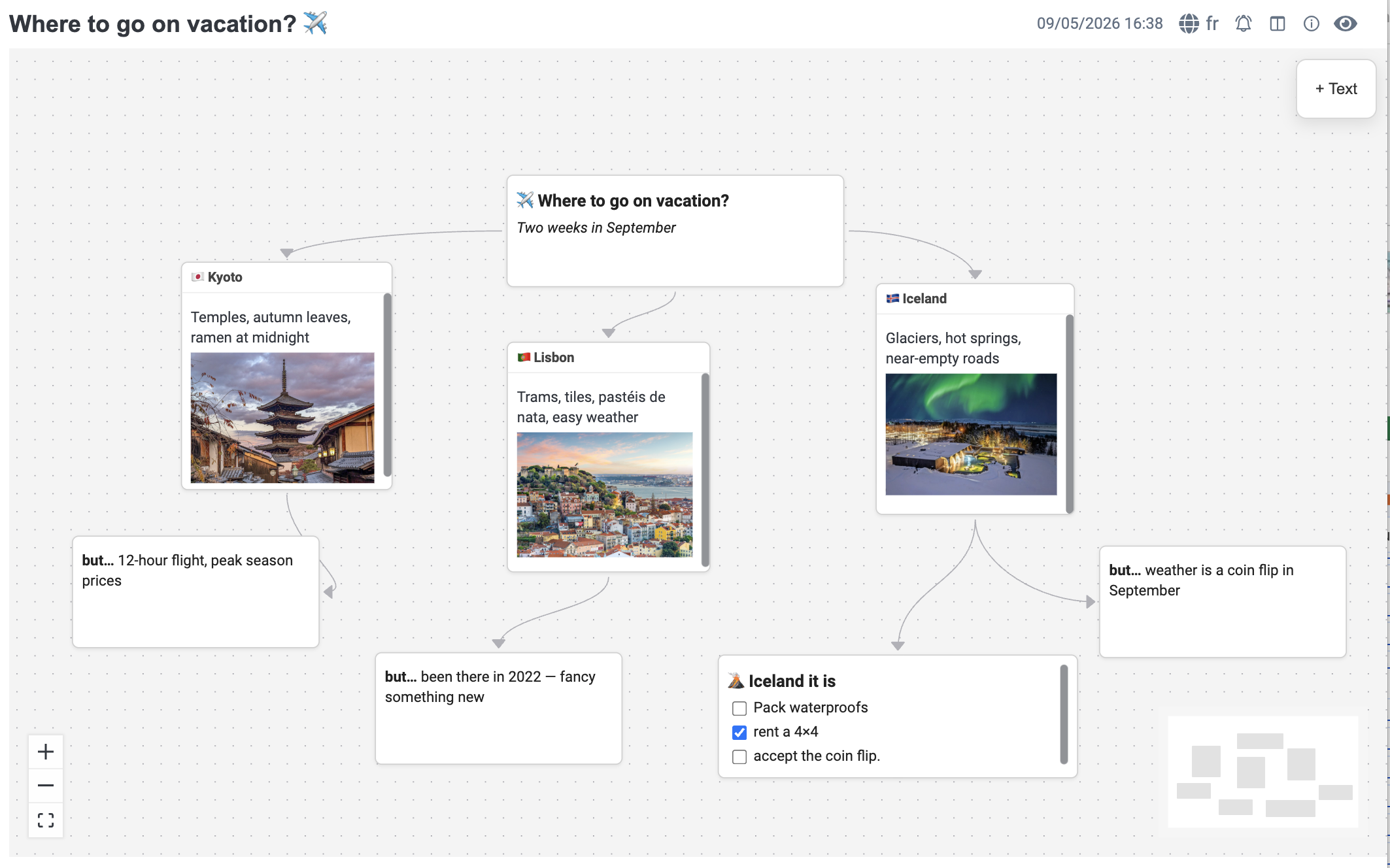
A brand new feature on desktop: whiteboards let you arrange notes, files and free-form cards on an infinite canvas, and connect them with labelled arrows.
Notebooks and tags are good at filing things away, but they say little about how your notes relate to one another. A whiteboard gives you that missing view: you can map out a project, plan a piece of writing, or lay out the pieces of a problem and see the connections between them at a glance.
Cards and groups can be coloured, and files can be dragged and dropped straight onto the canvas.
Importing from other apps
Joplin 3.7 adds support for importing an Obsidian vault, on both desktop and the CLI, making it straightforward to move over from Obsidian while keeping your notes and their structure.
The Evernote importer now resolves cross-notebook links in many cases where they were previously lost.
The OneNote importer also received another round of fixes, in particular around note order, printouts and handwriting.
Publishing and sharing
Joplin Cloud users could already publish a note to the internet as a public page. It is now possible to publish a whole notebook at once.
The notes are published together, with their links between each other preserved, which effectively turns a notebook into a small website: a piece of documentation, a recipe collection, a set of course notes, or anything else you want to share as a whole rather than one page at a time. Anyone with the link can read it, and it stays up to date as you edit the notes in Joplin.
And when sharing a notebook, email addresses are now auto-completed, which makes sharing with the same people repeatedly much quicker.
Settings search
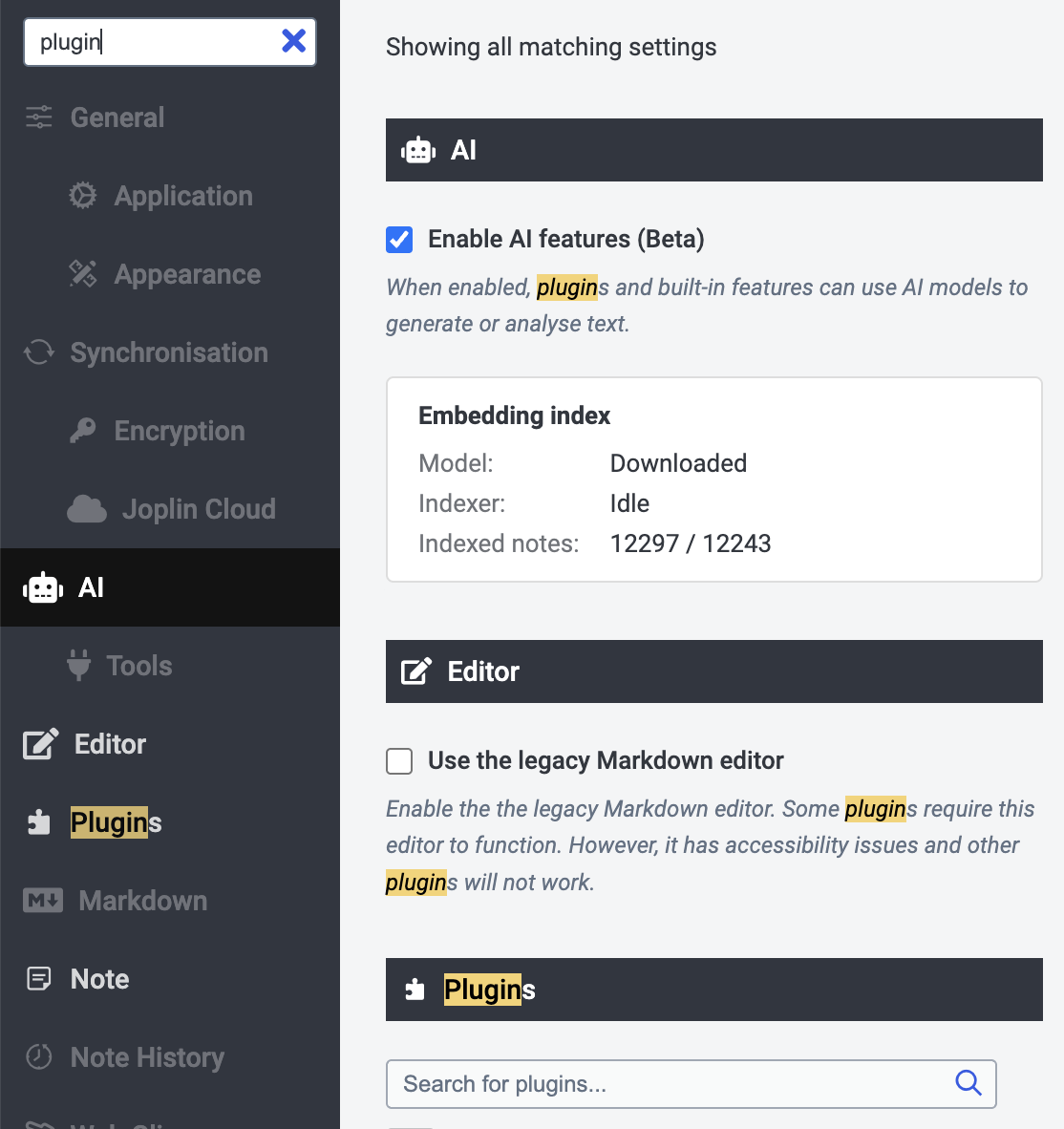
Joplin has accumulated a lot of settings over the years, and it is not always obvious which section holds the one you need. The configuration screen now has a search box: type what you are after, and the matching settings appear, wherever they happen to live.
Post-quantum encryption for connections
Joplin desktop now supports post-quantum cryptography (PQC) for TLS connections. This protects your synchronisation traffic against "harvest now, decrypt later" attacks, where encrypted data captured today could be decrypted by a quantum computer in the future.
Easier installation on Linux
The Linux AppImage no longer depends on the deprecated libfuse2 library. On many distributions, installing Joplin used to mean first tracking down and installing that dependency by hand - it should now simply run out of the box.
Mobile-specific improvements
The interface redesign continues
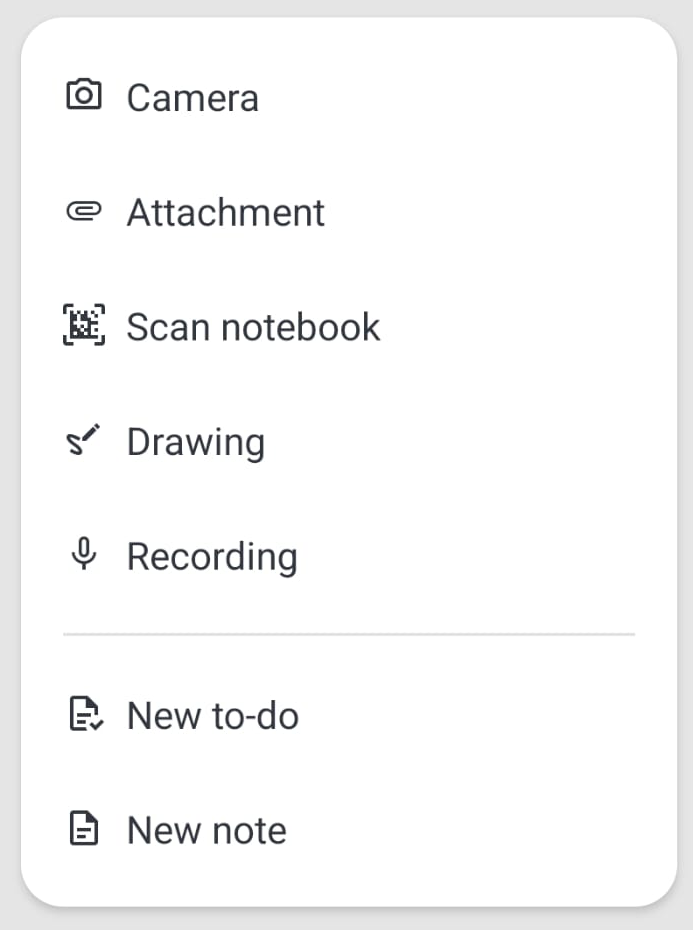
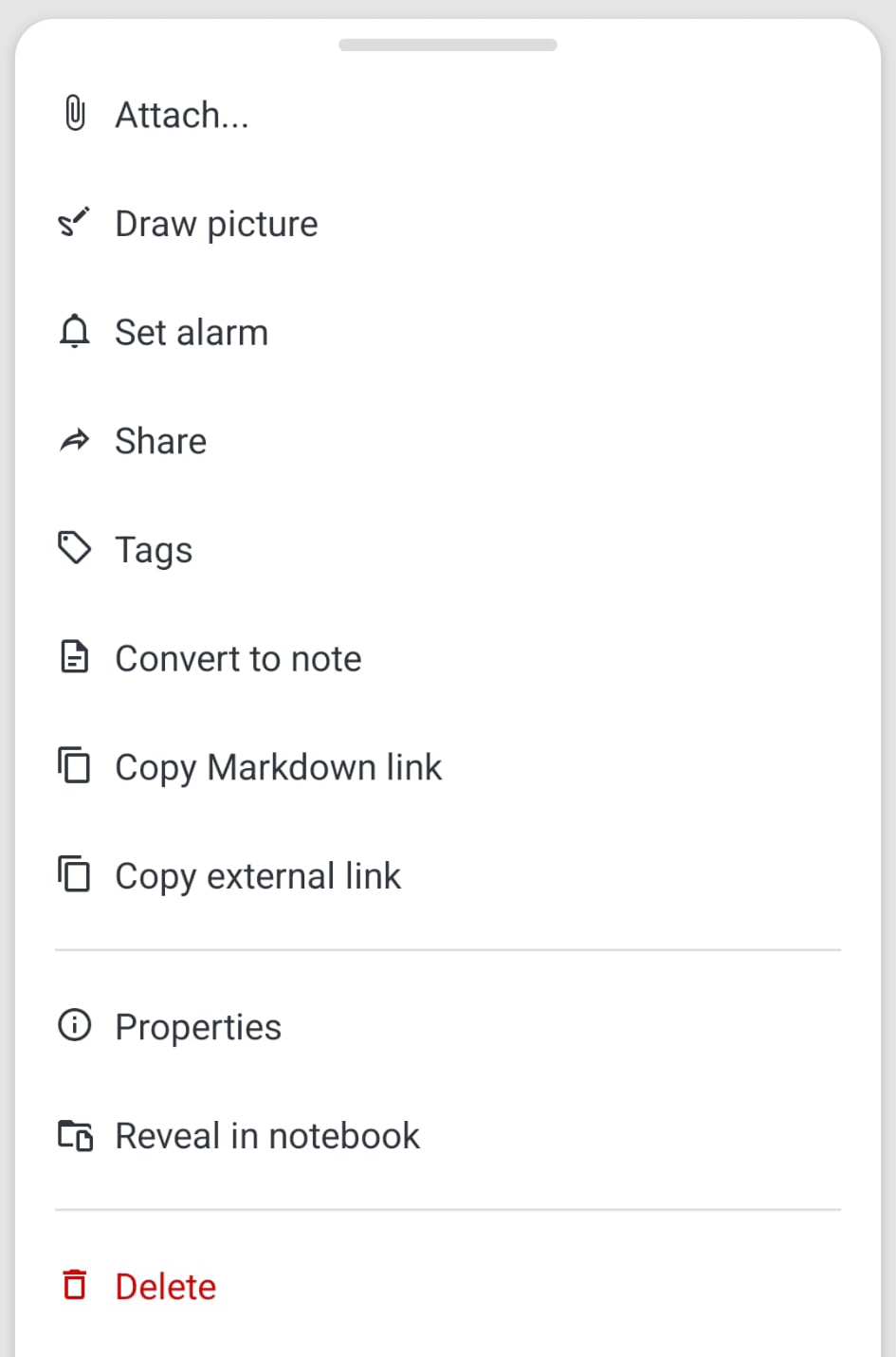
The mobile redesign that started in previous releases carries on through 3.7, this time focusing on the menus you reach for constantly - creating a note, acting on one, or long-pressing a notebook. They are now easier to read at a glance, and their options are laid out more sensibly, so common actions take less hunting. The search screen has had the same treatment.
Dialogs have been tidied up too, with buttons always appearing in the same order throughout the app - a small thing, but it means you stop having to check which side "Cancel" is on before tapping.
Faster encryption
The native crypto module has been refactored, which makes encryption and decryption substantially faster on mobile. This is most noticeable when first setting up end-to-end encryption or syncing a large collection for the first time.
Notebook sort options
You can now choose how the notebook list itself is ordered, from the configuration screen: alphabetically, or by which notebook was most recently updated - and in either direction. Sorting by recent activity is particularly handy on mobile, as it keeps the notebooks you are actually working in at the top of the sidebar.
Bug fixes and security fixes
Beyond the new features, a lot of this release went into making the apps more reliable and more secure: Joplin 3.7 includes over 100 bug fixes and eight security fixes across desktop and mobile.
For the full list of changes, see the desktop changelog and the mobile changelog.