



Improvements across desktop and mobile
More stable and consistent Markdown editing
The Markdown editor has been refined to feel more stable and closer to the final rendered view. Headings in the editor now more closely match how they appear when viewing a note, reducing the visual jump between editing and reading. Layout issues have also been addressed so elements like rendered checkboxes and images no longer cause the editor to shift unexpectedly while typing.
The ABC music notation plugin appeared to be popular but had some limitations. With this new version, ABC is now part of the app, which means it can now work from published notes, and from the Rich Text editor!

Smoother switching between notes
Switching between notes is now less disruptive. Joplin restores cursor position and scroll location more reliably, making it easier to move back and forth between notes—especially when working with longer documents or comparing content—without losing your place.
Case insensitive tags
Tags are now treated in a case-insensitive way, which helps prevent duplicate tags caused by differences in capitalisation, while still allowing mixed-case tag names. All this time we were hoping that @dpoulton would just get used to lowercase tags, but 5 years later it looks like it's not happening ;) So thank you @mrjo118 for implementing it!

More reliable syncing and sharing
Syncing and sharing have been made more robust in everyday use. Joplin now handles repeated syncs more efficiently, avoids unnecessary data usage, and is better at detecting and syncing all changes, particularly when using WebDAV and S3 sync targets.
Moreover filesystem synchronisation is now more reliable, in particular when used alongside tools like SyncThing on both mobile and desktop.
Accessibility and readability improvements
Accessibility has seen further refinements in this release. Dark mode readability has been improved, common editor elements are clearer, and animations are reduced or disabled when system “reduce motion” settings are enabled, making the app more comfortable to use for a wider range of users. Keyboard navigation has also been improved on the desktop application.
Desktop-specific improvements
Easier profile management
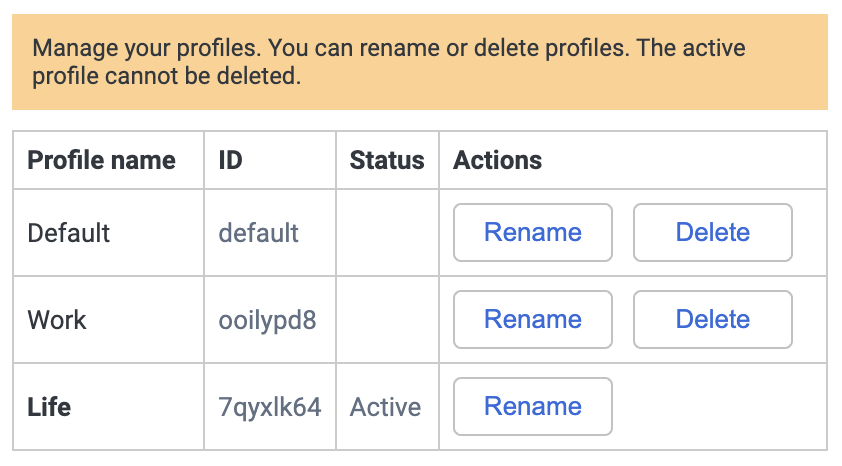
Managing multiple profiles on desktop is now simpler thanks to a new, more user-friendly profile management interface. This removes the need to manually edit configuration files and makes switching between different setups easier and safer.
Significantly improved OneNote import
Importing content from OneNote is now more reliable and accurate. Support has been expanded to cover more OneNote file formats, and many edge cases have been addressed so imported notes more closely match their original structure and content. This makes migrating from OneNote to Joplin smoother and more trustworthy.
Better tools for organising large note collections
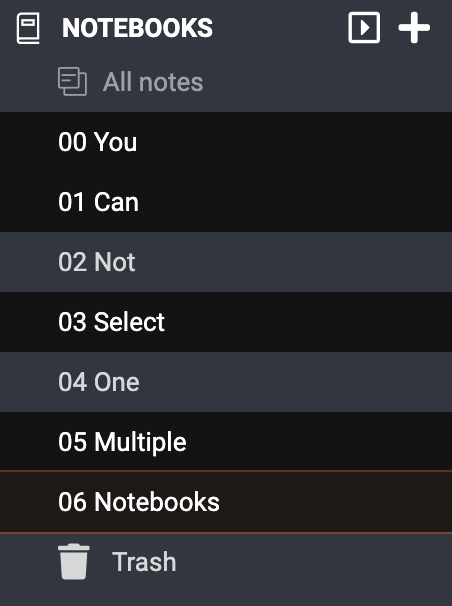
Desktop users can now select multiple notebooks at once, making it easier to reorganise notebook structures, move groups of notes, or clean up larger collections without working notebook by notebook.
Polished editing experience on desktop
Both the Markdown and Rich Text editors have been further refined. Cursor behaviour is more predictable, visual consistency between editing and viewing has improved, and several layout and rendering issues have been fixed to reduce interruptions while writing.
More reliable search and navigation
Search and navigation on desktop have been improved with fixes that ensure search results behave consistently and remain visible when moving between windows or views.
Improved math support in WebClipper
The WebClipper is not forgotten in this release - clipping certain math formulas, in particular from Wikipedia but also other websites, has been improved. Additionally, certain scientific articles are now also better handled by the WebClipper.
Mobile-specific improvements
A more powerful Rich Text Editor on mobile
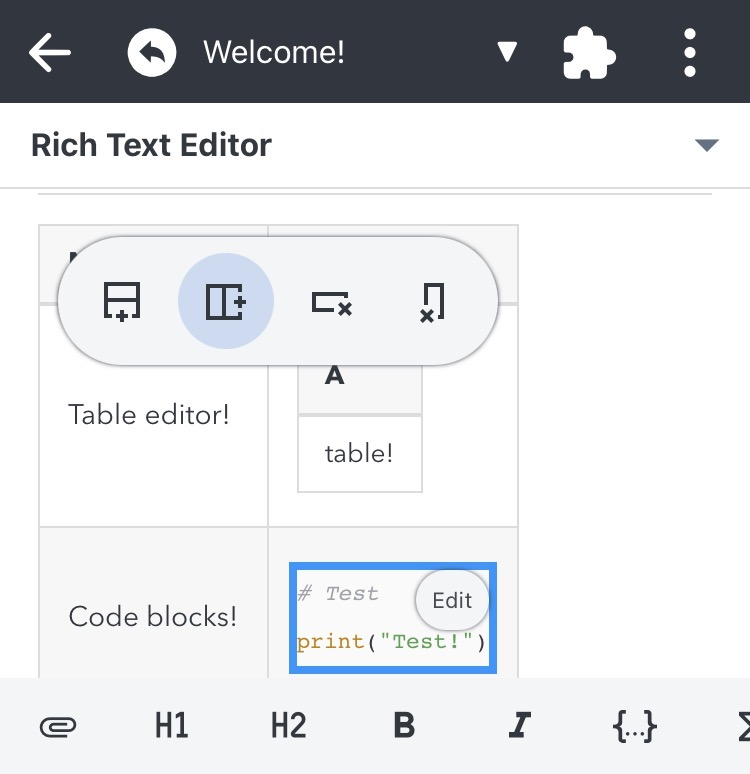
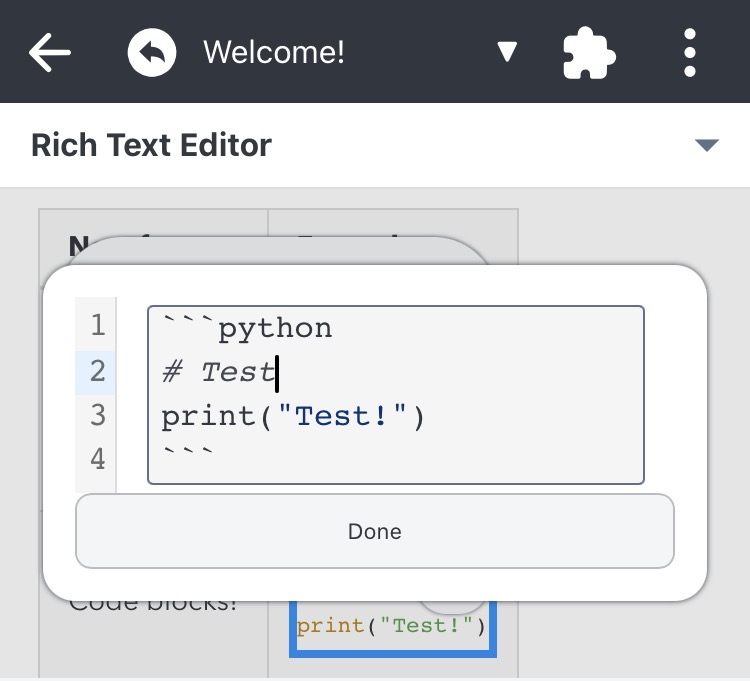
The mobile Rich Text Editor continues to improve, with new and expanded support for tables, code blocks, and other structured content. These changes make it easier to create and edit more complex notes directly on mobile devices.
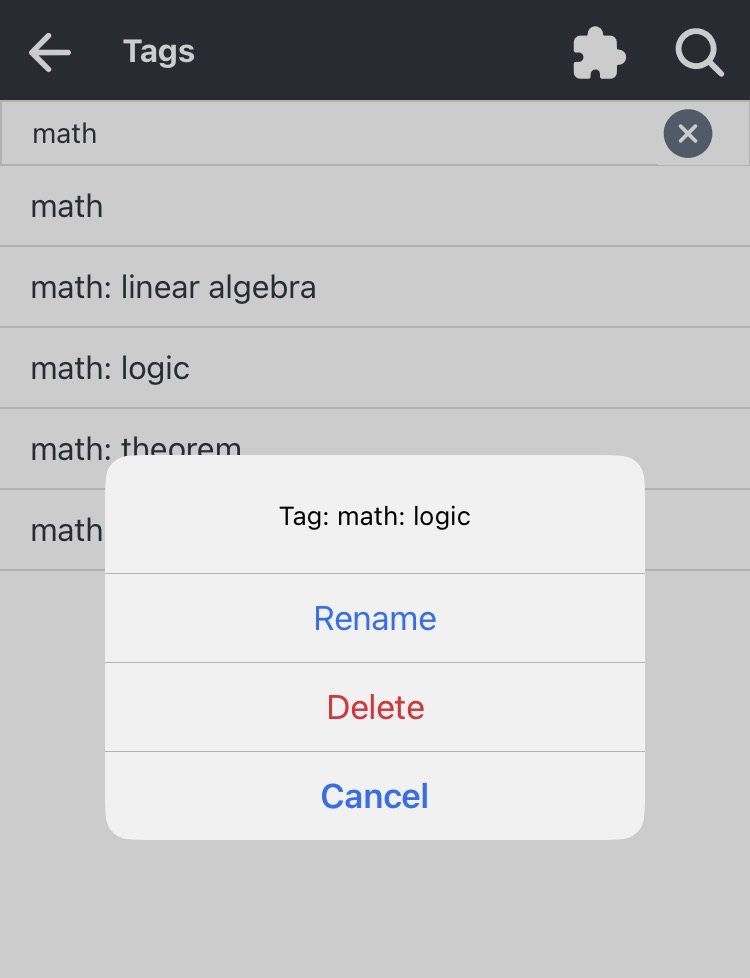
Easier tag management on mobile
Managing tags on mobile is now more practical. You can rename and delete tags directly from the app, and searching through tags is easier, helping keep large tag lists organised over time.
Improved stability and usability on mobile devices
Several fixes improve overall stability and usability on mobile, particularly on smaller screens. Issues causing UI elements to appear off-screen have been addressed, and the app behaves more consistently in situations that previously caused hangs or visual glitches.
Bug fixes and security fixes across platforms
A large number of stability, correctness and security fixes
Joplin 3.5 includes about 114 bug fixes across desktop and mobile, addressing issues in editing, syncing, importing, rendering, and general stability. Many fixes target edge cases that could lead to crashes, inconsistent behaviour, or rare data loss scenarios. Moreover, this version includes several vulnerability fixes to make the applications more secure.